


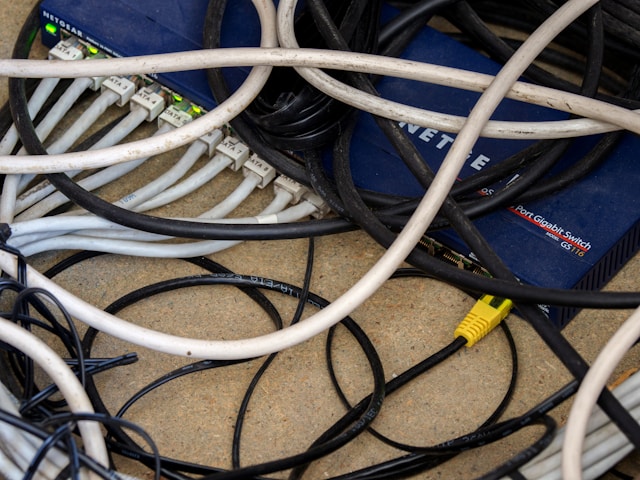
Ever turned on your TV and noticed weird flickers? Strange colors? Or a screen that cuts out for a second, then pops back in? It can feel random. It can feel annoying. And many people never suspect the real issue. Their HDMI cable.
HDMI cables look tough. Thick. Solid. Hard to break. And yet they don’t last forever. Some people buy bulk HDMI cable bundles to have extras on hand. Smart idea. But even with spares, these cables eventually wear out from bending, heat, or constant plugging in and out. The good news? You can spot the signs early. You can fix most problems easily. And you can save yourself hours of frustration with a bit of know‑how.
What Actually Causes an HDMI Cable to Go Bad?
HDMI cables don’t die overnight. They wear down little by little. Like a phone charger that starts fraying but still “sort of” works. The same thing happens here.
Cables often fail because of physical stress. Think bending behind a TV stand. Or being stepped on during room setups. Or getting yanked when someone moves a console without checking the wiring. Another issue is heat. Electronics give off warmth. Over time, that can weaken the cable’s internal wiring.
Cheap cables also fail faster. They use lower‑grade materials that break down under normal use. I’ve seen a thin discount cable give out in a month. Meanwhile, a thicker cable lasted years. Quality matters more than people think.
Signs Your HDMI Cable Is Going Bad
HDMI cable issues are sneaky. They don’t always show up all at once. Usually, they start small. Then get worse.
Here are common signs:
- Random screen flickers
- Distorted colors
- Audio cutting in and out
- No signal unless you wiggle the cable
- Lower resolution than expected
If you see any of these, don’t panic. Most people assume the TV or console is dying. But nine times out of ten? It’s the cable. I once spent an hour resetting a sound system only to discover the HDMI cord behind it had a tiny bend. One swap. Problem gone.
Why Cheap or Thin Cables Fail Faster
Not all HDMI cables are created equal. Some feel flimsy the moment you pick them up. That usually means the shielding is weak. Weak shielding = weak signal. And weak signal = headaches.
Thin cables can’t handle long distances well. Once you go beyond six to ten feet, a poorly made cable starts to struggle. Add 4K or 8K signals to the mix, and things get worse. The cable simply can’t carry enough data. So the picture drops. The audio pops.
Better materials make a big difference. Thicker copper. Better insulation. Stronger connectors. These make the cable last longer and keep performance stable.
How Bending and Pressure Damage HDMI Cables
Ever shoved a TV against the wall while the cables were still plugged in? We all have. It’s easy to forget that cables need breathing room. Sharp bends can break internal wires. Even if the outside looks fine.
Pressure causes the same problem. A chair leg on a cable. A heavy speaker pressing on it. Over time, the wires inside get crushed. That reduces signal flow. It’s like trying to drink through a straw with a pinch in the middle.
A good rule? Keep gentle loops rather than tight angles. Let the cable hang freely. And never force it into a space it doesn’t fit.
When Length Affects Performance
Long HDMI cables are a common trouble spot. The longer the cable, the harder it is to send a clean signal. This becomes even more noticeable with 4K gaming systems and high‑refresh‑rate monitors.
Once you hit long distances, the cable needs stronger design to keep up. Poor long cables will show signs like:
- delayed signals
- flickering
- resolution drops
If you need long runs, look for active HDMI cables or fiber‑based ones. These handle distance better and maintain stable performance.
How to Test Your HDMI Cable
Testing an HDMI cable doesn’t require special tools. You can check most issues with simple swaps.
Try this:
- Replace the cable temporarily with another one.
- Try the same cable on a different device.
- Move the cable gently while watching the screen.
If the picture jumps when you move it, that’s your answer. If another cable works instantly, that confirms it. Simple. Quick. Reliable.
I’ve used the “swap test” countless times when troubleshooting home theatre setups for friends. It solves the mystery fast.
How to Prevent HDMI Cable Problems
Prevention keeps your cables working longer. And it saves money down the road.
Some simple habits help a lot:
- Keep cables loose, not tight.
- Avoid stepping on them or rolling chairs over them.
- Don’t force a cable into a port. Line it up straight.
- Use higher‑quality cables for long distances or 4K setups.
These small habits extend cable life more than people realize. Think of it like caring for earbuds. Treat them gently and they last. Toss them around and you’ll be buying new ones every few months.
When You Should Replace Your HDMI Cable
Sometimes the only solution is a fresh cable. If you see repeated glitches, and testing confirms it’s the cable, replace it. HDMI cables are affordable and easy to change.
Replace the cable if:
- It has visible damage
- It only works when you bend it
- Your devices support 4K or 8K but the picture won’t display in full quality
- The cable is older than five to seven years
Technology improves quickly. Newer cables handle more data. Better refresh rates. Higher resolutions. Swapping an old cable can fix problems instantly.
Final Thoughts
HDMI cables can go bad. And they often show clear signs when they do. The good news is that most problems are easy to diagnose and even easier to fix. A little awareness saves you a lot of headaches.
Treat your cables well. Avoid sharp bends. Buy decent quality. And test them whenever something looks off. Your TV, console, or projector will thank you.
Email your news TIPS to Editor@Kahawatungu.com — this is our only official communication channel
