


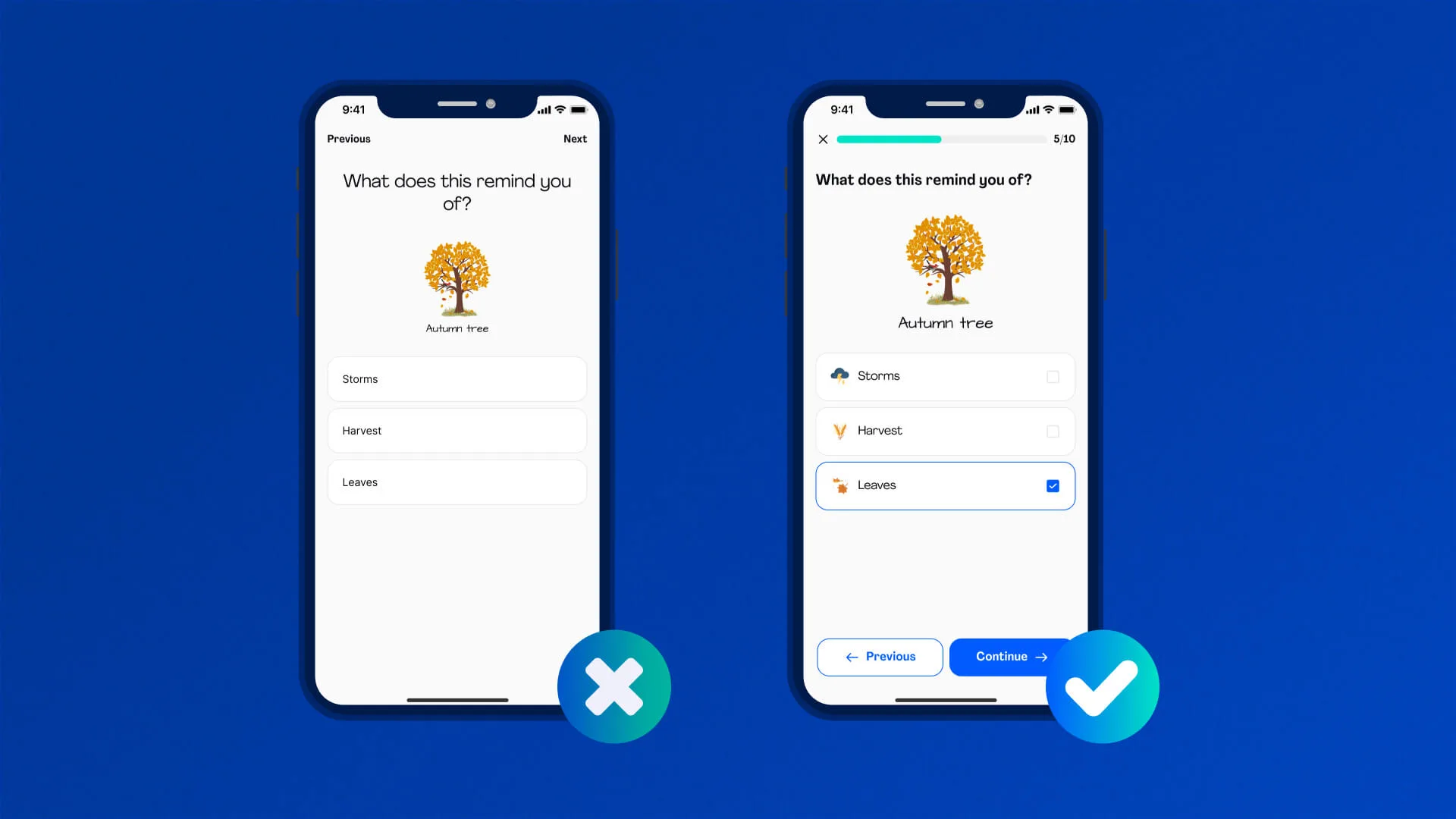
A lot of work goes into designing an app. And after all the time and resources, the only thing you hope to see is your app thriving. But did you know something as simple as the user interface can prevent people from using your application again? While there are so many apps in the market, a lot of them are failing even with their brilliant functionality. The reason? Bad user experience.
As we’re surrounded by tech-savvy individuals, it is now more important than ever to design a winning app. Your application should meet the expectations of modern users for it to thrive. That’s why UX/UI design services are important. It’s the best way to ensure your app offers a stellar user experience for consumers to keep using it.
Global tech companies like GP Solutions understand that even the smartest code falls short without thoughtful, user-centered design, which is why they offer dedicated UI/UX design services as part of their product development process.
Keep reading to learn about the dangers of bad UX.
The Silent Dealbreaker: What Poor UX Actually Looks Like
A lot of designers cannot identify bad UX at the start, which is why even leading apps are struggling. UX flaws frustrate users and slow apps, making things harder than they are supposed to be. Here are some examples of bad user experiences.
Confusing Navigation
Consumers should not struggle to find what they’re looking for in your application. The digital layout and how you place information are key towards ensuring exceptional user experience. When a person spends a lot of time finding a product or information, they’ll be frustrated with your app.
Ensure that your application offers choices and limits the need for a user to scroll down every single page. Confusing navigation is actually among the factors that make users abandon an app altogether.
Cluttered or Inconsistent Design
Information overload increases a person’s stress levels. Many developers concentrate on offering information, forgetting they need to design an app that is easy and multifunctional. This is why apps from Google and Apple are successful: they focus on minimalism.
Developers should avoid offering plenty of functions that users don’t know or interact with. Providing such functions makes new customers shy away, introduces the need for detailed guidelines, and leaves existing users tired of filling in entries. If your design is cluttered or inconsistent, consumers may have trouble understanding how the app works and will end up going for alternatives.
Slow or Non-Responsive Elements
Nobody wants to be on a website that takes its sweet time to load. It creates a frustrating experience, especially when a person is really interested in knowing its products and/or services. 53% of people will leave a site if it takes longer than 3 seconds to load.
Large images and high traffic are some of the things that slow the response time. Please make sure all the elements of your app are responsive upon clicking and that they take minimal time to open.
Lack of Accessibility Features
Accessibility is not just a nice aspect to have. It is a necessity for your app to perform. When users find it hard to access things on your app, they will end up uninstalling it. Things like poor color contrast make it difficult for consumers to read your websites, and so do products incompatible with screen readers.
People with disabilities are also part of your potential audience. So make sure you consider them in the design for a seamless user experience.
Real Business Costs of Bad UX
Drop-off rates
A bad UX wastes a consumer’s time. And in an era where people’s attention spans have drastically reduced due to social media, you cannot expect people to continue using your app if it is complicated or unresponsive.
Abandoned carts
Shoppers will likely abandon their carts if they struggle to see shipping fees and other charges. Also, a site with a complicated checkout process chases away 18% of shoppers.
Negative app store reviews
Users will give negative feedback and poor ratings on app stores if your application offers a bad user experience. Lower ratings reduce your downloads and make the app less visible.
Additional costs
A bad user interface means more complaints and many support requests. So, you’ll spend more on supporting customers and reworking or redesigning your app. Also, since conversion rates will be lower, you’ll have to invest in strategies to support this.
When to Bring UI/UX Experts
User interface affects consumer behavior and attitude. It is not just about making your app more beautiful. It’s about designing it to be functional and intuitive. If you spot these pitfalls, it may be time to seek UI/UX design services:
- Users aren’t completing tasks. Users leaving tasks uncompleted can be an indicator that they are struggling to use your app. Anything that makes it complicated, like cluttered design or complex navigation, could be a culprit.
- High uninstall rates. If many users are uninstalling your app, it’s time to review the user interface. Are the pages taking time to load? Is it easy to find a product? Are the fees transparent?
- Feature-rich but low engagement. If you often update your apps with new and intuitive features but users still don’t interact with them, bad UX may be the reason. Low engagement is usually a result of consumers not finding value in the content, so they ignore it altogether.
What to Expect from Professional UI/UX Design Services
When you consult the services of UI/UX professionals, here is what you can expect.
Discovery and Research: Developers will conduct interviews and research to understand your product, its goals, and your target audience. They do this by developing user personas and mapping the brand’s needs.
Wireframing and Prototyping: These steps involve translating insights from the research stage. Wireframing is more about establishing what goes where, like where images, buttons, and text will appear. Prototyping involves building a pretend version of an application that you can explore. You’ll note the colors, fonts, and visuals to show how your app behaves.
User Testing and Iteration: Your app design is then tested and evaluated. Feedback collected from this step is crucial in revising the initial design.
UI Design: With everything now in place, your designer will then create your app’s visual layout. This involves selecting colors, icons, typographies, and other elements to ensure efficiency and consistency in the user interface.
Handoff to Dev: Lastly, the design files are presented to developers. Tools like Sketch and Figma are often used to ensure a smooth transition and ongoing collaboration.
At GP Solutions, UI/UX design is never an afterthought — it’s a strategic phase of their software development lifecycle. From the first sketch to clickable prototypes, their team ensures every interface is both functional and delightful.
Conclusion: Design Is the New Differentiator
Even the greatest apps are failing because of a bad UX. And since the market already has thousands of applications competing for a consumer’s attention, ensure that yours stands out. Build an app that caters to the needs of your target audience without complicating processes.
Whether you’re building a fintech tool, a marketplace, or an enterprise dashboard, GP Solutions can help you create digital experiences that users love and businesses grow.
Email your news TIPS to Editor@Kahawatungu.com — this is our only official communication channel
