

How Simple Smartphones Are Helping Seniors Stay Connected in a Digital World

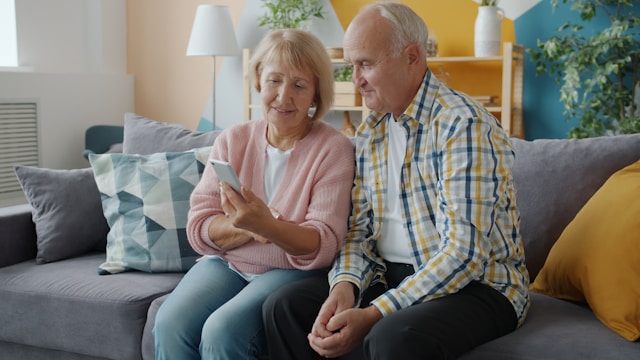
Most phones weren’t built with older adults in mind – and it shows. Devices like the Jitterbug Smart4 exist precisely because the standard smartphone, with its tiny icons, dense settings menus, and assumption that users already know what they’re doing, was never designed for someone coming to the technology late.
A new category of senior-friendly smartphones is trying to fix that – and the results are worth paying attention to.
Why Standard Smartphones Fall Short for Many Older Adults
Most flagship phones are designed around a user who grew up with touchscreens. Text is small. Icons are abstract. Settings are buried three menus deep. Notifications stack up from apps no one remembers installing.
For a lot of seniors – particularly those who didn’t spend decades in front of computers – this isn’t a learning curve so much as a wall. Social isolation is one of the more serious health risks for older adults, and technology that’s too frustrating to use doesn’t help anyone stay connected.
The barriers tend to cluster around a few specific problems:
- Vision: Small text and low-contrast interfaces are hard to read, especially for people with age-related changes in eyesight
- Hearing: Most phones default to speaker volumes that don’t account for hearing loss, and calls often come through muddy or thin
- Motor control: Small tap targets and swipe gestures are difficult to use reliably for people with arthritis or reduced fine motor control
- Cognitive load: Too many options, too many notifications, and too many steps to complete simple tasks like making a call
A phone built for older adults addresses these directly, rather than asking the user to adapt around the device.
What “Simple” Actually Means in Practice
A simple phone doesn’t have to be stripped down to the point of uselessness. The better senior-focused smartphones run on Android, support video calls, GPS, internet browsing, and app downloads – the same core functions as any modern phone. What’s different is how those functions are presented.
The best designs organize everything into a single scrollable list with large text and clear labels, rather than a grid of icons that require prior knowledge to decode. Screens run large – 6.5 inches and up – with resolutions that keep text crisp at a glance.
Speakers are tuned for louder, clearer audio, and many models support hearing aid compatibility at M4/T4 ratings, which is the highest standard available.
Some devices also include real-time call captioning, which displays what the other person is saying as text on screen during a phone call. For someone with moderate hearing loss, that single feature can make the difference between a phone that works for them and one that doesn’t.
The Safety Layer That Changes the Equation
One of the more meaningful differences between a general-purpose phone and one built specifically for older adults is the integration of safety features – not as a separate wearable or add-on device, but built into the phone itself.
Several senior-focused carriers now offer optional plans that layer emergency response directly onto a standard phone plan. Depending on the provider and tier, these can include:
- Urgent response buttons that connect directly to a 24/7 staffed response center – not a 911 dispatcher, but a trained agent who can assess the situation and escalate if needed
- Nurse on-call access for health questions at any hour, without a trip to an urgent care clinic for something minor
- Family companion apps that show the phone’s location, battery status, and a log of any emergency calls, giving adult children visibility without being intrusive
- Care advocacy services that help users navigate health planning and appointments
The response center model matters in practice. Emergency calls to 911 require the caller to communicate their location and situation clearly. A staffed urgent response service can pull up account information, stay on the line, and coordinate help even if the caller is distressed or confused.
Who Actually Benefits From This Category
It’s worth being honest about the fit. A senior who is already comfortable with a standard iPhone or Android phone probably doesn’t need to switch.
The simplified interfaces on senior-focused devices are genuinely less flexible than what a full-featured smartphone offers, and some models lock users into a single carrier.
Where this category earns its place:
- Someone picking up a smartphone for the first time, without prior experience to build on
- Someone who tried a standard phone and found it too confusing or frustrating to use consistently
- Someone managing vision, hearing, or motor control challenges that mainstream phones don’t accommodate well
- Families looking for a way to stay in regular contact with an older parent who currently avoids phones altogether
The safety features also shift the decision for many families. A phone that doubles as an emergency response device has a different value proposition than one that just makes calls – it addresses two separate worries at once.
A Category That’s Finally Being Taken Seriously
For years, “senior phones” meant stripped-down feature phones with large buttons and little else – devices that felt more like a concession than a solution. That’s changed. The current generation runs full operating systems, supports modern apps, and in some cases connects to broader home health ecosystems like fall detectors and medication reminders.
The design philosophy has shifted from removing complexity to managing it – giving users access to what they need while keeping the rest out of the way. That’s a more useful approach than the alternative, and it’s producing devices that actually get used rather than sitting in a drawer after the first week.
For seniors who want to stay connected without a phone that feels like homework, and for families who want peace of mind without constant check-in calls, that shift matters more than any spec sheet.

