

How to Blacklist a Stolen Phone on MTN

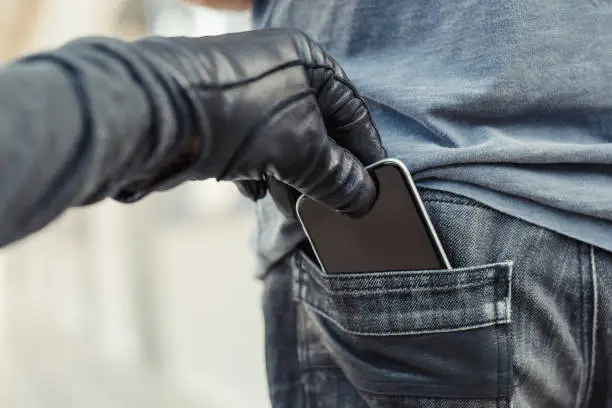
If your mobile phone has been stolen, blacklisting it is one of the most effective ways to prevent it from being used on South African mobile networks. Blacklisting blocks the phone’s unique IMEI number, making it difficult for thieves to use or sell the device. Acting quickly can also help protect your personal information and reduce the risk of unauthorized access. Learning how to blacklist a stolen phone on MTN can help you secure your device and take the appropriate steps after theft.
-
Record Your IMEI Number
Before reporting your phone as stolen, locate your device’s IMEI number if you have it.
The IMEI can usually be found on the original phone box, purchase receipt, or your MTN account records. If you still have access to the phone before it is lost, you can also dial *#06# to display the IMEI.
- Find the phone’s IMEI number
- Keep your proof of purchase ready
- Record your device details
-
Report the Theft to the Police
Report the theft at your nearest police station as soon as possible.
A police case number may be required for insurance claims and can also assist during the blacklisting process.
- Visit the nearest police station
- Report the stolen phone
- Obtain a police case number
-
Contact MTN Customer Support
Notify MTN immediately that your phone has been stolen and request that the device be blacklisted.
Provide your account details, the phone’s IMEI number, and any other information requested to verify ownership.
- Contact MTN customer support
- Request IMEI blacklisting
- Provide proof of ownership if required
-
Block Your SIM Card
Ask MTN to suspend or block your SIM card to prevent unauthorized calls, messages, or mobile banking transactions.
You can later request a replacement SIM with your existing number.
- Request immediate SIM suspension
- Protect your mobile services
- Apply for a replacement SIM if needed
-
Monitor Your Accounts and Replace Your Device
After blacklisting your phone, monitor your mobile account, banking apps, and online accounts for unusual activity.
If necessary, change important passwords and set up your replacement phone securely.
- Change important account passwords
- Monitor your financial and online accounts
- Activate security features on your new device
Also Read: How to Become an Investment Banker in South Africa

