

How To Check If A Camshaft Position Sensor Is Bad

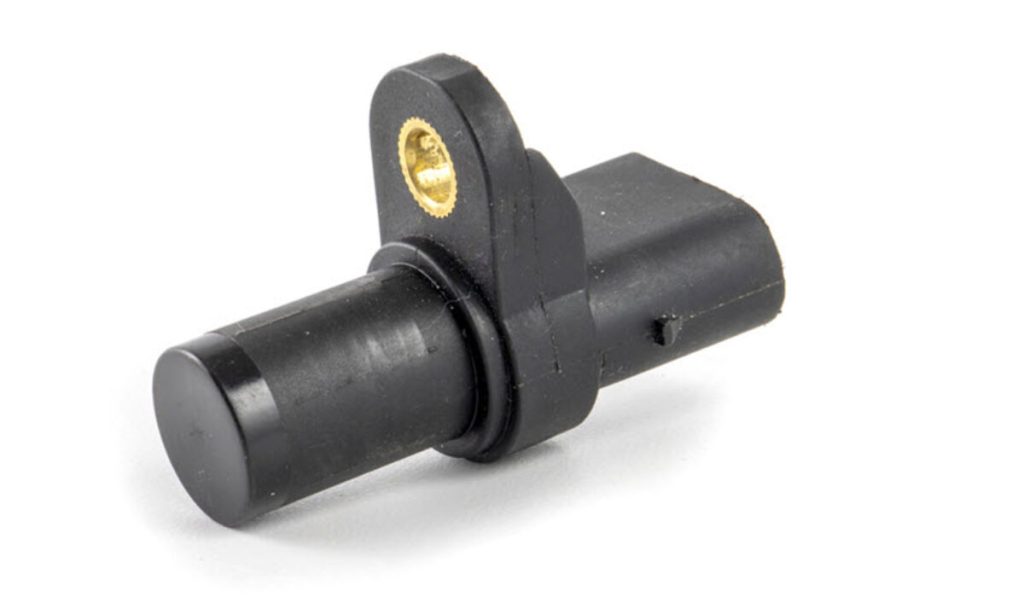
The camshaft position sensor is an essential component of your car’s engine management system. It monitors the position and speed of the camshaft and sends this data to the engine control unit (ECU), which uses it to regulate fuel injection and ignition timing. When the camshaft position sensor starts failing, your car may run poorly, misfire, or refuse to start. Knowing how to check if the camshaft sensor is bad can help you avoid costly repairs and keep your engine running smoothly.
Here’s how to identify a faulty camshaft position sensor and test it properly.
- Recognize Common Symptoms of a Bad Camshaft Sensor
Before testing, it helps to know the warning signs of a failing sensor. Some common symptoms include:
- Check Engine Light turning on.
- Hard starting or failure to start.
- Rough idling or engine stalling.
- Poor acceleration or reduced power.
- Misfiring or irregular engine performance.
If your car shows one or more of these signs, the camshaft position sensor might be the cause.
- Use an OBD-II Scanner
One of the easiest ways to check if your camshaft sensor is faulty is by using an OBD-II scanner, which reads diagnostic trouble codes from the ECU.
- Plug the OBD-II scanner into your car’s diagnostic port, usually located under the dashboard.
- Turn on the ignition without starting the engine.
- Follow the scanner prompts to read the error codes.
If you see codes like P0340, P0341, or other camshaft-related errors, it indicates a problem with the camshaft position sensor or its circuit.
- Inspect the Sensor and Wiring
A visual inspection can often reveal the cause of the issue.
- Locate the camshaft position sensor, which is usually mounted near the top or side of the engine.
- Check for loose connectors, damaged wiring, or corroded terminals.
- Clean any dirt or oil around the sensor, as contamination can interfere with signal accuracy.
If the wiring or connector appears damaged, repair or replace it before testing further.
- Test the Sensor with a Multimeter
You can confirm if the camshaft sensor is bad by testing it using a digital multimeter.
- Set the multimeter to DC voltage mode.
- Disconnect the sensor’s electrical connector.
- Turn the ignition key to the “ON” position (without starting the engine).
- Use the multimeter probes to check for reference voltage (usually 5 volts) from the car’s ECU.
Next, test the sensor itself:
- Reconnect the sensor and set the multimeter to AC voltage mode.
- Crank the engine while observing the meter.
- A good sensor should generate a small but steady voltage signal. If no signal or inconsistent readings appear, the sensor is faulty.
- Check Resistance (for Magnetic Sensors)
If your vehicle uses a magnetic camshaft sensor, you can test its resistance.
- Set the multimeter to ohms (Ω) mode.
- Disconnect the sensor and measure the resistance between the signal and ground terminals.
- Compare the reading to your car’s repair manual specifications.
A reading far above or below the normal range means the sensor has failed.
- Replace the Faulty Sensor
If your tests confirm the sensor is bad, replace it with a new one. Disconnect the battery, remove the faulty sensor, and install the new part securely. After replacement, clear any stored codes using the OBD-II scanner and start the engine to ensure the problem is resolved.
- Final Tips
- Always use a quality replacement sensor to avoid recurring issues.
- If problems persist after replacement, check the crankshaft position sensor, as both sensors work closely together.
- Keep the sensor and wiring clean to prevent signal interference.
Also Read: How To Check A Capacitor With A Multimeter