

How To Duet A Video On TikTok

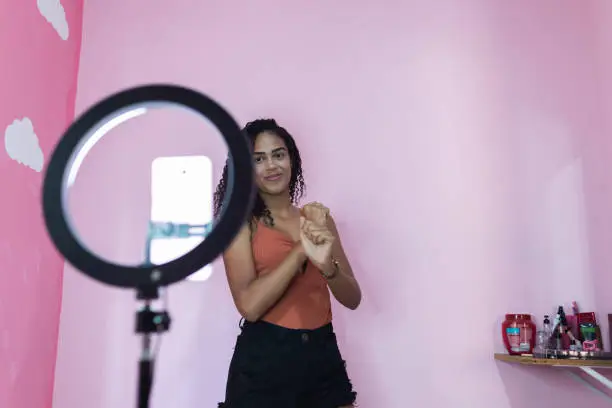
Dueting a video on TikTok is a fun and creative way to interact with other users’ content. A duet allows you to record your own video side by side with an existing TikTok video, making it perfect for reactions, challenges, singing, dancing, tutorials, and commentary. This feature helps creators collaborate, engage with trends, and grow their audience by joining popular conversations. Whether you are new to TikTok or want to improve your content creation skills, this guide explains how to duet a video on TikTok in a clear, simple, and practical way.
- Understand What a TikTok Duet Is
Before using the feature, it helps to know how it works.
- A duet splits the screen into two parts
- The original video appears on one side
- Your recorded video appears on the other side
- Both videos play at the same time
Duets allow creative interaction without copying content.
- Make Sure the Duet Feature Is Enabled
Not all videos allow duets.
- Some creators turn off duets
- You cannot duet private videos
- Duet option depends on the original creator’s settings
- Public videos usually allow duets
If the duet option is missing, the feature may be disabled.
- Update the TikTok App
Using the latest version ensures all features work properly.
- Open your app store
- Check for TikTok updates
- Install the latest version
- Restart the app after updating
Updates improve performance and access to tools.
- Find the Video You Want to Duet
Choose a video that fits your idea.
- Scroll through your For You page
- Use the search bar to find a specific video
- Open the video fully
- Watch it once before dueting
Understanding the video helps you plan your response.
- Tap the Share Arrow
This opens the interaction options.
- Look for the arrow icon on the right side
- Tap the arrow
- A menu with options will appear
- Look for the “Duet” option
The duet button is usually easy to spot.
- Select the Duet Option
This step starts the duet process.
- Tap on “Duet”
- TikTok opens the recording screen
- The original video appears on one side
- Your camera view appears on the other
You are now ready to record.
- Choose Your Camera and Layout
TikTok allows some customization.
- Switch between front and back camera
- Adjust screen orientation if available
- Position yourself properly in frame
- Check lighting and background
Good setup improves video quality.
- Prepare Before Recording
Preparation helps you feel confident.
- Decide what you want to say or do
- Practice once without recording
- Make sure your face is visible
- Remove distractions
Confidence makes your duet more engaging.
- Record Your Duet Video
Now it is time to record.
- Press and hold the record button
- React, sing, dance, or respond naturally
- Follow the timing of the original video
- Release the button to stop recording
You can record in one take or multiple segments.
- Use Editing Tools After Recording
TikTok provides simple editing options.
- Add text or captions
- Adjust volume levels
- Add filters or effects
- Trim clips if needed
Editing enhances clarity and creativity.
- Add a Caption and Hashtags
Captions help your video reach more viewers.
- Write a short and clear caption
- Use relevant hashtags
- Tag the original creator if appropriate
- Keep text simple and engaging
Good captions improve visibility.
- Adjust Privacy and Posting Settings
Choose who can see your duet.
- Set video to public, friends, or private
- Allow or disable comments
- Enable or disable downloads
- Review duet and stitch permissions
Settings help control interaction.
- Post the Duet Video
Once satisfied, share your video.
- Review the final preview
- Tap the post button
- Wait for upload to complete
- Check the video after posting
Your duet is now live on TikTok.
- Engage With Viewers After Posting
Interaction helps grow your account.
- Reply to comments
- Like responses
- Follow users who engage positively
- Stay active after posting
Engagement increases reach and visibility.
- Tips for Making Better TikTok Duets
These tips improve your results.
- Choose trending or popular videos
- Be respectful and creative
- Keep your reaction clear and visible
- Stay authentic
Original and honest duets perform best.
- Common Problems and Simple Solutions
Sometimes issues may occur.
- Duet option missing means it is disabled
- App freezing can be fixed by restarting
- Poor audio can be adjusted in editing
- Slow upload may require better internet
Most issues are easy to fix.
- Final Tips for Dueting on TikTok
Keep these points in mind.
- Choose videos that match your content style
- Plan your response before recording
- Use good lighting and clear audio
- Have fun and stay consistent
Also Read: How To Drink Collagen Powder

