

How To Hide Activity On Instagram

How To Hide Activity On Instagram
Instagram keeps your followers updated with features that show your activity—such as when you’re online, what posts you’ve liked, or who you’re following. However, if you prefer more privacy, there are several settings you can adjust to hide your Instagram activity from others while still enjoying the app. Here is how to hide activity on Instagram.
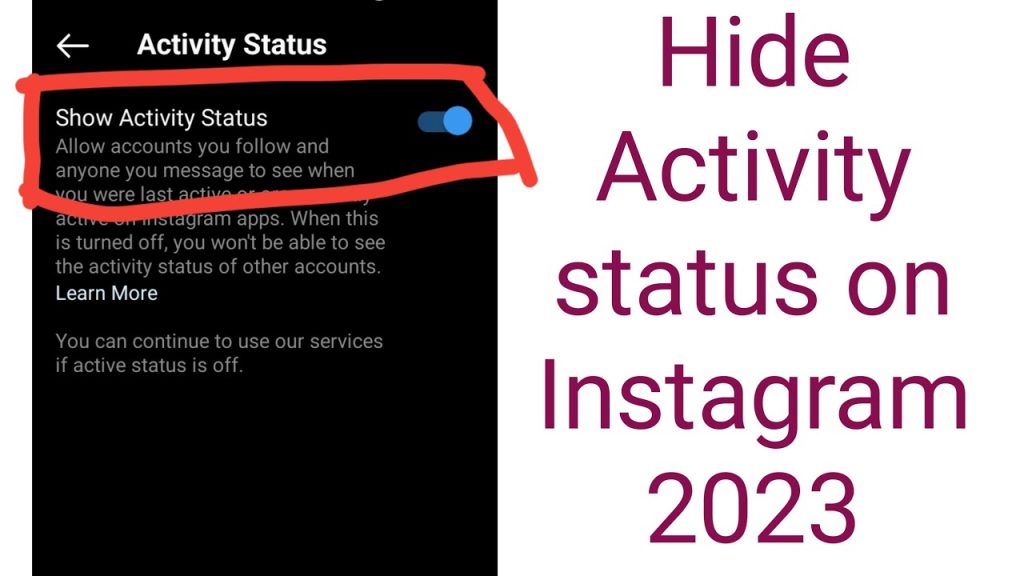
- Turn Off Activity Status
Instagram shows a green dot or “Active now” status when you’re online. To hide this:
- Go to your profile and tap the three lines (menu) in the top-right corner.
- Select Settings and privacy, then tap Messages and story replies.
- Tap Show activity status and toggle it off.
Once off, others won’t see when you’re online, but you also won’t see their status.
- Make Your Account Private
A private account means only approved followers can see your posts, stories, and who you interact with.
- Go to Settings and privacy > Account privacy.
- Toggle on Private account.
This limits your visibility and protects your interactions from people you haven’t approved.
- Hide Likes and Views on Posts
You can hide like counts to reduce visibility on your own or others’ posts.
- For your own posts: Before posting, tap Advanced settings and turn on Hide like and view counts.
- For others’ posts: Go to Settings and privacy > Feed preferences > Hide likes and toggle it on.
This doesn’t hide your activity directly, but it reduces the information others can use to track your engagement.
- Restrict Certain Accounts
If someone is watching your activity too closely, consider restricting them.
- Go to their profile, tap the three dots in the top right, then select Restrict.
- They won’t see when you’re active or if you’ve read their messages, and their comments need approval.
- Don’t Interact Publicly
Avoid liking or commenting on posts if you don’t want your activity seen. Even with privacy settings, these actions can appear in notifications or on the Explore page for mutual followers. - Use Close Friends for Stories
If you want to share a story but not with everyone:
- Before posting a story, tap Close Friends and add selected followers.
- Only those on the list will see that story, limiting your visible activity.
- Avoid Third-Party Apps
Some apps claim to track followers or hide activity, but they often compromise your privacy. Stick to official Instagram settings for safety.
Also Read: How To Give Yourself A Hickey