

How to Program a DStv Remote

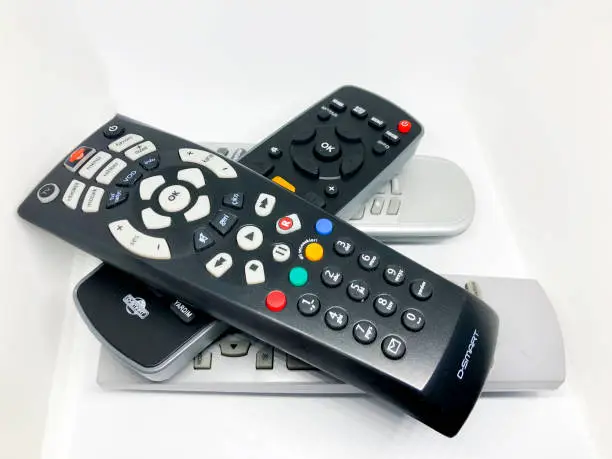
Learning how to program a DStv remote helps you control your decoder and, in some cases, your TV with a single device. DStv remotes are designed to be user-friendly, but they may need to be set up correctly to work with your specific decoder or television.
With a few simple steps, you can program your remote and enjoy convenient control of your entertainment system.
-
Check Your Remote Type
Start by identifying the type of remote you are using.
- Look at the model number on the remote
- Confirm it is compatible with your decoder
- Check if it supports TV programming
- Ensure the batteries are working properly
Knowing your remote type helps you follow the correct process.
-
Reset the Remote (Optional)
Resetting can help if the remote is not working properly.
- Press and hold the reset or standby button
- Wait for the light indicator to respond
- Release the button after a few seconds
- Allow the remote to restart
Resetting clears previous settings.
-
Program the Remote to the Decoder
Pair the remote with your decoder.
- Point the remote at the decoder
- Press and hold the pairing or setup button
- Wait for the indicator light to blink
- Follow on-screen instructions if available
This connects the remote to your decoder.
-
Program the Remote to Your TV
Some remotes can also control your television.
- Press and hold the TV button on the remote
- Enter the correct TV brand code
- Wait for the light to confirm the code
- Test functions like volume and power
This allows one remote to control both devices.
-
Test All Functions
Make sure everything works correctly.
- Try changing channels
- Adjust the volume
- Turn the TV and decoder on and off
- Check menu navigation
Testing ensures the setup was successful.
-
Troubleshoot if Necessary
If the remote does not work, try a few fixes.
- Replace the batteries
- Repeat the programming steps
- Ensure there are no obstructions
- Move closer to the decoder
Simple troubleshooting can resolve most issues.
Also Read: How to Prepare Eggplant