

How to Program an ET Remote

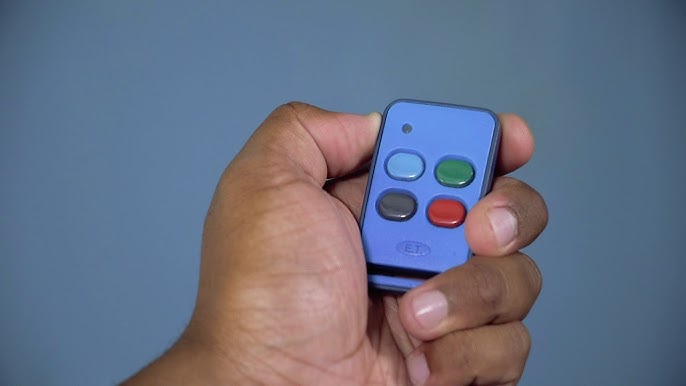
Learning how to program an ET remote helps you control your gate, garage door, or access system with ease. ET Systems remotes are commonly used for automated gates and security systems, and they need to be paired correctly with the receiver to function.
With the right steps, you can quickly program your remote and ensure smooth operation.
-
Locate the Receiver Unit
Start by finding the control box connected to your gate or motor.
- Look near the gate motor or garage door system
- Open the cover of the control box
- Identify the receiver inside
- Ensure the power is on
The receiver is where the remote will be programmed.
-
Find the Learn or Program Button
The receiver has a button used for pairing.
- Look for a button labeled Learn, Program, or Code
- It is usually small and near an indicator light
- Make sure you can access it easily
This button activates programming mode.
-
Activate Programming Mode
Put the system into pairing mode.
- Press the Learn or Program button
- Wait for the indicator light to turn on or blink
- This shows the system is ready to receive a signal
Timing is important during this step.
-
Press the Remote Button
Now link the remote to the system.
- Press the button on the ET remote you want to use
- Hold it for a few seconds
- Watch for the receiver light to blink or turn off
- This confirms successful pairing
The remote is now connected to the system.
-
Test the Remote
Check if the programming worked.
- Stand a short distance from the gate or door
- Press the programmed button
- Confirm that the gate or door responds
- Repeat if necessary
Testing ensures everything is working properly.
-
Program Additional Remotes
You can add more remotes if needed.
- Repeat the same steps for each remote
- Assign different buttons if required
- Ensure each remote is tested
This allows multiple users to access the system.
Also Read: How to Prepare Eggplant

