


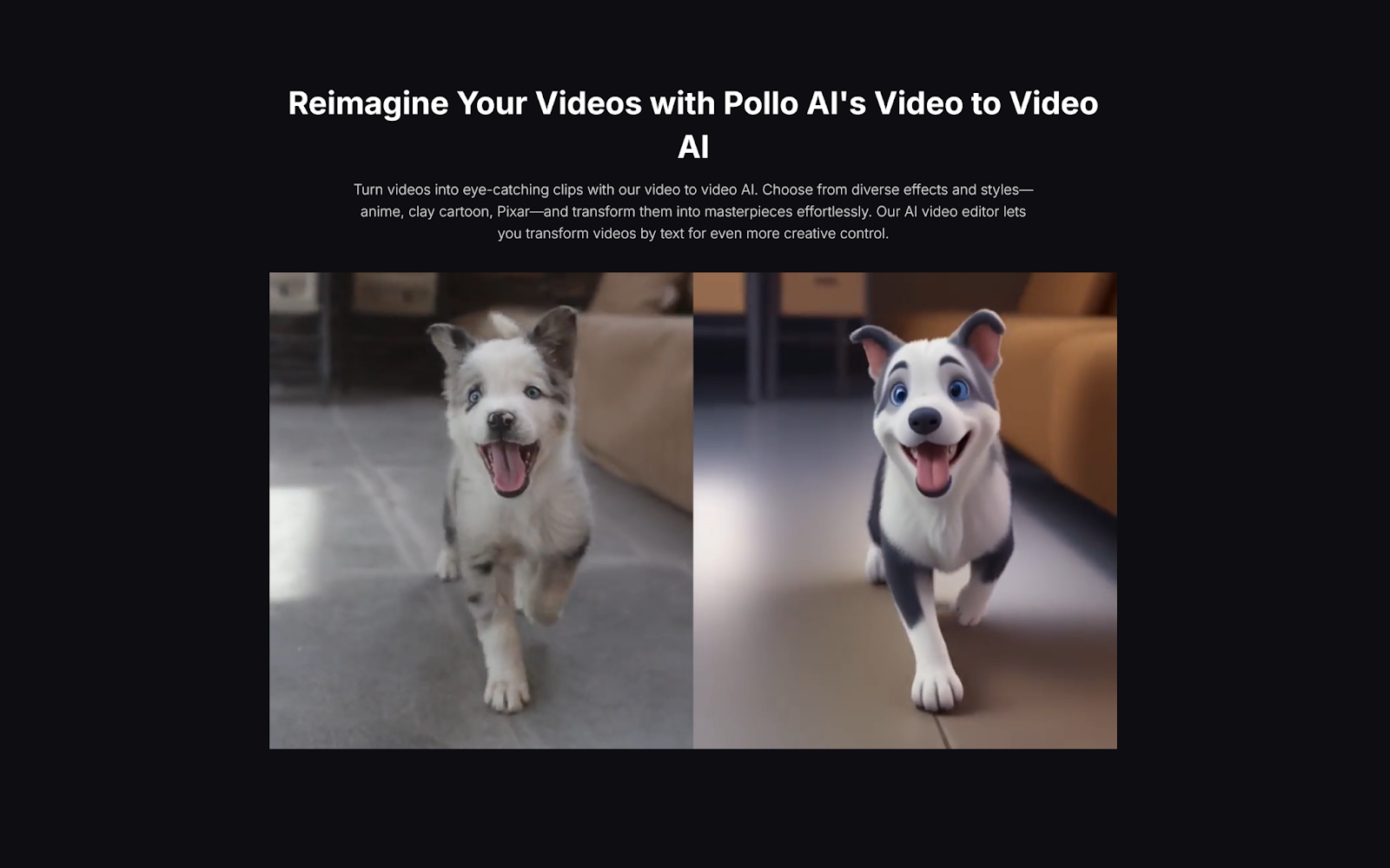
Scaling a YouTube channel has traditionally required significant time, resources, and a growing team. Content creators face a constant challenge: how to increase output quality and quantity without burning out or breaking the bank. Video-to-video AI has emerged as a game-changing solution, enabling creators to multiply their content production while maintaining—or even improving—quality standards.
The Scaling Challenge on YouTube
Most YouTube creators hit a ceiling when trying to grow their channels. You’re limited by:
- Time constraints: Editing takes hours for each video
- Budget limitations: Hiring editors and production teams is expensive
- Creative burnout: Producing fresh content consistently is exhausting
- Competitive pressure: Audiences expect higher quality with each upload
Video-to-video AI addresses all these pain points simultaneously, offering a pathway to sustainable growth.
Understanding V2V AI Technology
Video-to-video AI tools analyze existing footage and transform it using artificial intelligence. Unlike simple filters, these sophisticated platforms can completely reimagine your content’s visual style, pacing, and aesthetic appeal.
Pollo AI stands out as a comprehensive video to video AI solution that empowers creators to freely change video styles, add professional-grade filters and effects, and transform their content with remarkable ease. As an all-in-one agency platform, Pollo AI integrates an extensive collection of popular AI models including Veo, Luma AI, Hailuo AI, and many others. This gives creators access to diverse transformation capabilities without juggling multiple subscriptions or learning different platforms—everything you need to scale your YouTube presence is available in one centralized hub.
Strategic Ways to Scale Using Video-to-Video AI
1. Repurpose Existing Content Efficiently
Your content library is a goldmine waiting to be tapped. Video-to-video AI allows you to:
- Transform old videos into new styles that appeal to current trends
- Create compilation videos with consistent visual treatment
- Update outdated content with modern aesthetics
- Generate multiple versions of the same content for different audience segments
Instead of creating everything from scratch, you can extract 3-5 new videos from each piece of existing content, effectively multiplying your output exponentially.
2. Maintain Consistent Brand Aesthetics at Scale
As you produce more content, maintaining visual consistency becomes challenging. Video-to-video AI solves this by:
- Applying uniform color grading across all videos automatically
- Ensuring consistent lighting and tone throughout your channel
- Creating signature visual styles that become recognizable to your audience
- Standardizing transitions and effects across your content library
This consistency builds brand recognition and makes your channel appear more professional, which YouTube’s algorithm rewards with better recommendations.
3. Create Platform-Optimized Variations
Modern content strategies require multi-platform presence. Video-to-video AI enables you to:
- Generate YouTube Shorts from long-form content with optimized pacing
- Create thumbnail-worthy moments with enhanced visual appeal
- Produce teaser clips with heightened energy for social promotion
- Adapt aspect ratios and visual intensity for different platforms
One recording session can yield content for YouTube, Instagram, TikTok, and Twitter—all optimized for each platform’s unique requirements.
4. Experiment Rapidly with Content Styles
Growth requires experimentation, but testing new formats is traditionally resource-intensive. With video-to-video AI:
- Test multiple visual styles without re-shooting
- Quickly validate concepts before investing heavily
- Iterate on successful formats with variations
- Respond to trending aesthetics within hours, not weeks
This agility allows you to stay ahead of trends and discover what resonates with your audience faster.
Implementation Framework for Maximum Impact
Phase 1: Audit and Optimize
- Review your existing content library
- Identify videos with strong performance potential
- Select 5-10 videos for AI enhancement testing
Phase 2: Experiment and Learn
- Create multiple variations of selected videos
- Test different AI transformations and effects
- Analyze which treatments generate the best engagement
Phase 3: Systematize and Scale
- Develop standardized workflows for AI-enhanced production
- Create templates for consistent brand aesthetics
- Build a content calendar that incorporates both new and repurposed AI-enhanced content
The Future-Proof Approach
YouTube’s landscape will continue evolving, but video-to-video AI positions you to adapt quickly. As AI technology improves, early adopters who master these tools will have a significant competitive advantage.
The creators who scale successfully aren’t necessarily those who work harder—they’re the ones who work smarter by leveraging technology to multiply their efforts.
Scaling your YouTube channel with video-to-video AI isn’t about replacing human creativity—it’s about amplifying it. These tools handle the technical heavy lifting, freeing you to focus on what matters most: creating compelling content and building genuine connections with your audience.
Start small, experiment consistently, and let AI handle the scalable aspects of production. Your path to YouTube growth just became significantly shorter and more achievable.
Email your news TIPS to Editor@Kahawatungu.com — this is our only official communication channel
