


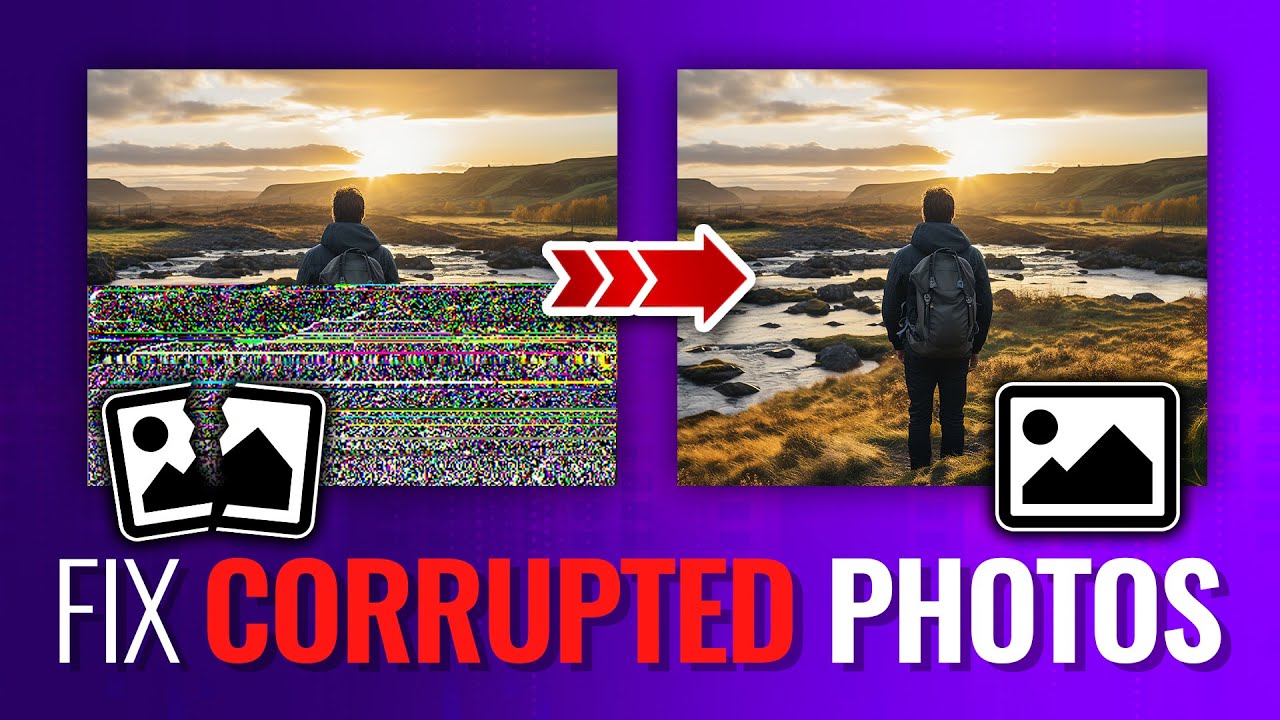
Photos are more than just multimedia files – they are the captured moments that you can relive anytime. Whether it’s your important event picture, a once-in-a-lifetime travel snap, or your professional shoot, losing photos to corruption can be a distressing experience. Thanks to the advanced technologies like online photo repair tools, which can help you repair corrupt or damaged photos directly from the web browser, without any third-party software installation.
In this guide, you’ll learn why photos get corrupted or broken, how to repair corrupt photos, and some preventive tips to avoid photo damage in the future. Let’s get started!
Why Do Photos Get Corrupted or Broken?
Before you apply any method to repair corrupted or broken photos through photo repair online, try finding the exact reason for your issue. Understanding the exact cause helps you determine adequate photo repair fixes. Here are some common causes:
- Sudden System Shutdown or Power Failure: If your device shuts down unexpectedly while saving or transferring photos, the file structure may get damaged.
- Faulty Storage Devices: Memory cards on your camera, phones, or computers tend to wear out with continuous usage for a long time. Bad sectors or physical damage can corrupt images stored on them.
- Incomplete File Transfers: Any problem during file transfer, which generally happens due to unstable internet connection, loose cable, or device disconnection, can partially break the photo or corrupt it.
- Virus or Malware Attacks: Malicious programs like viruses and malware can infect your computer and damage stored files, including your precious photos.
- Corrupt Storage Partitions: If the internal or external storage device is corrupted, files – including photos – can get damaged.
Why Choose Online Photo Repair Tools?
Despite the different reasons behind photo corruption, several solutions—ranging from manual methods to trusted online repair tools—can help restore your images. Repairing photos using manual fixes can be time-consuming and may not provide the expected results.
To help yourself in such a situation, you can use online photo repair to fix damaged/corrupted/broken photos without any software installation on your PC. Here are some more reasons why online tools are becoming increasingly popular:
- Beginner-Friendly: Many online tools offer a simple upload-and-repair workflow. Even beginners without much technical exposure can use them easily.
- Works on Any Device: Since online tools are browser-based. You can easily repair your photos on any device, including Windows PC and Mac.
- Supports All Major Image Formats: Ensure that your online photo repair tool is compatible with various photo file formats, including JPEG, JPG, PNG, HEIC, and others.
- Safe and Secure: Some reliable and trusted tools, such as Stellar Repair for Photo Online, use encryption and automatically delete files after repair.
Try Stellar Repair for Photo Online: An All-in-One Photo Repair Tool
Choosing the right online photo repair tool to repair corrupted or broken photos can be challenging, but don’t worry. When it comes to repairing corrupted, broken, or damaged photos online, Stellar Repair for Photo Online is one of the most reliable and widely used solutions. This tool offers high-quality repair capabilities which allow you to repair photos directly from the web browser, without any third-party software installation.
Here are some key features which make Stellar the perfect choice for your online photo repairing:
- Repairs Severely Corrupted Images: This online tool can restore even badly damaged or unreadable photos by rebuilding the internal file structure.
- Multiple File Formats Support: The Stellar Repair for Photo Online tool supports repairing images of multiple file formats, including JPEG, JPG, HEIC, PNG, and more.
- Web-Based Repair: The whole repair process can be executed from a web browser; there’s no need to install any additional software on your system.
- Preview Before Download: The preview functionality of this tool lets you preview the repaired photos before saving them on your device.
- Secure File Handling: When it comes to data safety, no one can beat Stellar. It is a 100% safe and secure tool, which automatically deletes uploaded photos after repair.
How to Repair Corrupted or Broken Photos With Stellar Repair for Photo Online? – Quick Steps
Repairing photos using this online photo repair tool is a simple and quick task. You just need to follow the steps below:
Step 1: Visit the official website of Stellar Repair for Photo Online tool, then click Upload Photo to upload one or multiple photos from your device.
Step 2: Once uploaded, click Start Repair and wait till the tool completes analysing your images. It may take a few seconds to a couple of minutes, depending on the file size or severity of corruption.
Step 3: After completion of the repair process, preview the repaired photos. If satisfied, click Download All Photos to save the repaired photo to your device.
That’s it! Fixing your photos with an online repair tool is this easy—simply upload, repair, and download, with no software to install.
Preventive Tips to Avoid Photo Corruption in Future
Here are some additional tips that you can consider to avoid photo corruption issues in the future:
- Always use reliable and branded storage devices to save your photos, as this reduces the chances of photo corruption or data loss.
- Install antivirus software on your device to protect its stored files, including your photos, from corruption caused by viruses or other malicious programs.
- Never use faulty drives or cards. Replace them immediately, as continued use can corrupt stored photos further.
- Update camera firmware on a regular basis to fix bugs and improve stability, reducing the chances of capturing corrupted photos.
- Avoid forced system shutdowns. Ensure your device stays powered on while transferring photos to prevent incomplete or damaged files.
Wrapping Up
Photo corruption can be distressing, especially when those images hold valuable memories. However, repairing damaged or broken photos no longer requires technical knowledge or complex software. Thanks to online tools like Stellar Repair for Photo Online, which can help you restore corrupted images with just a few clicks.
Whether your photos are pixelated, greyed out, distorted, or simply not opening, this powerful online tool can help rebuild and restore your memories safely and efficiently. And the best part? You can repair your photos from anywhere, at any time, using just a browser.
So, if you have corrupted or broken images, don’t worry—try using Stellar Repair for Photo Online and bring your memorable moments back to life.
Email your news TIPS to Editor@Kahawatungu.com — this is our only official communication channel
