


As pixel art’s demand is growing in games and digital media, many creators face issues while creating content. Fortunately, there are numerous image-to-pixel art generators available to address this issue by automating the process. Among many options available, if you are also confused about picking the right one, then this guide will explore the 5 best AI art generators.
Part 1. How is AI Transforming the Future of Pixel Art Design?
Leveraging minimal pixels, Pixel Art is a digital style that turns simple sketches into expensive, eye-catching designs. While the charm of pixel art lies in its simplicity, it requires precision, creativity, and a proper understanding of colors. This visual style is used to create 8-bit game characters, Minecraft-style worlds, emoji icons, and custom avatars.
Challenges Faced in Manual Pixel Art Creation
Before pixel art generators, creating pixel art by hand may have looked simple, but it has its challenges, such as color limitation. Artists have to add depth and texture with limited colors by using different techniques to make it visually appealing. While upscaling, one can face issues in maintaining the details, and in downscaling, it’s challenging to sustain clarity and readability.
Besides the limitations mentioned above, users failed to maintain consistency while manually making pixel art. This not just gives uneven results but also reduces the overall quality and coherence of the artwork. Hence, considering the AI art generator seems to be the foremost choice, as it offers the following benefits:
- AI has sped up the art creation process up to 10x by allowing users to create pixel art by just giving a prompt and a reference picture.
- These tools allow users to generate multiple art designs to explore various styles and color palettes in seconds.
- A game that usually takes 10-15 hours to generate manually, it now takes 10-15 minutes to develop with AI.
- With AI pixel art generators, artists can focus more on conceptual design and storytelling rather than technical tasks.
- Beginners can have the opportunity to understand different things, like pixel art structure and color placements, with AI tools.
Part 2. Top 5 Picks for Entry-Level AI Pixel Art Software in 2025
For both professionals and beginners, numerous pixel art image generators exist. Hence, if you seek to pick the right one, here is a quick breakdown of the best options:
1. Spellai
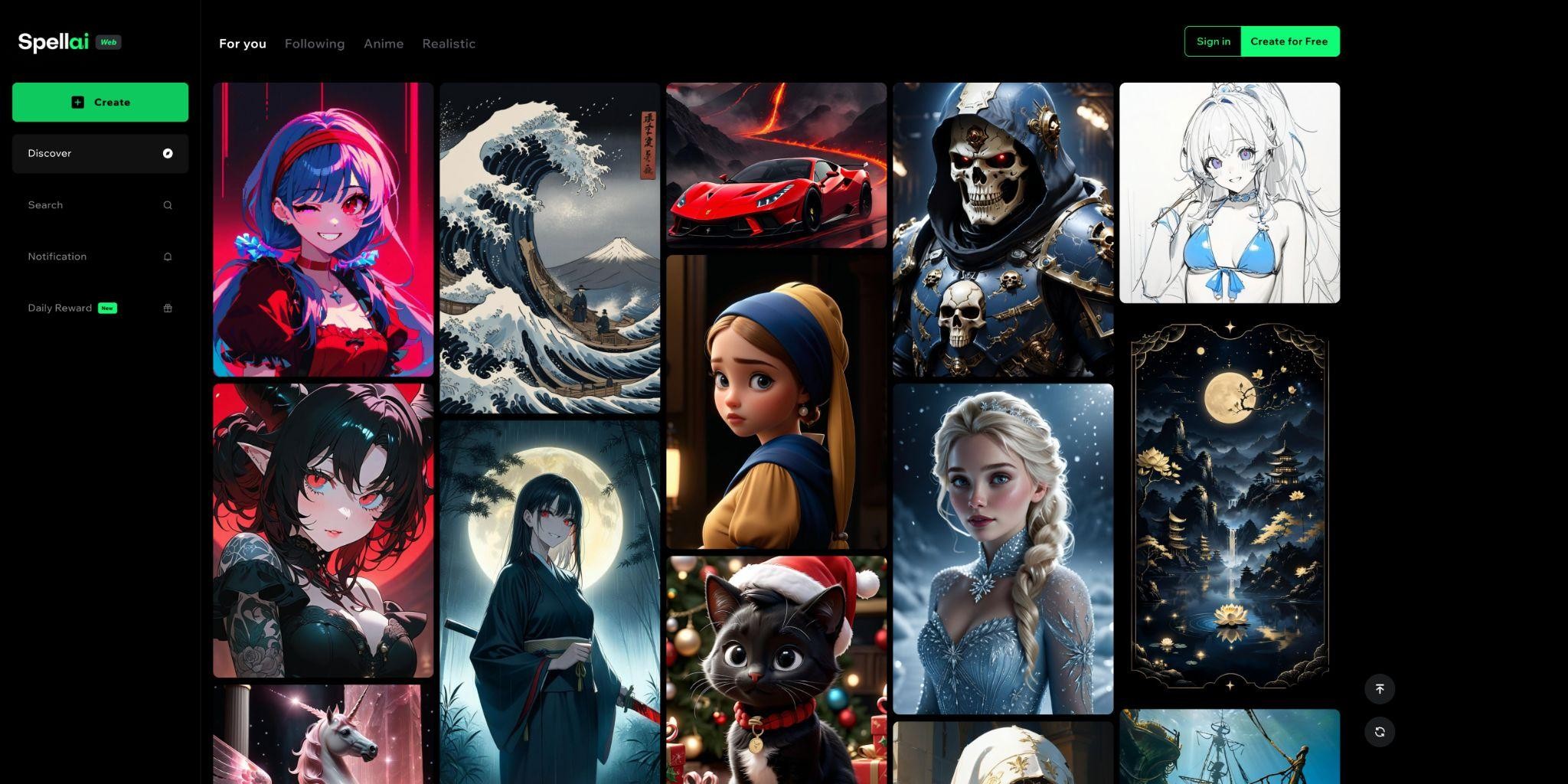
Spell.ai is a beginner-friendly tool that offers 3 modes for everyone such as “General, Genius, and Professional.” Its Genius Mode is specially designed for beginners, as it allows you to add Face ID as the reference image and add a Custom Prompt. Using this mode, one can choose “Surprise Me,” through which AI writes a prompt by itself, and can also use a previous prompt from the “History” section.
Furthermore, this tool lets you choose the desired model from its drop-down “Easy Models” list. Users can add a negative prompt in the “Advance” section to specify things they don’t want. This tool allows you to choose the desired canvas ratio and the number of outcomes to generate.
2. Pixelfy
This pixel art generator is mainly designed with complex, advanced features for professional users. While creating artwork, one has to choose a grid from “16×16, 32×32,64×64, and 128×128,” which makes it hectic, mainly for beginners. Artists have to buy credits to generate their pixel art, while restraining the color palette by themselves to ensure clarity and grid style.
3. Canva
Canva is used to generate pixel art, which only accepts input formats in JPG, PNG, JPEG, and WEBP. This tool allows you to develop only 2-pixel art pieces in a day, which is worrisome for one who wants to generate more. Unfortunately, it is not beginner-friendly due to its complex interface, and it takes more time to develop the desired outcome.
4. AI Pixel Art Generator
This tool is used to turn images into pixel art by only giving a text prompt. It is easy to use but has limited customization, like selecting “Canvas Ratio and Art Style,” which is an issue for beginners. Unlike other tools, it doesn’t offer the option to add reference pictures to get precise results. However, you can use the generated images for commercial or personal reasons for free.
5. PixelMe
This tool offers basic tools to generate pixel art, such as adding a picture as input. Users have to buy the Pro version to get the output generated. Compared with other tools, it only offers a limited grid to choose from: “32×32, 48×48, 64×64, and 128×128”. Moreover, you have the option to either enable the landscape mode or stay in portrait mode for results.
Part 3. How to Create Pixel Art with AI: A Beginner’s Manual
If you want to know how to turn images into pixel art with Spell.ai, this guide is for you:
Step 1. Tap Genius Mode & Choose the Required Style
Access the tool’s main screen and choose “Genius” mode from the dropdown menu. Afterward, select the “Easy Models” button to pick your required model from the dialogue box that appears.
Step 2. Insert Prompt and choose other settings
Now, type the idea in the given textbox, and insert the reference photo by selecting the “Reference” button. You can also select the “Canvas Ratio”, add a negative prompt, and “Face ID”.
Step 3. Render the Pixel Art to the Device
Finally, choose the advanced tools to enhance the generated outcome further and hit the “Create” button to make changes.
Part 4. Best Practices for Scaling and Exporting Pixel Art
For creating image-to-pixel art, here are the best practices you can adopt for scaling and exporting:
- It is ideal to opt for a small resolution canvas size from 16×16 to 64×64 and a limited color palette of 8 to 32 colors.
- Artists should use manual scaling tools, like Photoshop, and AI scaling, like Topaz Gigapixel, for control over crispness and alignment.
- If your art is specifically for games, use Aseprite for checking tile alignment that AI may overlook sometimes.
- During art creation, AI can create soft edges, which should be removed through different tools like Photoshop’s Posterize.
- While exporting, tailor your settings to avoid quality loss, such as using PNG format for game engines, SVG for UI, and CMYK model for printing.
Conclusion
Summing up, we have introduced you to the best AI pixel art generators, whether you are an expert or a beginner. Among these tools, we recommend using Spellai, which is a user-friendly tool due to its features. Do consider using this expressive Pixel art generator the next time you think of creating a game!
Email your news TIPS to Editor@Kahawatungu.com — this is our only official communication channel
