


Facebook, at the F8 conference yesterday, announced a complete remake of the profile pages on the popular social network introduction of Facebook Timeline. Facebook CEO Mark Zuckerberg say that “Timeline is the story of your life”.
There are lots of changes key being that the single column wall of posts is gone while the most recent updates telling “15 minutes of your story.” You will in place see a timeline of your life events containing the photos and all other updates dating back to when you joined Facebook. You can so click on any year and month and see all the updates you made then.
Facebook automatically selects for you the most important updates of your life and highlights them with a blue dot. Grey dots represent hidden updates and users can arrange their Timeline however they see fit by removing updates hey would rather not show to the public or highlight others they think are important enough.
The public will have to wait a few more weeks to start getting the invitation to Facebook Timeline but if you are a developer, you can view it now. The good thing is that it is not hard to be a Facebook developer.
Here’s how you can get Facebook Timeline on your profile:
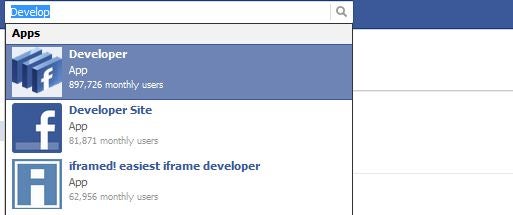
You need to log into Facebook and enable developer mode. The best and easiest way to do this is to search for “developer”and click the first result. It will be something like this;
You will then need to confirm your password so as to allow the developer app access to your account after which you see a screen that looks like this;
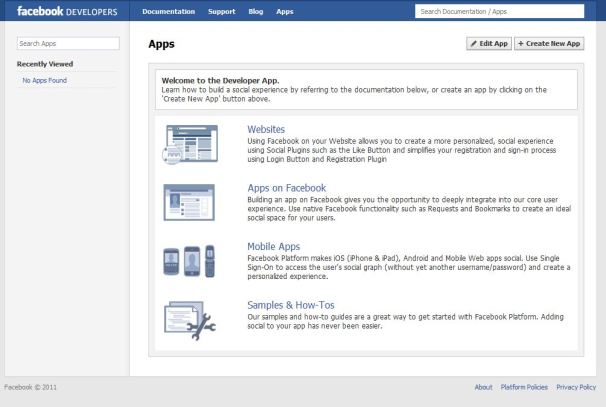
Now this is the developer page. You will now have a chance to convince Facebook that you are a real developers and create an app that uses its new “Open Graph” technology. It is not that complicated. If you are an existing developer, you will need to activate Open Graph in your apps.
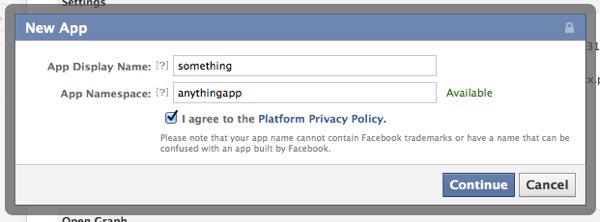
Now click the ‘Create New App’ button on the top right. On the “New App” prompt , give your app a name and name space — just any name, it doesn’t matter. Agree to the Platform Privacy Policy and click Continue. To achieve this, you will need a verified Facebook account so make sure you have either a credit card or phone number on file.
You will find the CAPTCHA verification which after clearing, you will be taken to your new apps’ settings screen. If Facebook doesn’t put you there automatically hit the Edit App button on the top right. Now click on Open Graph link on the left column.
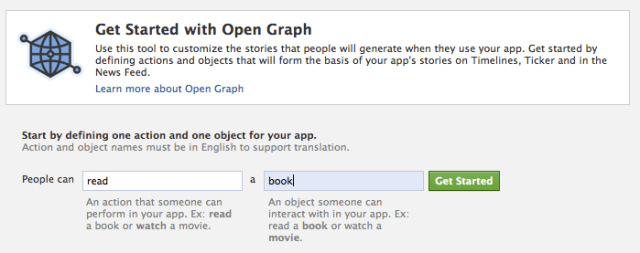
Create some test action for your app, like “read” a “book” or anything. You will find suggestions in the box
Voila!! You now have it. You might see some error telling you that something went wrong, just ignore it and head to your Facebook homepage. You will then see an invitation to the new Facebook Timeline Beta. You might have to wait a maximum of 3 minutes for it to appear.
Things worth noting.
- The Facebook Timeline gotten through Developer account might have bugs so if you are not ready to try new things, don’t attempt.
- You will see your own Timeline for a few days but will be going public after a few days. Mine is set to go public on 27th September.
- Your facebook Timeline might disappear, but you can get it by accessing this link http://www.facebook.com/YOURUSERNAMEHERE?sk=timeline (remember to put your own Facebook Username)
Email your news TIPS to Editor@Kahawatungu.com — this is our only official communication channel
