


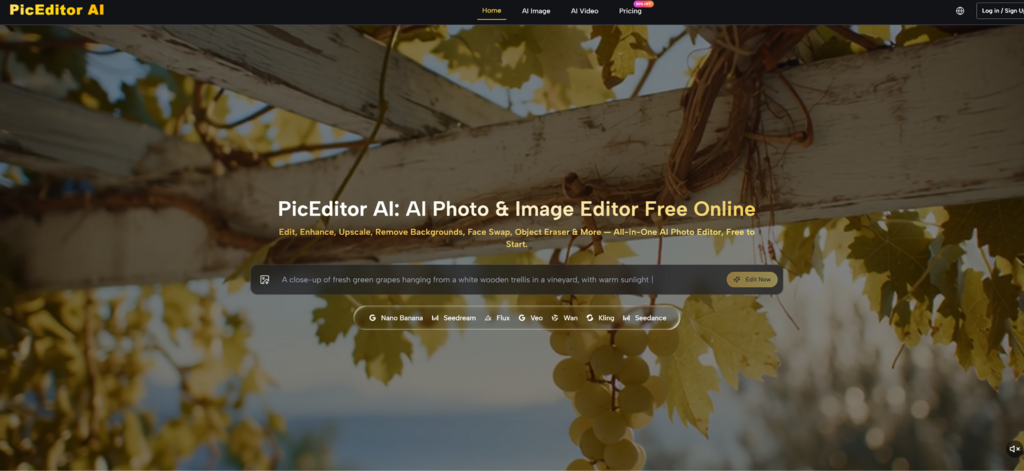
For many content creators, the gap between producing a great static image and turning it into a short video clip has been frustratingly wide. Traditional animation tools require keyframes and timelines. Dedicated video generators often feel like a separate universe with their own prompt styles and output quirks. The result is that most social media assets remain static, even though motion consistently drives higher engagement. AI Photo Editor includes a photo‑to‑video feature as part of its integrated workspace, and I wanted to see whether that feature could bridge the gap without forcing me to learn a second interface or abandon the editing flow I had already established.
Why Motion Matters More Than Ever for Visual Content
The shift toward short‑form video is not a trend; it is a structural change in how audiences consume visual media. A still image can stop a scroll, but a well‑animated clip can hold attention for several seconds longer. That extra time translates to higher retention, better click‑through rates, and more opportunities for brand messaging. However, producing those clips traditionally meant either hiring a motion designer or spending hours in complex software. An AI‑powered workflow that can add cinematic motion to an existing photo with a single description promises to democratize that capability.
Testing the Photo-to-Video Workflow
To evaluate whether the platform’s motion generation actually delivers usable results, I took a selection of still images—landscapes, portraits, and product shots—and ran them through the video conversion tool. Instead of treating it as a gimmick, I approached it as a practical asset pipeline for social media and website hero sections.
The Upload-Edit-Generate Loop for Video
The process mirrors the standard editing workflow, which keeps the learning curve flat. You upload an image, choose the video generation option, describe the desired motion, and receive a short animated clip.
Step 1: Selecting the Right Source Image
Not every still image is equally suited for animation. Images with clear foreground‑background separation and distinct elements—water, clouds, foliage, or moving objects—produced more natural motion. Flat, texture‑poor images sometimes resulted in less convincing movement. The platform does not pre‑filter or reject images; it simply processes whatever you upload, so the onus is on the user to choose suitable source material.
Step 2: Describing Motion in Plain Language
The prompt for video generation is similar to the prompt for image editing: you describe what should move and how. For a landscape, “clouds drifting slowly from left to right, water rippling gently” yielded a subtle, atmospheric clip. For a product shot, “light rotating around the object, subtle shadow shift” produced a more dynamic but still professional result. Vague prompts like “make it move” led to erratic or generic animations.
Step 3: Reviewing the Generated Clip
The output is a short video, typically a few seconds in length. The motion is applied consistently across the frame, and the platform appears to analyze depth and composition to avoid unnatural distortions. In my testing, the results were most convincing when the motion aligned with the physical logic of the scene—moving clouds, swaying branches, or changing light conditions.
Where the Motion Feature Excels
Speed and iteration are the clear advantages. Generating a clip takes only seconds, which means you can experiment with different motion descriptions and quickly compare results. This is impractical in traditional animation software, where each adjustment requires a new render.
The motion feels cinematic rather than artificial. Unlike simple pan‑and‑zoom effects, the platform’s motion seemed to respect the image’s depth map. Foreground elements stayed stable while background elements shifted slightly, creating a parallax effect that added realism.
Integration with other editing tools adds value. Because the photo‑to‑video feature lives alongside enhancement, style transfer, and generative editing, you can clean up and style a still image first, then animate it—all without leaving the workspace. This continuity reduces friction and encourages experimentation.
The Practical Limits of Automated Motion
Complex motion is not yet fully controllable. The platform handles subtle, atmospheric movement well, but it does not currently support complex character animation or multi‑object independent motion. If you need a specific object to move in a specific trajectory, you may need to regenerate several times or accept a more general interpretation.
Clip length is relatively short. The generated clips are best suited for social media stories, website hero backgrounds, or short promotional snippets. They are not a replacement for a fully produced video campaign.
Motion quality depends heavily on the source image. High‑contrast, well‑composed images with clear depth cues produce better results than flat, low‑detail images. The platform does not warn you about this upfront, so trial and error is part of the process.
A Comparison: Motion from Still vs. Traditional Animation
| Aspect | AI Photo‑to‑Video Approach | Traditional Animation Software |
| Learning Curve | Describe motion in natural language | Learn keyframing, timelines, and easing curves |
| Production Speed | Seconds per clip | Minutes to hours per clip |
| Motion Complexity | Subtle, atmospheric, scene‑wide | Granular, per‑object, precise control |
| Iteration Cost | Low—regenerate with a new prompt | High—each change requires manual adjustment |
| Best Use Case | Social assets, ambient motion, quick tests | Professional video, character animation, exact timing |
| Output Length | Short clips (a few seconds) | Any length, depending on project |
Who Benefits Most from Integrated Motion
The photo‑to‑video feature is not meant to replace dedicated animation tools. It is designed for creators who need quick, polished motion assets without the overhead of learning complex software.
Social media managers can generate multiple animated variants of a single product shot for A/B testing. Marketers can turn static campaign visuals into engaging hero videos for landing pages. Small business owners can produce professional‑looking clips for their websites without hiring a video editor. Designers in early‑stage ideation can use motion as a way to explore how a still concept might translate to a dynamic format.
For creators who require exact control over every movement, traditional animation remains the better choice. But for the vast majority of digital content needs, the ability to add cinematic motion with a single description is a genuine advantage.
The Commercial Rights Consideration
One detail that often matters for business users is usage rights. All clips generated through the platform come with full commercial usage rights. That removes the uncertainty around whether you can use a generated video in paid advertising, on a product page, or in a client deliverable.
Putting It All Together
After running multiple still images through the photo‑to‑video workflow, the takeaway is not that this tool replaces professional animation. It does not. But it does something that many creators need: it lowers the barrier to adding motion to visual content. The quality is not always perfect on the first try, but the regeneration process is quick enough that iterative refinement becomes a natural part of the workflow.
The platform’s integrated approach means you are not switching between a photo editor and a separate video tool. You stay in one workspace, refine the still, and then animate it—all while using the same language‑based interface. That continuity is where the real efficiency lies.
If you are curious whether this approach fits your content pipeline, the best way to find out is to upload a still image and try the video generation yourself. The AI Photo Edit tool allows you to test the feature without upfront commitment, and the core editing capabilities remain accessible for free. It will not replace your entire video production stack, but it might become the quickest way to turn a good still into an even better motion asset.

Email your news TIPS to Editor@Kahawatungu.com — this is our only official communication channel
