


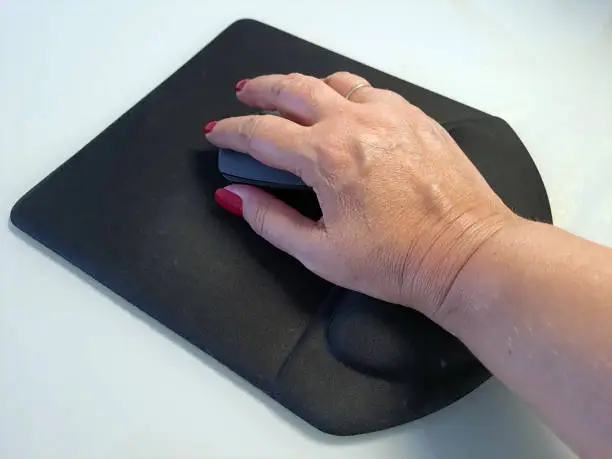
A mouse pad collects dirt, sweat, dust, and sometimes drink spills from daily computer use. When the surface becomes dirty, the mouse may stop moving smoothly and accuracy decreases. Cleaning a mouse pad regularly keeps your workspace fresh and helps improve computer performance. The cleaning method depends on the type of mouse pad material. Below is a simple guide to help you clean different kinds of mouse pads safely.
- Identify the Mouse Pad Material
Before washing, check the type of mouse pad you have. Cloth and rubber pads are easy to wash with water and soap. Hard plastic or RGB (electronic) mouse pads require a gentler cleaning because they include electronic parts or special coatings. Knowing the material helps you avoid damage during cleaning. - Remove Surface Dust and Debris
Start by lifting the mouse pad and shaking off loose dust. Use a soft cloth or a small brush to wipe away crumbs and dirt on the surface. This step prevents debris from scratching the pad when wet cleaning begins. - Clean Cloth and Rubber Mouse Pads With Soap and Water
Fill a basin with warm water and add a few drops of mild liquid soap. Dip the cloth mouse pad in the water and gently scrub the surface with your hand or a soft brush. Focus on dirty areas where stains are visible. Do not use hot water because it may affect the rubber backing. - Rinse and Remove Soap Residue
After scrubbing, rinse the mouse pad under clean running water until all soap is completely removed. Leftover soap can make the surface sticky and uncomfortable to use. Hold the mouse pad from one side to avoid stretching it. - Dry the Mouse Pad Properly
Pat the pad gently with a dry towel to remove excess water. Lay it flat on a clean surface and let it air dry completely. Avoid using direct sunlight, heaters, or hairdryers because heat may warp the pad or damage the rubber bottom. A fully dry pad prevents smell and mold buildup. - Clean Hard Plastic or RGB Mouse Pads With a Damp Cloth
If the pad is made of plastic or has electronic lighting, do not submerge it in water. Instead, dip a soft cloth in soapy water, squeeze out excess liquid, and wipe the surface gently. Clean around edges carefully and avoid getting moisture into ports or wiring. Dry with a clean cloth afterward. - Remove Stains Using Gentle Cleaning Products
For stubborn stains, use a small amount of mild cleaning spray or rubbing alcohol on a cloth. Test it on a small corner first to confirm it does not damage the surface. Rub lightly until the stain fades, then wipe with water to remove chemical residue. - Return the Mouse Pad to Your Desk
Once the mouse pad is completely dry and clean, place it back on your desk and check if the mouse moves smoothly again. A fresh surface improves comfort and accuracy when working or gaming.
Also Read: How To Cite The Constitution In Harvard Style
Email your news TIPS to Editor@Kahawatungu.com — this is our only official communication channel
