


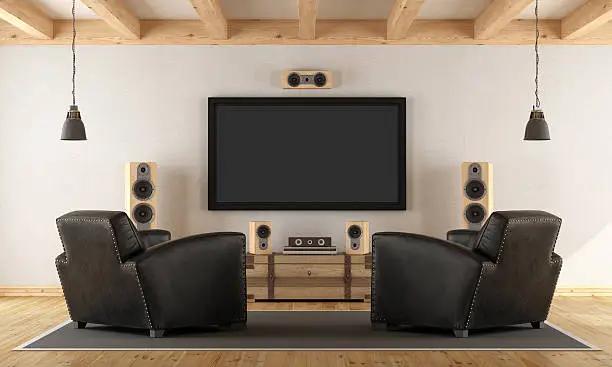
Connecting external speakers to your TV can dramatically improve your viewing experience, giving you richer, clearer, and more powerful sound compared to built-in TV speakers. Whether you’re using a soundbar, bookshelf speakers, or a home theater system, the process is generally straightforward — you just need to know which connection type suits your equipment. Here is how to connect speakers to TV.
- Identify the Type of Speakers You Have
Before you start, check what kind of speakers you’re working with.
- Active (powered) speakers or a soundbar: These have their own built-in amplifier and can connect directly to the TV.
- Passive speakers: These need to connect through an amplifier or AV receiver because they don’t have their own power source.
Knowing this will help you figure out the right connection method.
- Check Your TV’s Audio Output Options
Look at the back or side of your TV to see what audio outputs it has. Common outputs include:
- HDMI ARC (Audio Return Channel)
- Optical (Toslink) digital audio output
- RCA (red and white) analog outputs
- 3.5mm headphone jack
Note that some newer TVs may not have analog outputs, only digital.
- Use HDMI ARC (If Available)
For soundbars or AV receivers that support HDMI ARC:
- Connect an HDMI cable from the TV’s HDMI ARC port to the speaker system’s HDMI ARC port.
- Go to your TV’s audio settings and enable HDMI ARC or CEC.
- Select the correct input on your speaker system.
This method delivers high-quality sound and supports surround sound formats.
- Use Optical Digital Audio
If your speakers or sound system has an optical input:
- Connect an optical cable from the TV’s optical output to the speaker system’s optical input.
- Change your TV’s audio output setting to “Optical” or “External Speakers.”
- Make sure your speaker system is set to the right input.
Optical cables carry digital audio and can handle surround sound in many setups.
- Use RCA or 3.5mm Connections
For powered speakers or older systems:
- If the TV has RCA outputs, use an RCA-to-RCA cable to connect to the speaker system.
- If using a 3.5mm headphone jack, use a 3.5mm-to-RCA cable or 3.5mm-to-3.5mm, depending on the speaker input.
After connecting, adjust the TV’s audio settings to ensure sound is directed to the external speakers.
- Connect Through a Bluetooth Adapter (If Needed)
If your TV doesn’t support Bluetooth but your speakers do, you can buy a Bluetooth transmitter:
- Plug the Bluetooth adapter into your TV’s audio output (usually the headphone jack or optical port).
- Pair the adapter with your Bluetooth speakers or soundbar.
This is a wireless solution but may introduce slight audio delay.
- Test and Adjust Settings
Once everything is connected:
- Test the sound by playing something on your TV.
- Go into the TV’s sound settings and choose the external speaker option.
- Adjust volume levels on both the TV and speaker system.
You might also want to tweak equalizer settings for the best sound balance.
Also Read: How To Compare Two Excel Sheets
Email your news TIPS to Editor@Kahawatungu.com — this is our only official communication channel
