


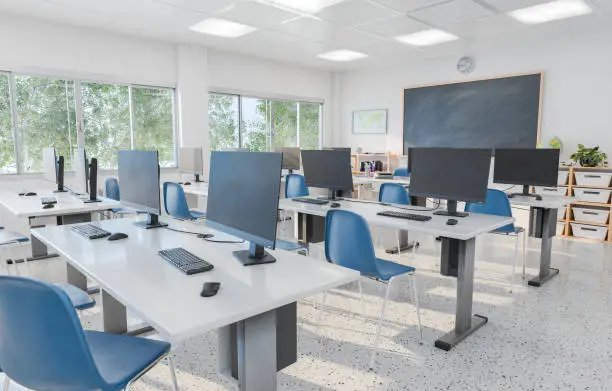
Technology has become an important tool in modern classrooms, offering students access to vast resources and interactive learning opportunities. However, without proper control, devices like smartphones, tablets, and laptops can quickly become distractions. To maintain a focused and effective learning environment, teachers need to manage the use of technology carefully. Here’s a straightforward guide on how to control technology in the classroom.
- Set Clear Rules for Technology Use
Before introducing any devices into the classroom, establish clear guidelines.
- Decide when and how technology can be used (for example, only during certain activities).
- Explain these rules to students and make sure they understand the purpose behind them.
- Write the rules on a poster or classroom board as a reminder.
- Use Monitoring Software or Tools
There are various programs available that allow teachers to monitor student screens during class.
- These tools help you see what students are doing in real time.
- They can allow you to lock screens or block certain websites if students go off task.
- This reduces the temptation for students to play games or browse social media during lessons.
- Create Engaging, Tech-Based Lessons
Students are less likely to misuse technology when they are fully engaged in learning activities.
- Use interactive apps, educational games, or online quizzes that make learning fun.
- Assign group projects that require collaboration using digital tools.
- Make sure the technology serves the lesson, not the other way around.
- Limit Personal Device Use
Personal devices like smartphones can be the biggest distractions.
- Set specific times when students can use their phones, such as during breaks.
- Keep a “phone box” at the front of the room where students can place their phones during lessons.
- Communicate with parents about the school’s or class’s device policy.
- Teach Digital Responsibility
Part of controlling technology is teaching students how to use it responsibly.
- Discuss topics like online safety, digital footprints, and respectful online behavior.
- Encourage students to think critically about the information they find online.
- Help them understand when technology enhances learning and when it distracts.
- Keep Technology Reliable and Ready
Technical problems can cause chaos and waste class time.
- Regularly check that classroom devices, Wi-Fi, and software are working smoothly.
- Have backup plans in case the technology fails, such as printed worksheets or offline activities.
- Make sure you, as the teacher, are familiar with the tools you’re asking students to use.
Also Read: How To Connect A Washing Machine
Email your news TIPS to Editor@Kahawatungu.com — this is our only official communication channel
