


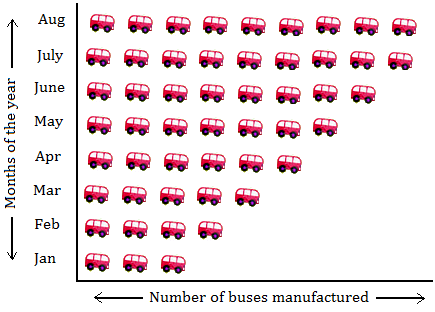
A pictograph is a simple and visual way to represent data using pictures or symbols. It helps make information easier to understand by showing quantities with icons instead of numbers. Pictographs are commonly used in classrooms, reports, and presentations to make data fun and easy to read. You can make one by hand using paper, drawings, and basic data. Here is how to make a pictograph.
1. Gather Your Materials
To begin, you’ll need a ruler, pencil, coloured pens or markers, plain paper, and a set of data. Choose a topic for your pictograph, such as favourite fruits in a class, number of books read, or types of pets owned. Also decide what picture or symbol you’ll use to represent each unit—like an apple for fruit or a book for reading.
2. Draw the Title and Key
At the top of the page, write a clear title that tells what your pictograph is about. Beneath the title, draw a key or legend that explains what each picture represents. For example, you might write: “🍎 = 2 votes.” This helps readers understand the value of each symbol in the graph.
3. Draw the Labels
Along the left side of your paper, write the names or categories for the data—for instance, “Apples,” “Bananas,” and “Oranges” if your topic is fruits. Space them out evenly so each category has room for its row of pictures. Draw a line across the top or bottom to create a base line if you want your symbols to be neatly aligned.
4. Add the Pictures
Next to each label, draw the correct number of symbols based on your data and the value in your key. For example, if 6 people chose apples and one symbol equals 2 votes, draw three apple pictures. Try to make all symbols the same size and evenly spaced. If a value is not an exact match—say 5 votes—you can draw a half symbol to represent it accurately.
5. Colour and Finalise
Use coloured pens or markers to fill in your pictures neatly. This makes your pictograph more attractive and easier to read. Make sure everything is clear, and double-check your pictures match the numbers in your data.
Also Read: How To Make A Cheese Board
Email your news TIPS to Editor@Kahawatungu.com — this is our only official communication channel
