


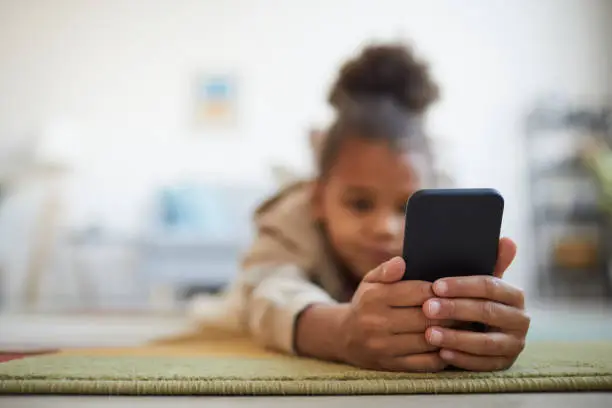
Knowing how to monitor your child’s activity online can help you understand what websites, apps, games, and social platforms they are using and identify potential online risks. Children can encounter inappropriate content, cyberbullying, scams, strangers, or excessive screen time without parents immediately noticing. The safest approach is to combine parental controls with open communication and age-appropriate supervision.
-
Talk to Your Child About Internet Safety
Start by explaining why you want to monitor their online activity.
Create clear family rules about websites, apps, games, social media, and communication with strangers. Encourage your child to tell you when they encounter something uncomfortable or inappropriate.
- Discuss online safety regularly
- Agree on appropriate websites and apps
- Explain the risks of communicating with strangers
- Encourage your child to report problems
-
Use Built-In Parental Controls
Most modern phones, tablets, computers, and gaming systems provide parental-control features.
These tools can help parents manage screen time, restrict inappropriate content, control app downloads, and set age-appropriate limits.
- Set content restrictions
- Manage screen time
- Control app installations
- Use age-appropriate settings
-
Monitor the Apps Your Child Uses
Regularly review the applications installed on your child’s device.
Learn what each app does and check whether it is appropriate for your child’s age. Pay particular attention to apps that allow private messaging, anonymous communication, or interaction with strangers.
- Review installed apps
- Remove inappropriate applications
- Check app permissions
- Discuss unfamiliar apps
-
Review Browser and Search Activity
Where appropriate, review browsing and search activity in accordance with your child’s age and your family’s agreed rules.
Use safe-search features and content filters to reduce the chances of your child accidentally encountering inappropriate material.
- Review browsing activity
- Turn on safe search
- Use website filters
- Discuss concerning searches calmly
-
Check Privacy and Location Settings
Review the privacy settings on your child’s device and online accounts.
Limit unnecessary access to location, camera, microphone, contacts, photos, and other sensitive information. Teach your child why these permissions matter.
- Review location permissions
- Check camera and microphone access
- Limit unnecessary permissions
- Use appropriate privacy settings
-
Monitor Social Media Safely
Know which social media platforms your child uses and understand their privacy and safety features.
Where appropriate, use parental controls and agree on rules about accepting followers, sharing photographs, communicating with strangers, and posting personal information.
- Check account privacy settings
- Discuss unknown followers
- Teach your child not to share private information
- Encourage them to block and report unsafe accounts
-
Set Screen-Time Limits
Excessive screen use can interfere with sleep, schoolwork, family time, and other activities.
Use built-in screen-time tools to establish reasonable limits and device-free periods, particularly around bedtime.
- Set daily screen-time limits
- Create device-free periods
- Encourage breaks
- Keep devices away during bedtime when appropriate
-
Watch for Changes in Behaviour
Changes in your child’s behaviour can sometimes indicate an online problem.
Be alert to sudden secrecy, distress after using a device, withdrawal from family activities, changes in sleep, or reluctance to attend school. These signs do not automatically mean something dangerous is happening, so use them as a reason to talk rather than immediately accuse your child.
- Notice sudden changes
- Ask open questions
- Listen without immediately judging
- Investigate concerns together
-
Teach Your Child What to Do About Online Risks
Children should know how to respond if they encounter inappropriate content, bullying, suspicious messages, scams, or requests for private information.
Teach them to stop communicating with unsafe people, block or report accounts, avoid sharing personal information, and tell a trusted adult.
- Do not share passwords or private information
- Block suspicious accounts
- Report harmful content
- Tell a trusted adult about serious concerns
-
Take Serious Risks Seriously
If you discover that an adult or another person is sexually exploiting, threatening, blackmailing, grooming, or deliberately targeting your child, take immediate action.
Preserve relevant evidence without redistributing harmful material, secure the child’s accounts, stop unsafe contact where possible, and seek appropriate professional or law-enforcement assistance.
Also Read: How to Hotspot on an HP Laptop

Email your news TIPS to Editor@Kahawatungu.com — this is our only official communication channel
