
Close Menu
    Facebook X (Twitter) Instagram
    Facebook X (Twitter) Instagram
    KahawatunguKahawatungu
    Button
    • NEWS
    • BUSINESS
    • KNOW YOUR CELEBRITY
    • POLITICS
    • TECHNOLOGY
    • SPORTS
    • HOW-TO
    • WORLD NEWS
    KahawatunguKahawatungu
    HOW-TO

    How to Reset Geyser Timer

    Damaris GatwiriBy Damaris GatwiriApril 13, 2026No Comments2 Mins Read
    Facebook Twitter WhatsApp Telegram Email
    How to Reset Geyser Timer
    Share
    Facebook Twitter WhatsApp Telegram Pinterest Email Copy Link

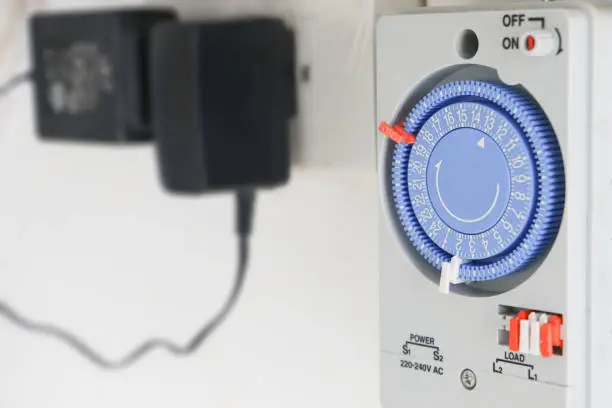
    A geyser timer helps control when your water heater turns on and off, saving energy and ensuring hot water is available when needed. However, power outages, incorrect settings, or system errors can disrupt its operation. Learning how to reset geyser timer settings can help restore proper function and improve efficiency. With a few simple steps, you can get your timer working correctly again.

    1. Table of Contents

      Toggle
      • Turn Off the Power Supply
      • Locate the Geyser Timer Unit
      • Reset the Timer Settings
      • Restore Power and Check Display
      • Test the Geyser Operation

      Turn Off the Power Supply

    Before working on the geyser timer, switch off the power at the main circuit breaker. This is important for safety and prevents electrical hazards.

    Allow a few minutes for the system to fully power down.

    • Ensure the power is completely off
    • Avoid handling live electrical components
    • Wait briefly before proceeding
    1. Locate the Geyser Timer Unit

    Find the timer unit, which is usually installed near the geyser or on the main electrical panel.

    Open the cover carefully to access the controls and settings.

    • Identify the correct timer unit
    • Handle the cover with care
    • Ensure proper lighting
    1. Reset the Timer Settings

    Depending on the model, you can reset the timer by pressing a reset button or manually adjusting the time settings.

    Set the correct current time and reprogram the on and off periods according to your needs.

    • Look for a reset or manual setting option
    • Adjust time accurately
    • Set your preferred schedule
    1. Restore Power and Check Display

    Turn the power back on and observe the timer display. Ensure that the correct time and settings are showing.

    If the display is blank or incorrect, repeat the reset process.

    • Switch power on safely
    • Confirm correct settings
    • Watch for any errors
    1. Test the Geyser Operation

    After resetting the timer, check if the geyser turns on and off at the set times.

    Monitor it for a full cycle to ensure it is working as expected.

    • Observe operation over time
    • Ensure hot water availability
    • Make adjustments if needed

    Also read: How to Remove Paint on the Wall

    Email your news TIPS to Editor@Kahawatungu.com — this is our only official communication channel

    Follow on Facebook Follow on X (Twitter)
    Share. Facebook Twitter WhatsApp LinkedIn Telegram Email
    Damaris Gatwiri

    Damaris Gatwiri is a digital journalist, driven by a profound passion for technology, health, and fashion.

    Related Posts

    How to Reset a Gate Motor

    April 13, 2026

    How to Repost an Instagram Post

    April 13, 2026

    How to Report a Scammer Bank Account in South Africa

    April 13, 2026

    Comments are closed.

    Latest Posts

    Man found dead after alleged mob attack over avocado theft in Murang’a

    April 13, 2026

    Hippo attack leaves one dead, another injured in Lamu

    April 13, 2026

    How to Reset Geyser Timer

    April 13, 2026

    How to Reset a Gate Motor

    April 13, 2026

    How to Repost an Instagram Post

    April 13, 2026

    How to Report a Scammer Bank Account in South Africa

    April 13, 2026

    How to Replace Sliding Door Wheels

    April 13, 2026

    Detectives recover decomposed body of student, arrest suspect in Maseno

    April 13, 2026
    Facebook X (Twitter) Instagram Pinterest
    © 2026 Kahawatungu.com. Designed by Okii.

    Type above and press Enter to search. Press Esc to cancel.