


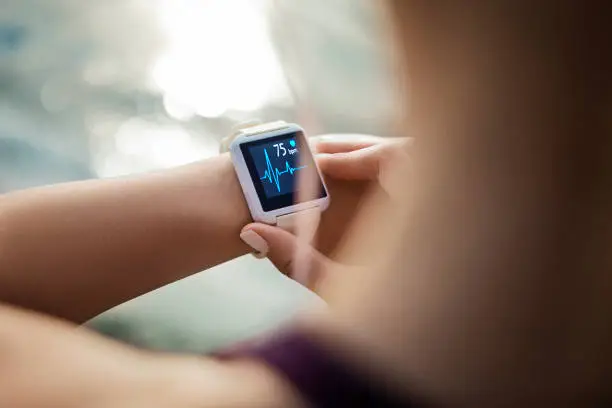
Setting the correct time on your digital watch ensures you stay punctual and make full use of its features. While digital watches can vary by brand and model, most follow a similar process involving a few simple button combinations. By understanding the basic controls, you can quickly adjust the time without needing to consult the manual every time. Here is how to set time in digital watch.
- Identify the Watch Buttons
Most digital watches have at least three or four buttons, often labeled as “Mode,” “Start/Stop,” “Reset,” or “Light.” The “Mode” button is usually used to cycle through different settings such as time, date, and alarm. Familiarize yourself with the buttons on your watch before starting. - Enter the Time Setting Mode
Press and hold the “Mode” button for a few seconds until the display starts flashing, usually beginning with the seconds. In some watches, you may need to press “Mode” repeatedly until you reach the time-setting screen. - Adjust the Seconds, Minutes, and Hours
Once in setting mode, use the “Start/Stop” or “Adjust” button to change the values. Typically, you begin with the seconds—reset them to zero if needed—then move to minutes and hours by pressing the “Mode” button again. Make sure you know whether your watch is in 12-hour or 24-hour format. - Set the Correct AM/PM or 24-Hour Format
If your watch uses a 12-hour format, pay attention to the AM or PM indicator to avoid setting the wrong time. Some digital watches allow you to switch between 12-hour and 24-hour formats, which can be useful if you prefer military time. - Adjust Additional Settings (Optional)
Many digital watches allow you to set the date, day of the week, and sometimes even time zones in the same setting mode. While adjusting the time, take a moment to ensure the date and other settings are also correct. - Save and Exit the Setting Mode
After setting the correct time, press the “Mode” button again (or a designated exit button) to return to the normal display. The flashing should stop, and your watch will now display the updated time. - Double-Check the Time
Confirm that the watch is running correctly and showing the accurate time. If it is slightly off, repeat the process to make quick adjustments.
Also Read: How To Send An Email From Mobile
Email your news TIPS to Editor@Kahawatungu.com — this is our only official communication channel
