How to Turn on Keep Inventory in Minecraft

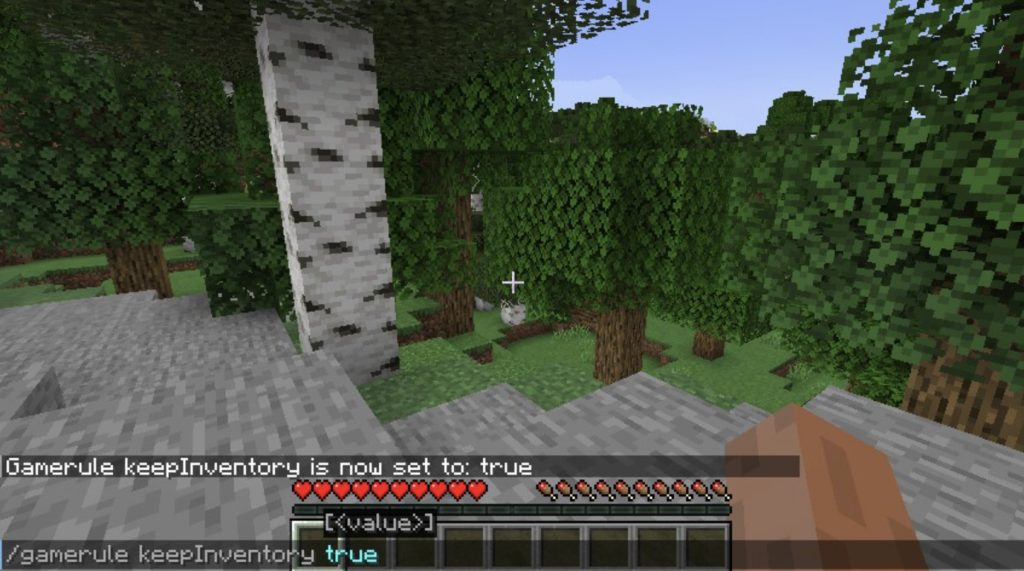
Learning how to turn on Keep Inventory in Minecraft is useful when you want to keep your items after dying in the game. Normally, Minecraft players drop their collected resources, weapons, tools, and armour when they die. However, the Keep Inventory setting allows you to retain these items and continue playing without losing your progress.
-
Open Your Minecraft World
The first thing you need to do is open the world where you want to activate Keep Inventory.
Follow these instructions:
- Launch Minecraft on your device.
- Select Singleplayer or Play, depending on your edition.
- Choose the world you want to play.
- Open the world and wait for it to load.
You can also activate Keep Inventory when creating a new world by adjusting its settings before starting the game.
-
Enable Cheats in Your World
Keep Inventory is controlled by a game rule, which usually requires cheats to be enabled.
For an existing world:
- Press Esc on your keyboard if you are playing on PC.
- Select Open to LAN.
- Find the Allow Cheats option.
- Change it to ON.
- Click Start LAN World.
This method is commonly used in Java Edition. On Bedrock Edition, open the world settings and enable Cheats where available.
Note that enabling cheats in Java Edition survival worlds disables achievements for that world, while Bedrock Edition also disables achievements when cheats are activated.
-
Open the Chat Window
Once cheats are enabled, you need to open the chat window to enter the command.
On different devices:
- PC: Press T on your keyboard.
- Xbox: Open the chat interface using the supported controller controls.
- PlayStation: Open the chat interface.
- Mobile: Tap the chat icon on the screen.
The chat window provides a space where you can enter Minecraft commands.
-
Enter the Keep Inventory Command
Type the following command into the chat window:
/gamerule keepInventory true
Press Enter or select the send button to execute the command.
If the command is accepted, Keep Inventory will be activated in your world.
-
Test Whether Keep Inventory Is Working
You can check whether the setting is active by testing it in your Minecraft world.
Follow these steps:
- Collect a few items from your inventory.
- Make sure the Keep Inventory command has been activated.
- Allow your character to die in the game.
- Respawn at your normal location.
- Open your inventory.
If the setting is working correctly, you should still have your collected items, tools, weapons, and armour.
-
Turn Off Keep Inventory When Necessary
If you want Minecraft to return to its normal item-dropping behaviour, you can disable the setting.
Open the chat window and enter:
/gamerule keepInventory false
Press Enter to apply the change. Your character will now drop items upon death as usual.
Also Read: How to Convert PDF to Word