


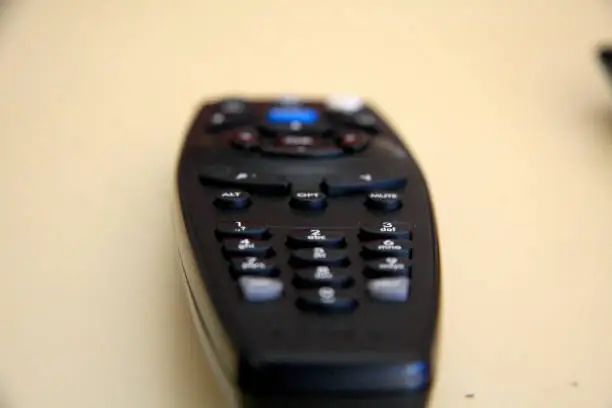
If you have a DStv Explora or HD decoder with multiple viewing outputs, you might want to control the second TV connected to your decoder using the same remote. Changing your DStv remote to TV2 mode allows you to operate the second TV without interfering with the main TV in another room. This feature is useful for households using DStv’s ExtraView or TV Link setup. The process is quick and only requires a few button combinations on your DStv remote.
- Understand TV1 and TV2 Modes
DStv remotes are designed to work with different TV outputs. The TV1 mode controls the main decoder connected to the primary television, while TV2 mode allows control of the secondary television, usually connected through an RF or TV Link cable. When a remote is set to TV2, it only sends commands to the second output, preventing interference with the main TV’s viewing.
- Check Your Decoder Type
Before changing the remote mode, confirm which DStv decoder you are using. Most Explora, HD decoders, and Dual View decoders support TV1 and TV2 functions. If your setup includes a TV Link or an ExtraView connection to another TV in a different room, your remote can easily be programmed to control TV2.
- Point the Remote Away from the Decoder
To prevent the decoder from reacting while you change the settings, point your DStv remote away from the decoder. This ensures that the remote only changes its mode without affecting any decoder functions during the process.
- Change the Remote to TV2 Mode
Follow these steps to switch your DStv remote from TV1 to TV2 mode:
- Hold down the “TV” button and the “Power” button at the same time.
- Wait until the LED light on the remote flashes once and stays on.
- Press the “2” button on the number pad.
- Then press the “OK” button.
The LED light will flash again to confirm that the remote has been successfully changed to TV2 mode.
- Test the Remote on the Second TV
After programming the remote, go to your second TV and test if it responds to the DStv remote commands. Try pressing Power, Volume, or Channel buttons. If the TV responds correctly, your remote is now set to TV2.
If the remote still controls TV1 or doesn’t respond at all, repeat the steps carefully and ensure your TV Link connection is secure.
- Changing Back to TV1 Mode
If you ever want to return your DStv remote to control the main decoder (TV1), follow the same process but press “1” instead of “2” in step four.
- Press and hold TV and Power.
- Wait for the LED to light up.
- Press 1, then OK.
The remote will now be back in TV1 mode.
- Troubleshooting Tips
If your DStv remote still doesn’t work on TV2 after switching modes, check that:
- The TV Link cable is correctly connected from the decoder to the second TV.
- The TV Link LED is on.
- The remote batteries are not weak.
Also Read: How To Change Delivery Date On Takealot
Email your news TIPS to Editor@Kahawatungu.com — this is our only official communication channel
