
Close Menu
    Facebook X (Twitter) Instagram
    Facebook X (Twitter) Instagram
    KahawatunguKahawatungu
    Button
    • NEWS
    • BUSINESS
    • KNOW YOUR CELEBRITY
    • POLITICS
    • TECHNOLOGY
    • SPORTS
    • HOW-TO
    • WORLD NEWS
    KahawatunguKahawatungu
    HOW-TO

    How To Factory Reset PS4

    Damaris GatwiriBy Damaris GatwiriJune 4, 2025No Comments2 Mins Read
    Facebook Twitter WhatsApp Telegram Email
    How To Factory Reset PS4
    How To Factory Reset PS4
    Share
    Facebook Twitter WhatsApp Telegram Pinterest Email Copy Link

    Factory resetting your PlayStation 4 (PS4) is useful when you’re experiencing system issues, trading in your console, or simply starting fresh. This process erases all user data and returns the PS4 to its original state. Make sure to back up any data you want to keep. Here is how to factory reset PS4

    What to Do Before Resetting

    1. Back up your data
      Use an external USB drive or upload your saved games to PlayStation Plus cloud storage if you have a subscription.
    2. Deactivate your PS4 as your primary console
      • Go to Settings
      • Select Account Management
      • Choose Activate as Your Primary PS4
      • If it says “Activated,” select Deactivate

    How to Factory Reset PS4

    There are two ways to reset the PS4: using the system menu or Safe Mode.

    Method 1: Using System Settings

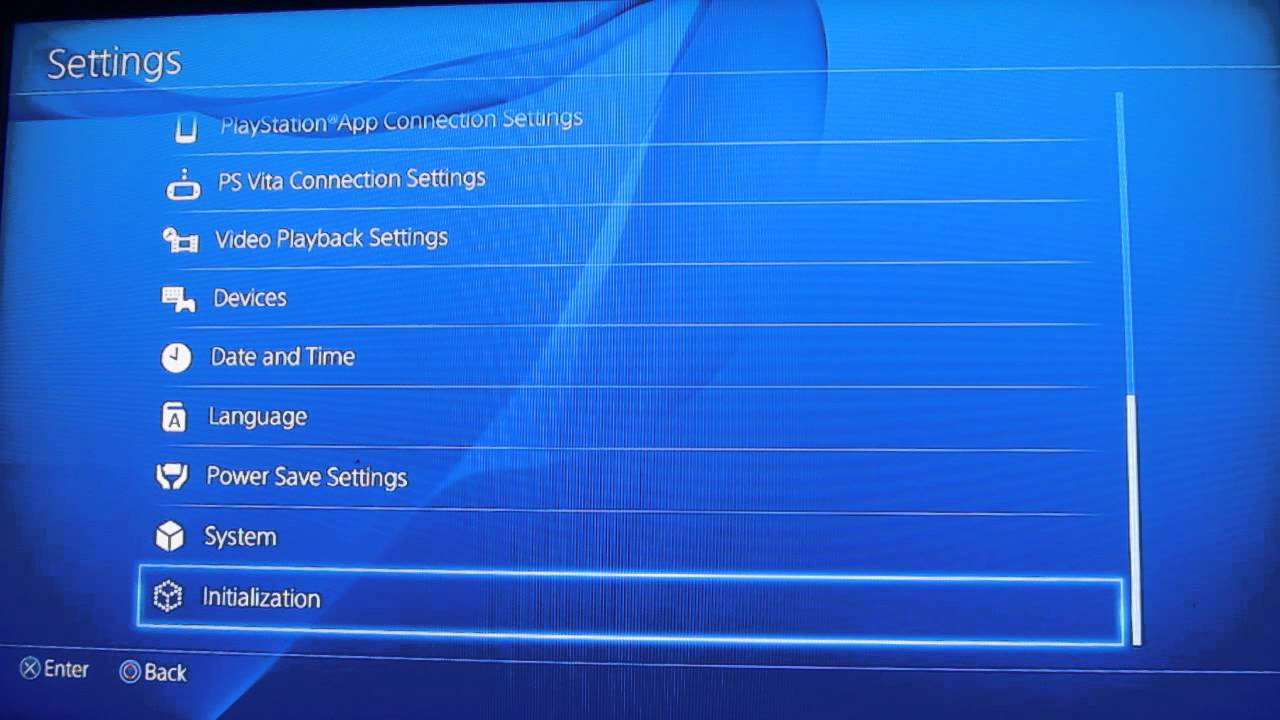
    1. Go to Settings
    2. Scroll down and select Initialization
    3. Choose Initialize PS4
    4. Select Full to completely wipe the console (this takes longer but is more thorough)
    5. Confirm and follow the on-screen instructions

    The PS4 will restart and begin the reset process. Once done, it will power up as if it’s brand new.

    Method 2: Using Safe Mode (if the system menu doesn’t work)

    1. Turn off the PS4 completely
    2. Press and hold the Power button until you hear a second beep (about 7 seconds)
    3. Connect your controller using a USB cable and press the PS button
    4. From the Safe Mode menu, choose Option 7: Initialize PS4 (Reinstall System Software)

    Note: This option deletes everything and reinstalls system software from a USB drive. You’ll need a USB drive with the PS4 system file downloaded from the PlayStation website.

    Also Read: How To Draw Hulk

    Email your news TIPS to Editor@Kahawatungu.com — this is our only official communication channel

    Follow on Facebook Follow on X (Twitter)
    Share. Facebook Twitter WhatsApp LinkedIn Telegram Email
    Damaris Gatwiri

    Damaris Gatwiri is a digital journalist, driven by a profound passion for technology, health, and fashion.

    Related Posts

    How to Draw a Girl — Step by Step

    December 10, 2025

    How To Draw A Frog For Kids

    December 10, 2025

    How To Draw A Fist

    December 10, 2025

    Comments are closed.

    Latest Posts

    Fake KDF brigadier in fraud case released on bail

    December 10, 2025

    Murkomen lauds Tiaty transformation after peace is restored 

    December 10, 2025

    Omtatah moves to court over Sh208 billion Kenya-US health agreement

    December 10, 2025

    FKF Takes Action Against Match Officials Over Questionable Officiating

    December 10, 2025

    Malcolm Young Siblings: A Look at the Rock Icon’s Family Tree

    December 10, 2025

    Ray Davies Siblings: Meet the Siblings Squad Behind the English Musician

    December 10, 2025

    Tom Fogerty Siblings: All About Jim, John, Bob and Mark Fogerty

    December 10, 2025

    Mark Mothersbaugh Siblings: Meet Bob, Jim, Amy and Susan

    December 10, 2025
    Facebook X (Twitter) Instagram Pinterest
    © 2025 Kahawatungu.com. Designed by Okii.

    Type above and press Enter to search. Press Esc to cancel.