
Close Menu
    Facebook X (Twitter) Instagram
    Facebook X (Twitter) Instagram
    KahawatunguKahawatungu
    Button
    • NEWS
    • BUSINESS
    • KNOW YOUR CELEBRITY
    • POLITICS
    • TECHNOLOGY
    • SPORTS
    • HOW-TO
    • WORLD NEWS
    KahawatunguKahawatungu
    HOW-TO

    How To Find Facebook URL

    Damaris GatwiriBy Damaris GatwiriJune 5, 2025No Comments2 Mins Read
    Facebook Twitter WhatsApp Telegram Email
    How To Find Facebook URL
    How To Find Facebook URL
    Share
    Facebook Twitter WhatsApp Telegram Pinterest Email Copy Link

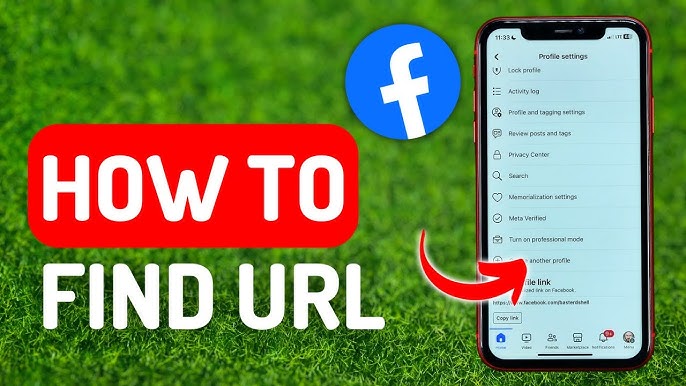
    Your Facebook URL is a direct web address that leads to your profile, page, or group. It’s useful for sharing your profile with others or linking your page to websites and other social media platforms. Finding your Facebook URL is simple whether you’re using a phone or computer. Here is how to find Facebook URL.

    1. Finding Your Facebook Profile URL on a Computer

    If you are using Facebook through a web browser:

    • Open www.facebook.com and log in to your account.
    • Click your name at the top of the homepage to go to your profile.
    • Once your profile loads, look at the address bar at the top of your browser.
    • You will see something like: https://www.facebook.com/your.name
      This is your Facebook profile URL.
    • You can highlight the URL, right-click, and select “Copy” to share it.
    1. Finding Your Facebook Profile URL on the Mobile App

    The Facebook mobile app doesn’t always show your URL directly, but you can still find it:

    • Open the Facebook app and go to your profile by tapping your profile picture or name.
    • Tap the three dots (…) next to “Edit profile.”
    • Select “Copy link to profile”.
      Your profile URL is now copied and can be pasted anywhere you want.
    1. Finding a Facebook Page URL

    If you manage a Facebook page and want to share its link:

    • Go to the page by clicking “Pages” on your Facebook homepage.
    • Select the page you want to view.
    • Once the page opens, copy the link from the address bar in your browser if on desktop.
      It looks like: https://www.facebook.com/YourPageName
    • On the mobile app, tap the Share icon and select Copy link.
    1. Finding a Facebook Group URL

    If you want to share the link to a Facebook group:

    • Open the group either from your home feed or the “Groups” tab.
    • On desktop, copy the link from the address bar.
    • On mobile, tap the three dots in the top right corner, then choose Share > Copy link.

    Also Read: How To Earn Money On Facebook Every Day

    Email your news TIPS to Editor@Kahawatungu.com — this is our only official communication channel

    Follow on Facebook Follow on X (Twitter)
    Share. Facebook Twitter WhatsApp LinkedIn Telegram Email
    Damaris Gatwiri

    Damaris Gatwiri is a digital journalist, driven by a profound passion for technology, health, and fashion.

    Related Posts

    How To Draw A Pencil

    December 12, 2025

    How To Draw A Palm Tree

    December 12, 2025

    How To Draw A Map For A School Project

    December 12, 2025

    Comments are closed.

    Latest Posts

    Author Joanna Trollope dies aged 82

    December 13, 2025

    M23 cements control in DR Congo city after claiming takeover

    December 13, 2025

    Ghanaian influencer charged over $8m scam targeting elderly Americans

    December 13, 2025

    Trump says he will pardon jailed elections clerk, but state officials say he cannot

    December 13, 2025

    Trump signs order to block states from enforcing own AI rules

    December 13, 2025

    Taylor Swift shown breaking down in tears after she met Southport attack families

    December 13, 2025

    Prada to launch $930 ‘Made in India’ Kolhapuri sandals after backlash

    December 13, 2025

    5 Steps to Care for Fragile Anemone Petals to Keep Them Fresh Longer

    December 12, 2025
    Facebook X (Twitter) Instagram Pinterest
    © 2025 Kahawatungu.com. Designed by Okii.

    Type above and press Enter to search. Press Esc to cancel.