
Close Menu
    Facebook X (Twitter) Instagram
    Facebook X (Twitter) Instagram
    KahawatunguKahawatungu
    Button
    • NEWS
    • BUSINESS
    • KNOW YOUR CELEBRITY
    • POLITICS
    • TECHNOLOGY
    • SPORTS
    • HOW-TO
    • WORLD NEWS
    KahawatunguKahawatungu
    HOW-TO

    How To Find Facebook URL

    Damaris GatwiriBy Damaris GatwiriJune 5, 2025No Comments2 Mins Read
    Facebook Twitter WhatsApp Telegram Email
    How To Find Facebook URL
    How To Find Facebook URL
    Share
    Facebook Twitter WhatsApp Telegram Pinterest Email Copy Link

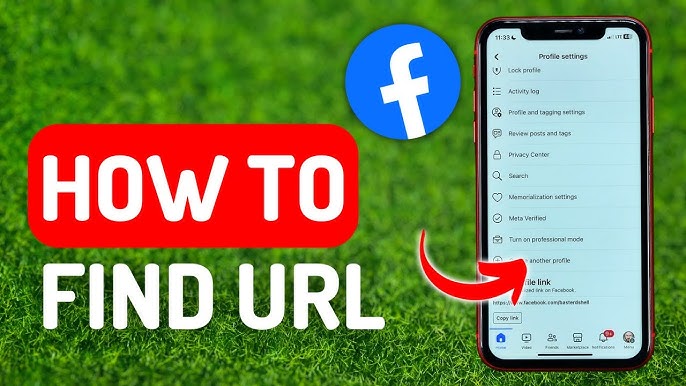
    Your Facebook URL is a direct web address that leads to your profile, page, or group. It’s useful for sharing your profile with others or linking your page to websites and other social media platforms. Finding your Facebook URL is simple whether you’re using a phone or computer. Here is how to find Facebook URL.

    1. Finding Your Facebook Profile URL on a Computer

    If you are using Facebook through a web browser:

    • Open www.facebook.com and log in to your account.
    • Click your name at the top of the homepage to go to your profile.
    • Once your profile loads, look at the address bar at the top of your browser.
    • You will see something like: https://www.facebook.com/your.name
      This is your Facebook profile URL.
    • You can highlight the URL, right-click, and select “Copy” to share it.
    1. Finding Your Facebook Profile URL on the Mobile App

    The Facebook mobile app doesn’t always show your URL directly, but you can still find it:

    • Open the Facebook app and go to your profile by tapping your profile picture or name.
    • Tap the three dots (…) next to “Edit profile.”
    • Select “Copy link to profile”.
      Your profile URL is now copied and can be pasted anywhere you want.
    1. Finding a Facebook Page URL

    If you manage a Facebook page and want to share its link:

    • Go to the page by clicking “Pages” on your Facebook homepage.
    • Select the page you want to view.
    • Once the page opens, copy the link from the address bar in your browser if on desktop.
      It looks like: https://www.facebook.com/YourPageName
    • On the mobile app, tap the Share icon and select Copy link.
    1. Finding a Facebook Group URL

    If you want to share the link to a Facebook group:

    • Open the group either from your home feed or the “Groups” tab.
    • On desktop, copy the link from the address bar.
    • On mobile, tap the three dots in the top right corner, then choose Share > Copy link.

    Also Read: How To Earn Money On Facebook Every Day

    Email your news TIPS to Editor@Kahawatungu.com — this is our only official communication channel

    Follow on Facebook Follow on X (Twitter)
    Share. Facebook Twitter WhatsApp LinkedIn Telegram Email
    Damaris Gatwiri

    Damaris Gatwiri is a digital journalist, driven by a profound passion for technology, health, and fashion.

    Related Posts

    How Long Does a Transfer from FNB to Capitec Take

    June 11, 2026

    How Long Does Pension Fund Take to Pay Out

    June 11, 2026

    How Long Does Meat Take to Digest

    June 11, 2026

    Comments are closed.

    Latest Posts

    NTSA to Dispose of Uncollected Physical Logbooks After Six Months, Urges Motorists to Pick Them Up

    June 11, 2026

    Somalia’s Omar Artan to Officiate UEFA Super Cup After World Cup Visa Snub

    June 11, 2026

    El Niño under way and threatens weather extremes, scientists say

    June 11, 2026

    Kenya Cuts 2026 Economic Growth Forecast to 5%

    June 11, 2026

    Contempt suit over Ebola quarantine center in Nanyuki certified as urgent 

    June 11, 2026

    Defence Secretary John Healey resigns over military spending plans

    June 11, 2026

    KCB Disburses Sh48.8 Billion in Green Loans as Sustainable Financing Surpasses Target

    June 11, 2026

    Chinese Firm Wins Sh375 Billion JKIA Expansion Contract

    June 11, 2026
    Facebook X (Twitter) Instagram Pinterest
    © 2026 Kahawatungu.com. Designed by Okii.

    Type above and press Enter to search. Press Esc to cancel.