


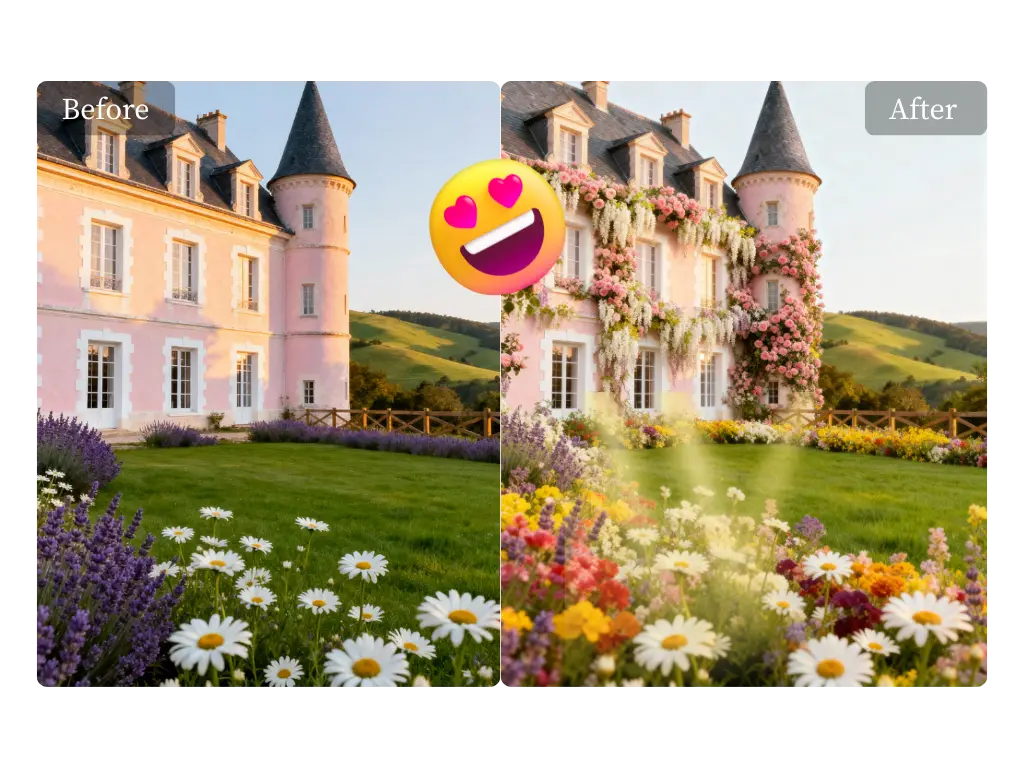
Have you ever found the perfect photo, only to realize it’s too small or blurry to use? A low-resolution image can ruin a great design, make a product look unprofessional, or turn a cherished memory into a pixelated mess. In the past, your only option was to start over and find a new picture. But now, thanks to artificial intelligence, you can fix and enhance your photos in just a few clicks.
This guide will show you how to upscale photos in 2026. We’ll explore how AI technology works, why high-quality images are so important, and walk you through the simple steps to breathe new life into your pictures using powerful and free tools. You don’t need expensive software or technical skills to get professional results anymore.
Why Image Quality Is Crucial in 2026
Visuals are the language of the internet. From social media feeds to online stores and professional portfolios, high-resolution images are no longer a luxury; they’re a requirement. In 2026, user expectations are higher than ever. Grainy or pixelated photos can instantly damage your credibility and make potential customers or clients lose trust in your brand.
Think about it. On an e-commerce site, clear product photos let shoppers see details, building confidence and driving sales. For photographers and designers, a portfolio of crisp, clean images showcases their talent and professionalism. Even on social media, algorithms often favor high-quality content, giving sharp images better visibility. Using a Free AI Photo Editor allows you to meet these standards without investing in complicated programs.
What Is AI Image Upscaling?
AI image upscaling is a process that uses artificial intelligence to increase the resolution of a photo without losing quality. Traditional methods simply stretched the existing pixels, which is why images would become blurry and pixelated when enlarged. AI does things differently. It has been trained on millions of high and low-resolution image pairs to understand what different objects, textures, and details should look like.
When you upload a low-resolution photo, the AI analyzes it to identify features like faces, text, or natural landscapes. It then intelligently adds new pixels that blend seamlessly with the original ones, effectively recreating the image at a larger size. The result is a photo that’s not just bigger, but also sharper and more detailed than the original. The best part is that a Free AI Image Upscaler Online makes this advanced technology accessible to everyone, directly from your web browser.
The Best Way to Upscale Photos for Free
When you need reliable and impressive results, you need a tool built for the job. While there are many options available, a dedicated AI photo editor focused on simplicity and power is your best choice. These platforms streamline the process, allowing you to enhance your images quickly.
Our Top Recommendation: The Ezremove AI Suite
The Ezremove suite of AI tools stands out for its user-friendly interface and powerful results. It offers a dedicated image upscaler that uses sophisticated algorithms to deliver clean, crisp images every time. It’s designed for everyone from marketing professionals and e-commerce store owners to hobbyists who just want to restore old family photos.
The platform is entirely web-based, so you don’t need to download or install any software. You simply upload your image, choose your settings, and let the AI work its magic. It effectively handles common issues like pixelation and blurriness, adding realistic detail to make your photos look like they were taken with a much better camera.
A Step-by-Step Guide to Upscaling Your Images
Ready to see it in action? Here’s how simple it is to increase your photo’s resolution.
- Visit the Website: Open your web browser and navigate to the online upscaling tool.
- Upload Your Image: Drag and drop your low-resolution photo into the editor, or click the “Upload” button to select it from your computer. The tool supports common file types like JPG, PNG, and WebP.
- Choose Your Upscale Factor: Select how much you want to enlarge the image. Most tools offer options like 2x or 4x, which doubles or quadruples the photo’s dimensions. Some advanced tools might offer even higher multipliers.
- Start the Process: Click the “Upscale” or “Enhance” button. The AI will begin analyzing and processing your photo. This usually only takes a few seconds to a minute, depending on the image size and server load.
- Download Your Result: Once the process is finished, you’ll see a side-by-side comparison of the original and the new, upscaled image. If you’re happy with the result, just click the “Download” button to save the high-resolution version to your device.
Key Benefits of Using an AI-Powered Upscaler
Choosing an AI tool over traditional methods comes with several distinct advantages that save you time, money, and effort.
1. Superior Quality
Unlike basic resizing software that just makes pixels bigger, AI reconstructs your image. It adds genuine detail, sharpens edges, and reduces noise, resulting in a naturally clear photo. This means you can confidently print your upscaled photos or use them for professional digital projects.
2. Incredible Speed
Manually editing and enhancing a photo in a program like Photoshop can take hours of meticulous work, and even then, the results might not be perfect. An AI upscaler does the job in under a minute. This efficiency is a massive boost for anyone working with a high volume of images.
3. Cost-Effective
Professional photo editing software can be expensive, with monthly subscription fees that add up. Many AI upscalers offer a free service that is more than sufficient for most tasks. This puts powerful technology in the hands of small businesses, students, and creators without a large budget.
4. Ease of Use
You don’t need any technical expertise to use an AI upscaler. The interfaces are typically very straightforward, often involving just a few clicks. This accessibility removes the steep learning curve associated with professional editing suites.
Common Uses for Upscaled Photos
The ability to enhance image resolution opens up a world of possibilities across various fields. Here are just a few scenarios where AI upscaling is incredibly useful.
* E-commerce: Sellers often receive manufacturer photos that are too small for website product pages. Upscaling them allows for crisp zoom functions, helping customers see product details clearly.
* Real Estate: Property listings with high-quality photos get more attention. AI can sharpen images taken on a phone or a lower-quality camera to make them look professional.
* Old Photo Restoration: Do you have old, scanned family photos that are small and grainy? Upscaling can bring back lost details in faces and backgrounds, preserving precious memories.
* Digital Art & Design: Artists can take a small digital drawing or a low-res texture and enlarge it to fit a bigger canvas without it becoming pixelated.
* Content Creation: Bloggers and social media managers can rescue low-quality stock photos or user-generated content, ensuring their posts always look polished and professional.
Frequently Asked Questions (FAQ)
Here are answers to some common questions about AI photo upscaling.
Is AI upscaling better than traditional methods?
Yes, for most situations. Traditional methods, like bicubic interpolation found in older software, often produce blurry or “blocky” results because they are just guessing how to fill in the new space. AI makes educated decisions based on its training, leading to a much sharper and more realistic final image.
Can I upscale any type of image?
AI works on almost any image, including photographs, illustrations, and digital graphics. However, the results are best when the original image has a decent amount of detail to begin with. An extremely blurry or tiny image may see improvement, but it won’t magically become a perfect high-resolution photo.
Will my upscaled photos look natural?
Modern AI algorithms are very good at creating natural-looking results. They can reduce digital noise and film grain while adding realistic textures. In most cases, it’s difficult to tell that a photo has been upscaled by an AI unless you are comparing it directly to the original.
Are free AI upscalers safe to use?
Reputable online tools are safe to use. They typically have a clear privacy policy stating that they don’t store your images for long periods or use them for other purposes. It’s always a good practice to use well-known services and check their terms of use if you have concerns about your data.
Final Thoughts
Low-resolution images no longer have to be a dead end. With the power of AI, you can easily enhance, enlarge, and restore your photos to the quality they deserve. A free, web-based tool removes the barriers of cost and complexity, making professional-grade photo editing accessible to everyone. The next time you find a great photo that’s just too small, remember that a powerful solution is only a few clicks away.
Email your news TIPS to Editor@Kahawatungu.com — this is our only official communication channel
