


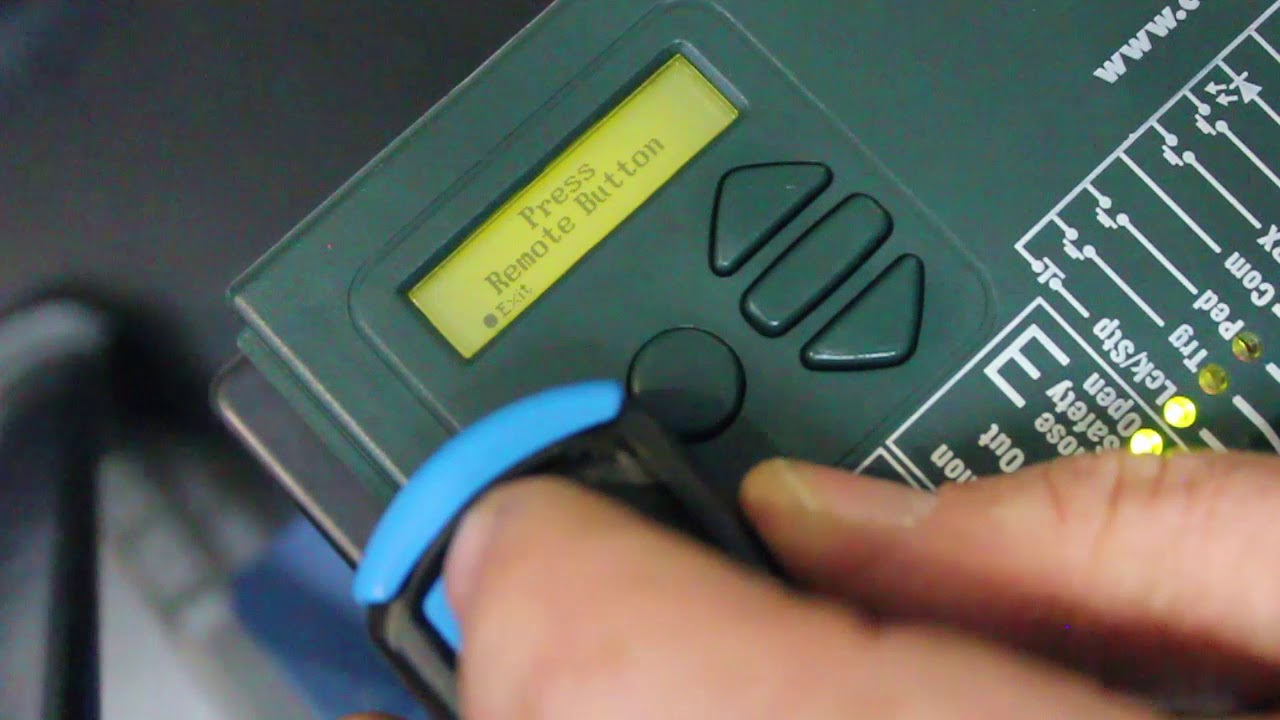
Programming a Centurion gate remote is essential for controlling your automatic gate efficiently. Whether you’re adding a new remote or replacing an old one, the process is straightforward. The exact steps may vary depending on the Centurion gate motor model, but the general method remains the same. Here is how to program centurion gate remote.
Requirements
- A Centurion gate motor with available memory slots for new remotes
- A new or additional Centurion remote
- Access to the control panel of the gate motor
- Ensure the gate motor is powered on and functioning correctly
Steps to Program a Centurion Gate Remote
- Locate the Gate Motor Control Panel
Open the cover of the Centurion gate motor using a screwdriver if necessary. Inside, you’ll find a control board with a learn/program button (often labeled as “LEARN,” “REMOTE,” or “LRN”). The location of this button varies depending on the model, so refer to the manual if needed.
- Enter Programming Mode
- Press and release the learn button on the control board
- The indicator LED on the board should light up or flash, indicating that the system is ready to learn a new remote
- Pair the Remote
- Within a few seconds of pressing the learn button, press and hold the desired button on your Centurion remote
- The LED on the motor should respond by flashing or staying solid, confirming that the remote has been successfully programmed
- Test the Remote
After programming, press the button on the remote to check if it opens or closes the gate. If the gate does not respond, repeat the process to ensure proper pairing.
Deleting a Remote (If Needed)
If you need to remove a remote from the system, follow these steps:
- Locate the erase/reset button on the motor’s control board
- Press and hold the button until the LED blinks or turns off, indicating that all remotes have been erased
- Reprogram the remotes you want to keep using the steps above
Troubleshooting Tips
- If the remote does not work, check if the battery is functioning properly
- Ensure you are within range of the gate motor when programming
- If the memory is full, you may need to delete an old remote before adding a new one
Also Read: How To Program A Centurion Gate Remote With Another Remote
Email your news TIPS to Editor@Kahawatungu.com — this is our only official communication channel
