
Close Menu
    Facebook X (Twitter) Instagram
    Facebook X (Twitter) Instagram
    KahawatunguKahawatungu
    Button
    • NEWS
    • BUSINESS
    • KNOW YOUR CELEBRITY
    • POLITICS
    • TECHNOLOGY
    • SPORTS
    • HOW-TO
    • WORLD NEWS
    KahawatunguKahawatungu
    HOW-TO

    How to Program a DStv Remote

    Damaris GatwiriBy Damaris GatwiriMarch 25, 2026No Comments2 Mins Read
    Facebook Twitter WhatsApp Telegram Email
    How to Program a DStv Remote
    Share
    Facebook Twitter WhatsApp Telegram Pinterest Email Copy Link

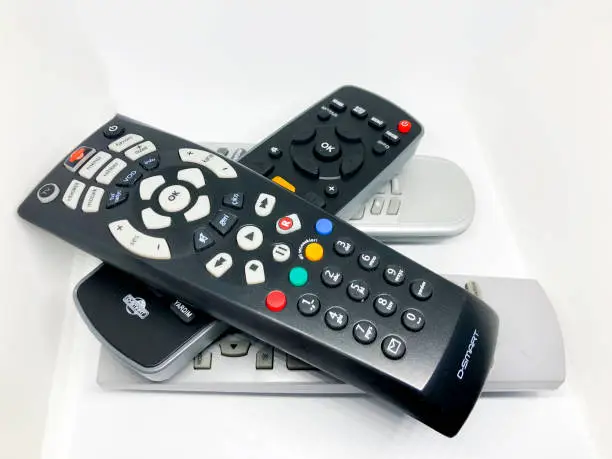
    Learning how to program a DStv remote helps you control your decoder and, in some cases, your TV with a single device. DStv remotes are designed to be user-friendly, but they may need to be set up correctly to work with your specific decoder or television.

    With a few simple steps, you can program your remote and enjoy convenient control of your entertainment system.

    1. Table of Contents

      Toggle
      • Check Your Remote Type
      • Reset the Remote (Optional)
      • Program the Remote to the Decoder
      • Program the Remote to Your TV
      • Test All Functions
      • Troubleshoot if Necessary

      Check Your Remote Type

    Start by identifying the type of remote you are using.

    • Look at the model number on the remote
    • Confirm it is compatible with your decoder
    • Check if it supports TV programming
    • Ensure the batteries are working properly

    Knowing your remote type helps you follow the correct process.

    1. Reset the Remote (Optional)

    Resetting can help if the remote is not working properly.

    • Press and hold the reset or standby button
    • Wait for the light indicator to respond
    • Release the button after a few seconds
    • Allow the remote to restart

    Resetting clears previous settings.

    1. Program the Remote to the Decoder

    Pair the remote with your decoder.

    • Point the remote at the decoder
    • Press and hold the pairing or setup button
    • Wait for the indicator light to blink
    • Follow on-screen instructions if available

    This connects the remote to your decoder.

    1. Program the Remote to Your TV

    Some remotes can also control your television.

    • Press and hold the TV button on the remote
    • Enter the correct TV brand code
    • Wait for the light to confirm the code
    • Test functions like volume and power

    This allows one remote to control both devices.

    1. Test All Functions

    Make sure everything works correctly.

    • Try changing channels
    • Adjust the volume
    • Turn the TV and decoder on and off
    • Check menu navigation

    Testing ensures the setup was successful.

    1. Troubleshoot if Necessary

    If the remote does not work, try a few fixes.

    • Replace the batteries
    • Repeat the programming steps
    • Ensure there are no obstructions
    • Move closer to the decoder

    Simple troubleshooting can resolve most issues.

    Also Read: How to Prepare Eggplant

    Email your news TIPS to Editor@Kahawatungu.com — this is our only official communication channel

    Follow on Facebook Follow on X (Twitter)
    Share. Facebook Twitter WhatsApp LinkedIn Telegram Email
    Damaris Gatwiri

    Damaris Gatwiri is a digital journalist, driven by a profound passion for technology, health, and fashion.

    Related Posts

    How to Program an ET Remote

    March 25, 2026

    How to Private Number on Vodacom

    March 25, 2026

    How to Private Number on Telkom

    March 25, 2026

    Comments are closed.

    Latest Posts

    Africa’s infrastructure boom faces 57% construction talent gap, PMI report finds

    March 25, 2026

    Reforms on track in security sector, PS Omollo says

    March 25, 2026

    Manyora charged with obtaining Sh516,000 in Nairobi Hospital tender 

    March 25, 2026

    Only 250,391 new voters have registered as Nairobi, Kiambu lead, IEBC says

    March 25, 2026

    Dismembered body of man found in river after suspected murder in Kirinyaga

    March 25, 2026

    How to Program an ET Remote

    March 25, 2026

    How to Program a DStv Remote

    March 25, 2026

    How to Private Number on Vodacom

    March 25, 2026
    Facebook X (Twitter) Instagram Pinterest
    © 2026 Kahawatungu.com. Designed by Okii.

    Type above and press Enter to search. Press Esc to cancel.