


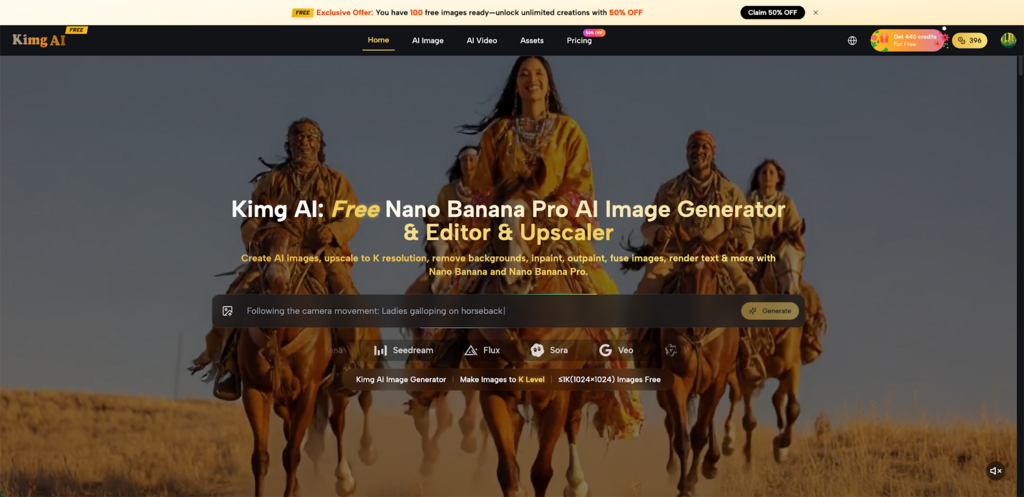
Introductions to custom car culture often start with a sketch on paper or a saved screenshot from social media, but translating that idea onto a real vehicle is usually where the process stalls. Enthusiasts, shops, and brands now can turn those rough inspirations into high‑resolution mockups by combining car photos with Nano Banana Pro on Kimg AI, creating ultra‑sharp visuals before a single panel is wrapped or repainted. With K‑level output quality, those images can guide wrap designers, vinyl installers, and clients toward confident, aligned decisions.
I. Why Visualizing Car Wraps Matters Before You Modify
Car wraps and visual mods are expensive, and even small design mistakes look massive when stretched across a hood or door. Clear mockups reduce guesswork, help align expectations with installers, and avoid costly reprints or redesigns.
- Visual previews help test colors, finishes, and graphics on a specific car photo instead of generic templates, making decisions more precise and practical.
- High‑resolution images allow zooming into badges, panel gaps, and edges, which helps designers refine stripe thickness, logo placement, and pattern density.
- For shops, realistic previews make it easier to close deals, because customers can see a near‑final look instead of imagining it from verbal descriptions.
- Mockups also serve as a shared language between owner, designer, and installer, reducing misunderstanding during complex multi‑color or branded wraps.
- When multiple styles are in contention—stealth, motorsport, brand livery—side‑by‑side images make it clear which direction fits the car and purpose best.
- For sponsors and partners, professional visuals provide something convincing to approve in advance, especially for race cars and fleet vehicles.
II. Using Kimg AI to Turn Car Photos into Wrap Concepts
Kimg AI provides an image generator and photo transformer that accepts text prompts and reference images, then outputs new visuals at K‑level resolution. This workflow fits naturally with car customization: start from a clear photo of the vehicle, describe the wrap idea, and let the system reimagine it in seconds.
- Users can upload a car photo and use models like Nano Banana to transform the image while preserving the vehicle’s structure, proportions, and key details.
- By describing desired styles—matte textures, bold graphics, motorsport stripes, or brand‑forward layouts—the AI generates concept art that follows those instructions.
- Reference images can be added so that brand colors, logo layouts, or specific inspiration photos influence the final look without manual masking or compositing.
- Up to four reference images are supported in Nano Banana, which helps keep character and style consistent across multiple shots of the same car or different angles.
- The AI can handle style transfer, such as turning a standard paint photo into a stylized wrap concept, while still keeping body lines and wheel positions accurate.
- Once the base idea is visible, users can regenerate variations to test alternative colors, compositions, or accent patterns before committing to a final direction.
III. Designing Ultra‑Sharp Wrap Mockups with Nano Banana Pro
When wrap designs must hold up on large prints or big screens, image clarity becomes non‑negotiable. Nano Banana Pro is the flagship image generator inside Kimg AI, focused on delivering K‑level resolution and photorealism that can stand up to scrutiny.
- Nano Banana Pro uses advanced rendering algorithms to produce extremely detailed textures, lighting, and surfaces, which is crucial when showing vinyl, metallic, or satin finishes.
- It can generate or upscale images to high resolutions such as 4K and 8K, preserving small design elements like fine pinstripes and tiny sponsor logos.
- The model is tuned for hyper‑accurate micro‑details, from reflections in windows to subtle body creases, which makes the car look more like a photo than a concept sketch.
- Strong prompt understanding helps it follow complex instructions, such as “full‑body geometric wrap with contrasting doors and subtle roof branding,” with high fidelity.
- Cinema‑grade color depth allows designs to be reviewed for both on‑screen and print use, so tones remain rich and balanced when wraps are printed or shown in portfolios.
- Commercial‑use‑friendly output makes these images suitable for marketing materials, proposals, or shop catalogs.
IV. Editing and Refining Car Wrap Details with Flux and Seedream
Car wrap visualization often requires precise refinement—tweaking a logo, adjusting a gradient, or cleaning up a panel line. Kimg AI integrates models such as Flux and Seedream for context‑aware editing and fast concept exploration.
- Flux specializes in context‑aware editing, allowing specific areas of an image to be altered—such as changing door graphics—without disrupting the rest of the car.
- It can handle text inside images, which is crucial when adding brand names, race numbers, or sponsor tags that must remain crisp and legible on doors and bumpers.
- Object‑level precision helps adjust wheels, mirrors, or accent pieces independently, offering accurate mockups of partial wraps or mixed paint‑and‑vinyl builds.
- Seedream focuses on rapid generation, enabling quick tests of wrap ideas or color schemes before moving chosen concepts into Nano Banana Pro AI for higher fidelity.
- Despite its speed, Seedream maintains strong visual quality, which means even exploratory wrap previews look professional enough to share with clients.
- This fast‑iterate‑then‑polish approach suits shops and freelancers who need to explore many ideas quickly, then invest time only in the strongest directions.
V. Turning Static Car Images into Cinematic Clips with Veo 3
Sometimes a still mockup is not enough—clients want to see how a wrap catches light in motion or appears from multiple angles. Kimg AI includes access to Google’s Veo 3, which converts high‑resolution images into short video clips with native audio generation.
- Users can upload a finished wrap mockup and animate it into a moving shot, such as a pan across the side profile or a slow roll‑by, highlighting the design flow.
- Veo 3 is designed for photorealistic video output with natural motion and physics, so reflections, shadows, and perspective shifts feel believable.
- Native audio generation can add ambient sound—like road noise or showroom ambience—which makes presentations and promotional content more immersive.
- Frame control features support smooth transitions, making it easier to build short storyboards of a car reveal.
- Using Nano Banana or Nano Banana Pro for stills first, then Veo 3 for motion, creates a complete pipeline from static wrap design to cinematic showpieces.
- These clips are suitable for social media, pitch decks, or website embeds, helping car shops and brands stand out without coordinating live shoots.
VI. Practical Workflow: From Stock Photo to Wrap‑Ready Concept
A practical, repeatable workflow helps owners and professionals use Kimg AI efficiently when planning car wraps or visual modifications. The following structure turns scattered ideas into purposeful, shareable visuals.
- Begin with a clear, well‑lit side or three‑quarter photo of the car, then upload it to the Kimg AI image maker interface at Nano Banana Pro AI to start detailed transformations.
- Use Nano Banana or Nano Banana 2 to create quick sketches of wrap directions—full coverage, partial wraps, or accent kits—by describing colors, styles, and mood.
- Once a direction looks promising, regenerate it with Nano Banana Pro to obtain 4K‑level clarity suitable for zooming into panel edges and small design components.
- Apply Flux to refine logos, number plates, and text, or to adjust individual elements such as roof wraps, mirrors, or spoilers without disturbing the full image.
- Export multiple angles or versions of the design so installers and stakeholders can compare options, mark up changes, and settle on a final spec.
- Optionally, send the top concepts into Veo 3 to create short clips for client presentations or social media teasers, showcasing how the wrap feels in motion.
VII. Conclusion: From Vision to Confident Car Builds with Kimg AI
For enthusiasts and professionals planning wraps, resprays, or visual mods, Kimg AI acts as a reliable creative ally: from fast ideation with Nano Banana, to hyper‑detailed 4K concepts using Nano Banana Pro, to cinematic motion through Veo 3. By starting with photo‑accurate mockups instead of guesswork, owners and shops gain clarity, reduce risk, and produce bolder, more cohesive designs that feel right long before vinyl touches metal.
Email your news TIPS to Editor@Kahawatungu.com — this is our only official communication channel
