


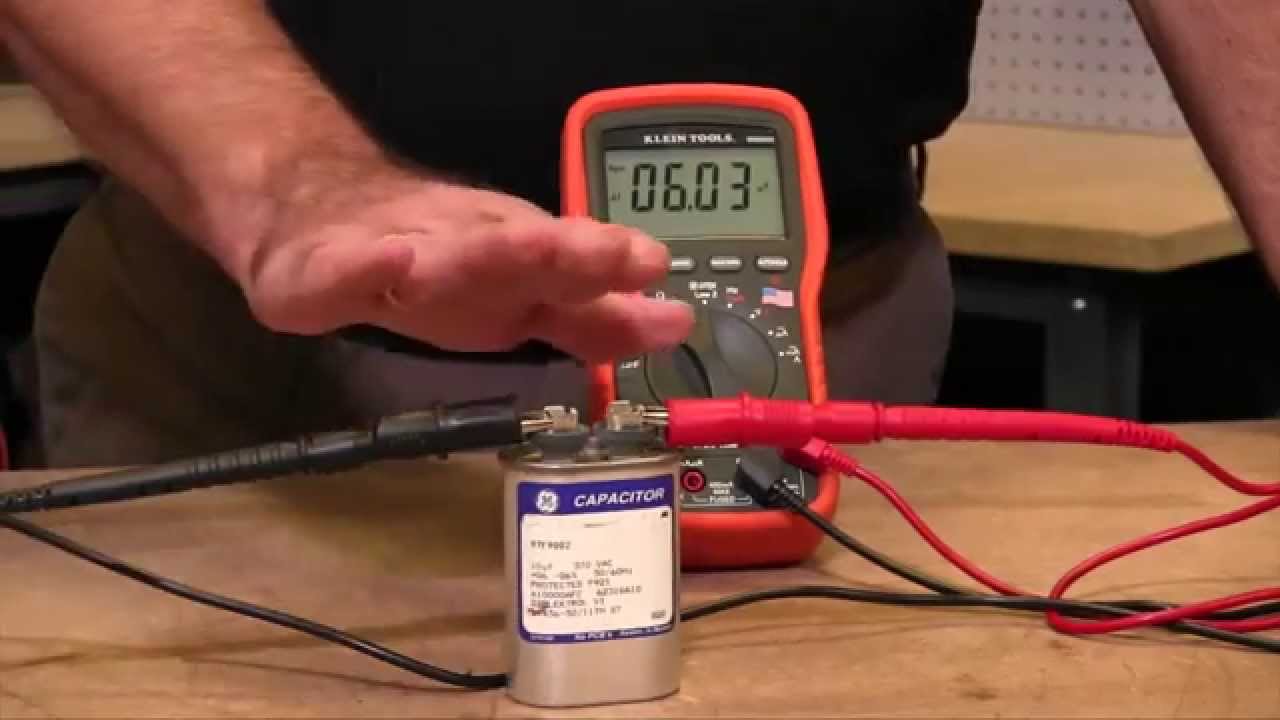
A capacitor is an essential component in many electrical and electronic circuits. It stores and releases electrical energy when needed, helping regulate voltage and maintain power stability. Over time, capacitors can weaken, short, or fail completely, affecting the performance of your device. Knowing how to test a capacitor using a multimeter can help you determine if it is still in good condition or needs replacement. Whether you are troubleshooting a fan, a power supply, or an amplifier, this simple test can save you time and money.
To check a capacitor with a multimeter, you can use either a digital multimeter with a capacitance setting or one without it. Before beginning, always make sure the capacitor is discharged to avoid electric shock or damaging your meter.
Preparing the Capacitor for Testing
Before connecting the multimeter, ensure that the capacitor is safe to handle. Disconnect it from the circuit and discharge it completely. You can discharge a capacitor by shorting its leads with a screwdriver that has an insulated handle or by connecting the leads through a resistor. Once discharged, inspect the capacitor for physical signs of damage such as bulging, leaking, or discoloration. If any of these are visible, the capacitor is likely faulty.
Checking a Capacitor with Capacitance Setting
If your digital multimeter has a capacitance measurement (symbolized as “CAP” or “μF”), testing is straightforward.
- Turn the multimeter dial to the capacitance setting.
- Connect the positive (red) probe to the positive terminal of the capacitor and the negative (black) probe to the negative terminal.
- Wait for a few seconds for the reading to stabilize.
Compare the measured value with the rated capacitance printed on the capacitor body. If the reading is within 10% of the rated value, the capacitor is considered healthy. If it shows a significantly lower value or no reading at all, the capacitor is weak or faulty and should be replaced.
Checking a Capacitor without Capacitance Setting
If your multimeter does not have a capacitance function, you can still check whether the capacitor is charging and discharging properly.
- Set the multimeter to the ohms (Ω) or resistance mode.
- Place the probes on the capacitor terminals — red on positive and black on negative.
- Observe the display.
A good capacitor will cause the reading to start low and gradually rise toward infinity. This means the capacitor is charging as it stores current. If the reading stays at zero, the capacitor is shorted. If it remains at infinity (open circuit), it is likely dead and not storing charge. You can reverse the probes to see the same charging behavior in the opposite direction, confirming the capacitor’s response.
Testing an Electrolytic Capacitor
Electrolytic capacitors are polarized, meaning they have a positive and negative terminal. Always observe correct polarity when testing them. These capacitors usually have a high capacitance and are found in power supplies and amplifiers. When testing, if you notice the meter showing unstable or no reading, the capacitor may have dried out internally, which is common with older components.
Testing a Non-Polarized Capacitor
Non-polarized capacitors, such as ceramic or film types, can be tested without worrying about polarity. The process is the same, but since they have lower capacitance values, the reading on your multimeter will appear faster.
Additional Tips
- Always discharge the capacitor before testing.
- Do not test the capacitor while it is connected to a circuit.
- If you get inconsistent readings, test again using another multimeter to confirm.
- Replace any capacitor that shows signs of leakage, swelling, or burning even if it passes the electrical test.
Also Read: How To Charge A Smart Bracelet
Email your news TIPS to Editor@Kahawatungu.com — this is our only official communication channel
