


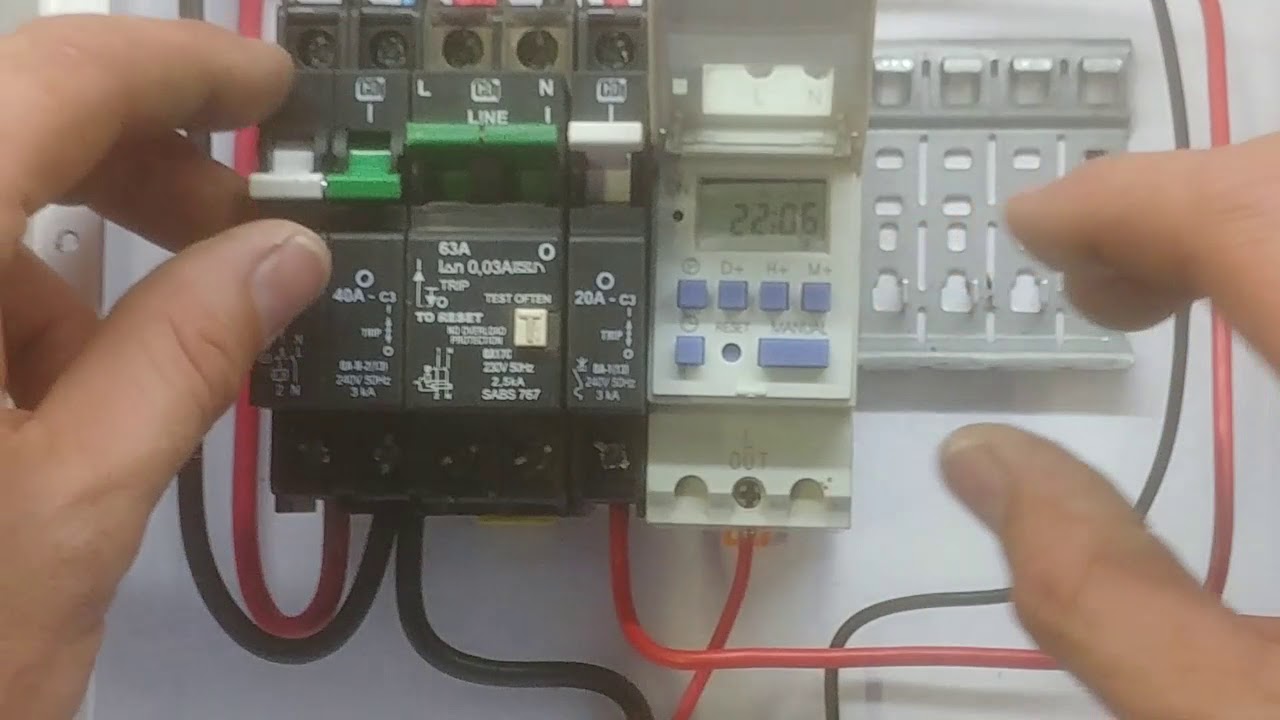
Installing a geyser timer helps you save electricity by controlling when your water heater turns on and off. By setting it to run only during needed hours, you reduce energy consumption and cut costs. Most geyser timers are easy to install with some basic tools and safety awareness. Here’s how to go about it.
- Choose the Right Timer
Buy a timer that is compatible with your geyser’s electrical load and voltage. Mechanical timers are simple and budget-friendly, while digital timers offer more precision and programming options. Make sure it’s designed for use with high-power appliances. - Turn Off the Power
Before doing any electrical work, switch off power at the main distribution board. Double-check by testing the geyser switch to confirm there’s no power flow. - Locate the Geyser’s Electrical Connection
Find where the geyser is connected—usually at the switch or inside a wall-mounted isolator box. This is where you’ll install the timer. If unsure, follow the wire from the geyser to the switch. - Remove the Cover Panel
Using a screwdriver, unscrew and open the geyser’s isolator box or switch panel to access the wiring. You’ll typically see a live (L), neutral (N), and earth wire. - Connect the Timer
Follow the wiring diagram that comes with your timer. Generally:
- Connect the live input from the main switchboard to the live-in terminal on the timer
- Connect the live output from the timer to the geyser’s live wire
- Do the same for the neutral and earth wires
Make sure all connections are tight and match the wiring instructions.
- Mount the Timer Safely
Place the timer securely in a dry location, either beside the geyser switch or on a nearby wall. Screw it into place if necessary and keep the wiring neat and tidy. - Restore Power and Set the Timer
Turn the power back on at the main switch. Set the timer according to your daily usage—for example, 5 a.m. to 7 a.m. and again from 6 p.m. to 8 p.m. Most timers allow you to program multiple on/off intervals. - Test the Geyser
After setting the time, wait for the timer to switch on. Listen for the geyser to activate or check if the indicator light turns on.
Also Read: How To Grow Strawberries In Pots

Email your news TIPS to Editor@Kahawatungu.com — this is our only official communication channel
