


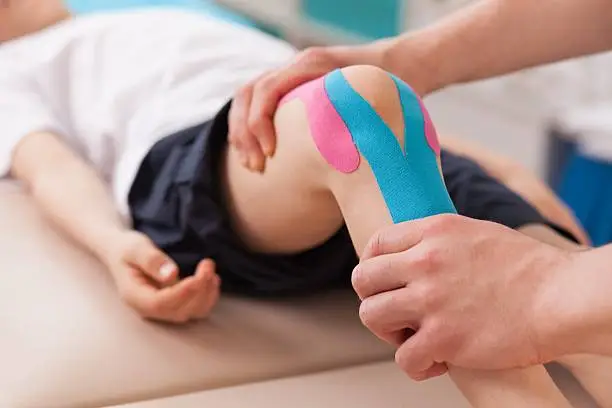
Taping a knee is a common way to provide support, reduce pain, and prevent injury during sports or physical activities. Whether you have a sprain, strain, or mild discomfort, proper taping can stabilize the joint and ease movement. Learning how to tape a knee correctly helps protect it while promoting healing and comfort. Here is how to tape a knee.
- Clean and Dry the Skin
Before applying tape, make sure the knee and surrounding area are clean and dry. Remove any oils, sweat, or lotions that could affect the tape’s grip. Dry skin allows the tape to stick better and last longer, especially during exercise or daily movement.
- Choose the Right Tape
There are two common types of tape used for knee support: athletic tape and kinesiology tape. Athletic tape is stiff and provides firm support, while kinesiology tape is flexible and allows more natural movement. Choosing the right type depends on whether you need strong support or light stability.
- Position the Knee Properly
Sit in a comfortable position with the knee slightly bent. This is the natural position for taping and ensures the tape provides support without restricting circulation. Keeping the knee relaxed also makes application easier and more effective.
- Apply Anchor Strips
Start by placing two anchor strips of tape above and below the knee. These strips act as a base and hold the rest of the tape in place. Make sure they are snug but not too tight, as cutting off circulation can cause discomfort or swelling.
- Add Support Strips
Depending on the type of injury or support needed, apply strips across or around the knee joint. For general support, place vertical or diagonal strips that run from the lower anchor to the upper anchor, crossing over the kneecap. This helps stabilize the knee while allowing some movement.
- Reinforce the Tape
Once the main support strips are in place, add extra tape to secure them. Reinforcing helps the tape stay firm during activity. Check that the knee feels supported but not overly restricted, as too much pressure can cause stiffness or discomfort.
- Test for Comfort and Mobility
After taping, stand up and gently bend your knee to test its movement. The knee should feel supported without being too tight. If you notice numbness, tingling, or pain, remove the tape and reapply it more loosely. Comfort and stability should always go hand in hand.
Also Read: How To Sleep With A Kidney Stent
Email your news TIPS to Editor@Kahawatungu.com — this is our only official communication channel
