


Local newsrooms do not lose trust because a clip looks soft on a phone. They lose it when a street photo from WhatsApp becomes a moving scene that invents a second officer, a crowd banner, or a shop sign the still never held. That is why image to video ai only helps a desk when the first question is whether the source file is clean enough to animate, not whether the motion looks exciting in a small player.
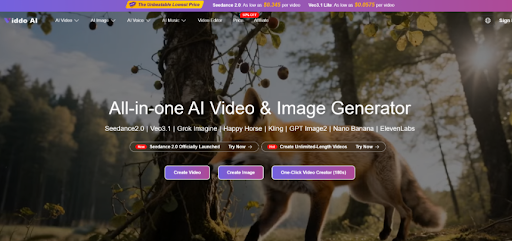
The expensive failure arrives after the article is almost ready. A compressed still looked fine as a thumbnail, then motion revealed melted edges, invented props, and unreadable faces. Viddo AI can turn an approved photo into a short clip through Image to Video, but the desk still needs a dirty-still battery before anyone spends the afternoon on taste.
Build A Dirty Still Battery Before The First Generate
Do not start with the prettiest archive photo. Start with three versions of the same news still: the original upload if it exists, the WhatsApp-compressed copy that usually arrives in the group, and a harsh crop that matches the homepage card. Animate each with the same short instruction. The test protocol is simple: if the compressed copy invents a new object the original lacked, that source class is banned for motion packages.
Local crime, politics, and sports desks live on forwarded images. Treating every forward as production-ready media is how false details enter the CMS. The battery makes the failure visible before the reporter writes the caption around it.
Record What The Still Is Allowed To Claim
Write one sentence the photo already proves. “Police officers stand near a marked vehicle on Ngong Road” is usable. “Make it intense” is not. The second invitation lets the model invent barriers, weapons, or crowd reactions that read as reporting once they move.
Keep names, times, and charge details in text. When those facts are forced into generated signage, the model has more chances to misspell or invent them. Motion should carry presence and restrained movement, not a second news lead.
Watch The Failures That Compressed Files Create
Compressed news stills fail in repeatable ways. Faces smear into neighboring helmets. Hands merge with radios. Background shop text becomes invented brand marks. A second person appears in the motion path even though the still held only one clear figure. Any of those is a hard stop for publication.
Observable fails are easier to teach than taste. If the export looked fine until the face was warped against the source photo, discard it. If the clip invents a new barrier around second three, discard it. Junior editors can apply those checks without joining a debate about cinematic energy.
| Still class | Common motion fail | Desk action |
| WhatsApp forward | Invented crowd or melted edges | Ban for motion; keep as still only |
| Night phone shot | Identity drift on faces | Require cleaner source or no motion |
| Wide street scene | Fake banners and shop text | Crop to one subject before upload |
Use the table in the photo intake note. It saves rework later, when a producer has already wasted an hour polishing a clip that never had a publishable source.
Crop For The Card Before You Animate
Many news fails are crop fails. The homepage card and the WhatsApp status cut remove context the generator then tries to invent. Crop the approved still to the real module first. Then animate. If the subject only survives in a wide frame, that photo may be a still asset, not a motion candidate.
On Viddo AI, set ratio from the destination module rather than from habit. A vertical alert card and a desktop article embed are different jobs. Resolution choices such as 720p or 1080p should match the page weight, not a reflex to maximize every setting.
A useful field habit is to paste the cropped still into the CMS draft first, confirm the subject still reads at mobile width, and only then open Image to Video. If the subject disappears in the card crop, animation will not recover it. It will invent context to fill the empty edges, and that invented context becomes the next correction cycle.
Keep One Rejection Signal On The Ticket
Replace “looks professional” with a binary rule another editor can apply. Strong signals include “no second person appears,” “no readable shop sign is invented,” and “the officer’s face remains the same person.” If a clip fails one signal, it is discarded even when the lighting feels richer than the still.
Run Image To Video Only After The Still Passes
The public path is short: open Image to Video, upload the cleared still, write a prompt that describes allowed motion only, set ratio and length, then generate. That simplicity is useful after intake. It is dangerous before intake, because a bad still becomes a confident-looking false scene in minutes.
Change one instruction at a time when a package needs a second attempt. If the truth gate fails twice on the same compressed file, stop generating and repair the source. More exports will not fix a forward that never held enough detail.
Separate Breaking Alerts From Feature Packages
Not every story deserves motion. A breaking alert often needs the still as evidence and the text as the update path. A later feature package, written after facts stabilize, is a better place for restrained animation. Mixing those tempos is how desks publish a moving scene before the caption is safe.
Give each package a label before generation: alert still, feature motion, or social loop. Alert stills stay frozen. Feature motion may use Image to Video after the claim sentence is locked. Social loops need an even stricter crop check because platform cuts remove context faster than the article page does.
This separation also protects reporters in the field. They should not feel pressure to animate every phone photo that arrives during a chaotic hour. The checklist gives them a reason to say the still is enough for now.
Archive The Cleared Still And The Cleared Clip Together
Prompts are not proof. Archive the approved still, the claim sentence, and the exact export that passed. Local stories reopen when new facts arrive. A prompt alone cannot show what readers saw when the article first went live.
On the publish sheet, each image to video ai export should be tied to the sentence it may support. If the sentence changes, the clip returns to review.
Speed Is Useless Without A Clean Source
For a news desk, Viddo AI is most useful when it tests restrained motion around photos the desk already trusts. It cannot rescue a melted WhatsApp still. The practical gate is small: a dirty-still battery, one verified claim, one rejection signal, and an archived pair of still plus clip.
If the newsroom wants options, offer two motion intents that still obey the same still contract, not ten unrelated moods. One may add light ambient movement. The other may hold a slower camera drift. Neither may invent crowd density, weapons, or signage. That keeps the argument inside evidence instead of taste.
Readers forgive ordinary lighting. They remember the clip that quietly invented a second officer on the street. Keep the tool in the role of a controlled motion step after the photo has already earned publication rights as a still

Email your news TIPS to Editor@Kahawatungu.com — this is our only official communication channel
