
Close Menu
    Facebook X (Twitter) Instagram
    Facebook X (Twitter) Instagram
    KahawatunguKahawatungu
    Button
    • NEWS
    • BUSINESS
    • KNOW YOUR CELEBRITY
    • POLITICS
    • TECHNOLOGY
    • SPORTS
    • HOW-TO
    • WORLD NEWS
    KahawatunguKahawatungu
    HOW-TO

    How to Set a Digital Watch

    Damaris GatwiriBy Damaris GatwiriApril 24, 2026No Comments2 Mins Read
    Facebook Twitter WhatsApp Telegram Email
    How to Set a Digital Watch
    Share
    Facebook Twitter WhatsApp Telegram Pinterest Email Copy Link

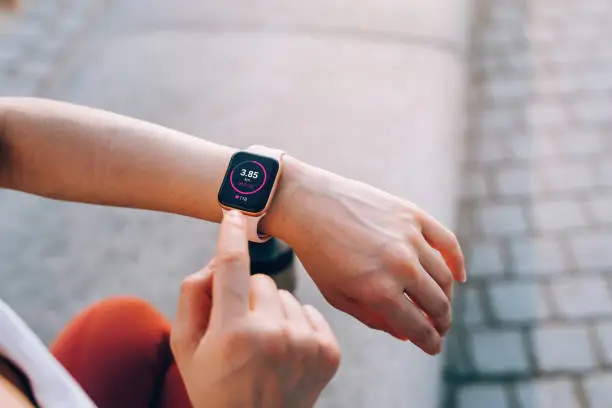
    Setting a digital watch may seem confusing at first, especially because different models have slightly different buttons and layouts. However, most digital watches follow a similar method when it comes to adjusting time and date. Learning how to set a digital watch helps you keep accurate time and use additional features correctly. With a little patience, you can set your watch and get it working perfectly.

    1. Table of Contents

      Toggle
      • Locate the Buttons on Your Watch
      • Enter Setting Mode
      • Adjust the Time
      • Set the Date and Other Options
      • Save and Exit Settings

      Locate the Buttons on Your Watch

    Most digital watches have buttons labeled “Mode,” “Set,” “Adjust,” or “Reset.”

    Understanding what each button does will make the process easier.

    • Identify all buttons on the watch
    • Look for labels or symbols
    • Familiarize yourself with their functions
    1. Enter Setting Mode

    Press and hold the “Mode” or “Set” button until the numbers on the screen start flashing.

    This indicates that the watch is ready to be adjusted.

    • Press and hold the correct button
    • Wait for flashing numbers
    • Confirm you are in setting mode
    1. Adjust the Time

    Use the other buttons to change the hours and minutes.

    Press a button to increase the numbers and move between hours and minutes.

    • Set the correct hour
    • Adjust the minutes
    • Check AM/PM if applicable
    1. Set the Date and Other Options

    After setting the time, you can move to other settings such as date, day, or alarm.

    Use the same buttons to make adjustments.

    • Set the day and date
    • Adjust month or year
    • Configure additional features
    1. Save and Exit Settings

    Once you have finished, press the “Set” or “Mode” button again to save your changes.

    The watch will return to normal display mode.

    • Press to confirm settings
    • Exit setting mode
    • Check the final time and date

    Also Read: How to Send Your CV via Email

    Email your news TIPS to Editor@Kahawatungu.com — this is our only official communication channel

    Follow on Facebook Follow on X (Twitter)
    Share. Facebook Twitter WhatsApp LinkedIn Telegram Email
    Damaris Gatwiri

    Damaris Gatwiri is a digital journalist, driven by a profound passion for technology, health, and fashion.

    Related Posts

    How to Set Alarm on iPhone

    April 24, 2026

    How to Set a Swimming Pool Pump Timer

    April 24, 2026

    How to Set a Reminder on iPhone

    April 24, 2026

    Comments are closed.

    Latest Posts

    Ruto sparks uproar after mocking Nigerians’ spoken English

    April 24, 2026

    Man charged with attempt to extort KWS boss of Sh1.7 million

    April 24, 2026

    How to Set Alarm on iPhone

    April 24, 2026

    How to Set a Swimming Pool Pump Timer

    April 24, 2026

    How to Set a Reminder on iPhone

    April 24, 2026

    How to Set a Digital Watch

    April 24, 2026

    How to Separate Ethanol and Water

    April 24, 2026

    Woman found murdered in room in Kwale

    April 24, 2026
    Facebook X (Twitter) Instagram Pinterest
    © 2026 Kahawatungu.com. Designed by Okii.

    Type above and press Enter to search. Press Esc to cancel.