


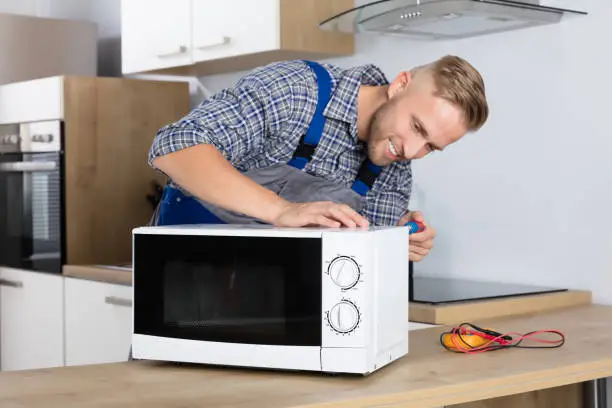
A microwave that turns on but does not heat food can be frustrating, especially when everything else seems to be working normally. The lights may come on, the turntable may rotate, and the timer may count down, yet the food remains cold. This is a common household problem and can be caused by several issues, ranging from simple user errors to more serious internal faults. Understanding the possible reasons and knowing what you can safely check at home can help you decide whether the microwave can be fixed easily or needs professional repair. This guide explains how to fix a microwave not heating in a clear, safe, and practical way.
- Confirm the Microwave Is Being Used Correctly
Before assuming a fault, rule out simple mistakes.
- Make sure the microwave is not set to defrost mode
- Check that the power level is set correctly
- Ensure the cooking time is long enough
- Restart the microwave and try again
Incorrect settings are a common cause of heating problems.
- Check the Power Supply
A weak or inconsistent power supply can affect heating.
- Plug the microwave directly into a wall socket
- Avoid using extension cords
- Check that the plug is fully inserted
- Try another appliance in the same socket
Microwaves need full power to heat properly.
- Test with a Cup of Water
This helps confirm the problem.
- Place a microwave-safe cup of water inside
- Heat it for one to two minutes
- Check if the water warms up
- If the water stays cold, heating is not working
Water testing is safer and more reliable than testing food.
- Inspect the Door and Door Switches
Microwaves will not heat if the door is not secure.
- Ensure the door closes firmly
- Check for damage or looseness
- Clean the door seals
- Listen for a clicking sound when closing
Faulty door switches can prevent the microwave from heating.
- Check the Turntable and Roller Ring
Although not directly responsible for heating, they affect performance.
- Ensure the turntable is correctly positioned
- Clean the roller ring underneath
- Remove food debris that may block movement
- Confirm the turntable spins freely
Proper rotation helps food heat evenly.
- Reset the Microwave
A simple reset can fix electronic glitches.
- Unplug the microwave from the wall
- Wait for five to ten minutes
- Plug it back in
- Set the time again and test
This can clear minor control board issues.
- Inspect the Control Panel Settings
Control problems can stop heating.
- Check if buttons respond correctly
- Look for error messages on the display
- Avoid pressing multiple buttons at once
- Consult the user manual if available
A malfunctioning control panel may send incorrect signals.
- Listen for Unusual Sounds
Sounds can indicate internal problems.
- A loud humming noise may signal a magnetron issue
- Clicking sounds could indicate relay problems
- Silence during operation may point to power issues
- Unusual noises often require professional repair
Sound changes are important diagnostic clues.
- Check the Microwave Fuse
A blown fuse can affect heating.
- Some microwaves have internal fuses
- A partial fuse failure may allow power but no heat
- Fuse issues require professional handling
- Do not attempt to open the microwave casing
Microwaves contain high-voltage components that are dangerous.
- Understand Common Internal Causes
Several internal parts can stop heating.
- Faulty magnetron
- Defective high-voltage diode
- Failed capacitor
- Damaged transformer
These parts are not safe for DIY repair.
- Do Not Open the Microwave Casing Yourself
This is extremely important for safety.
- Microwaves store high voltage even when unplugged
- Serious injury can occur if opened incorrectly
- Internal repairs require special tools and training
- Always prioritize safety
Internal microwave repairs should be handled by professionals.
- When Professional Repair Is Necessary
Some issues cannot be fixed at home.
- Microwave runs but never heats
- Burning smells during use
- Repeated tripping of circuit breakers
- Loud buzzing or sparking sounds
These signs indicate serious internal faults.
- Decide Whether Repair or Replacement Is Better
Sometimes replacement is more practical.
- Older microwaves may cost more to repair
- Magnetron replacement can be expensive
- Consider the age and brand of the microwave
- Compare repair cost with a new unit
Newer models are often more energy-efficient.
- Prevent Heating Problems in the Future
Good habits extend microwave life.
- Use microwave-safe containers only
- Do not run the microwave empty
- Clean spills immediately
- Avoid slamming the door
Proper use reduces internal damage.
- Common Mistakes to Avoid
Avoid these actions to prevent further issues.
- Heating metal objects
- Ignoring burning smells
- Using damaged containers
- Continuing to use a faulty microwave
These mistakes can cause permanent damage.
- Safety Tips When Using a Microwave
Safety should always come first.
- Never bypass safety switches
- Keep children supervised
- Do not block ventilation openings
- Stop using the microwave if sparks appear
Safe use protects both the user and the appliance.
- Final Tips for Fixing a Microwave Not Heating
Keep these points in mind.
- Check settings and power first
- Perform simple tests safely
- Avoid opening the microwave yourself
- Seek professional help when needed
Also Read: How To Edit Videos On Your Phone

Email your news TIPS to Editor@Kahawatungu.com — this is our only official communication channel
