
Close Menu
    Facebook X (Twitter) Instagram
    Facebook X (Twitter) Instagram
    KahawatunguKahawatungu
    Button
    • NEWS
    • BUSINESS
    • KNOW YOUR CELEBRITY
    • POLITICS
    • TECHNOLOGY
    • SPORTS
    • HOW-TO
    • WORLD NEWS
    KahawatunguKahawatungu
    HOW-TO

    How To Reboot DStv Explora

    Damaris GatwiriBy Damaris GatwiriJuly 31, 2025No Comments2 Mins Read
    Facebook Twitter WhatsApp Telegram Email
    How To Reboot DStv Explora
    Share
    Facebook Twitter WhatsApp Telegram Pinterest Email Copy Link

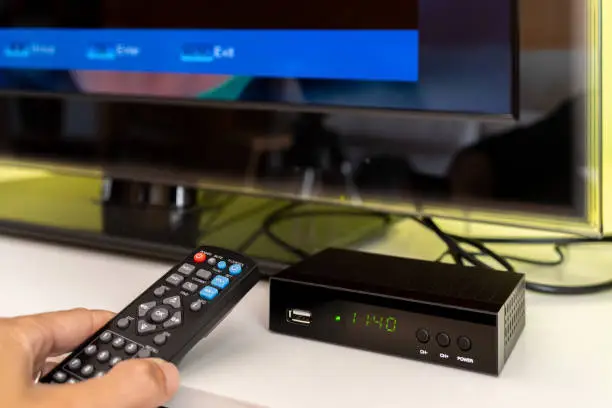
    Rebooting your DStv Explora can fix common issues like freezing, missing channels, or system lag. It’s a simple process that refreshes the decoder’s system without erasing your recordings or settings. Here’s How To Reboot DStv Explora properly.

    1. Use the Power Button

    The quickest way to reboot is by using the decoder’s physical power button.

    • Press the power button on the front of the Explora to switch it off.
    • Wait a few seconds, then press the button again to turn it back on.
    • This soft reboot usually resolves minor problems.

    If the decoder does not respond, continue with a full reboot.

    1. Unplug the Decoder

    For a more thorough reboot, unplug the power cord.

    • Switch off the decoder and remove the plug from the wall socket.
    • Wait for at least 30 seconds to 1 minute.
    • Plug it back in and press the power button to restart the device.

    This method resets the internal hardware and helps fix stubborn glitches.

    1. Use the Remote Control Method

    You can also restart the DStv Explora using the remote control.

    • Press the blue DStv button to access the menu.
    • Navigate to Settings, then go to System Settings.
    • Select Reboot Decoder and confirm the action.

    This method is helpful if your decoder is slow or unresponsive but still navigable.

    1. Check for Software Updates

    Sometimes the need to reboot is caused by outdated software.

    • Go to Settings > Information Central to check your current version.
    • If there’s an update available, the decoder will prompt you to install it.
    • After updating, a reboot is usually part of the process.

    Keeping your decoder updated helps avoid frequent issues.

    1. Contact DStv Support if Needed

    If rebooting doesn’t solve the problem, there might be a deeper issue.

    • Visit the DStv website or call their customer care line.
    • Explain the issue and the steps you’ve tried.
    • They may walk you through a factory reset or send a technician.

    Also Read: How To Make Sugar

    Email your news TIPS to Editor@Kahawatungu.com — this is our only official communication channel

    Follow on Facebook Follow on X (Twitter)
    Share. Facebook Twitter WhatsApp LinkedIn Telegram Email
    Damaris Gatwiri

    Damaris Gatwiri is a digital journalist, driven by a profound passion for technology, health, and fashion.

    Related Posts

    How to Clean a Mattress

    August 29, 2026

    How to Keep Off Mould in a House

    August 29, 2026

    How to Attract People’s Attention During a Presentation

    August 29, 2026

    Comments are closed.

    Latest Posts

    Kenya Airways Confirms 2-3 Hour Flight Delays at JKIA Amid Air Traffic Control Challenges

    August 30, 2026

    Richarlison, Danso and Sarr ask to leave Spurs

    August 30, 2026

    Everton call off Armstrong sale after fan backlash

    August 30, 2026

    Martinez is eighth Chelsea-Villa deal in four years

    August 30, 2026

    KAA reports flight delays at major airports

    August 30, 2026

    NPS Clarifies Procurement of New Police Uniform, Says Bedi Investments Won Contract

    August 30, 2026

    Flights held at JKIA as KAA, KCAA staff begin go-slow

    August 30, 2026

    MPs Push for Expansion of Digital Hubs to Create Jobs for Kenyan Youth

    August 30, 2026
    Facebook X (Twitter) Instagram Pinterest
    © 2026 Kahawatungu.com. Designed by Okii.

    Type above and press Enter to search. Press Esc to cancel.