
Close Menu
    Facebook X (Twitter) Instagram
    Facebook X (Twitter) Instagram
    KahawatunguKahawatungu
    Button
    • NEWS
    • BUSINESS
    • KNOW YOUR CELEBRITY
    • POLITICS
    • TECHNOLOGY
    • SPORTS
    • HOW-TO
    • WORLD NEWS
    KahawatunguKahawatungu
    HOW-TO

    How to Use Smart TV

    Damaris GatwiriBy Damaris GatwiriMay 22, 2026No Comments2 Mins Read
    Facebook Twitter WhatsApp Telegram Email
    How to Use Smart TV
    Share
    Facebook Twitter WhatsApp Telegram Pinterest Email Copy Link

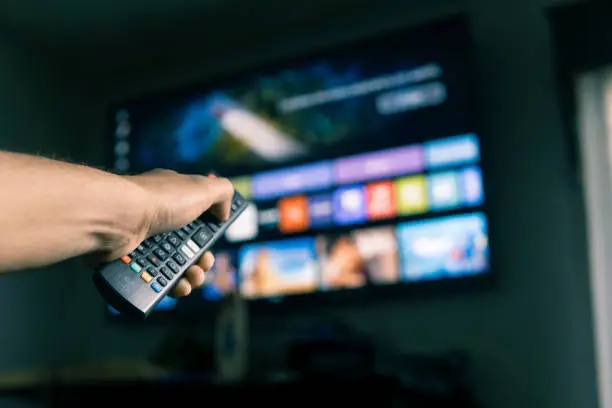
    A smart TV allows you to watch digital television channels, stream movies, browse apps, and connect to the internet all from one device. Learning how to use smart TV features properly can help you enjoy entertainment more easily and get the most out of your device. Most smart TVs work in a similar way, even though menus and buttons may vary depending on the brand.

    1. Table of Contents

      Toggle
      • Set Up and Power On the TV
      • Connect to the Internet
      • Sign In or Set Up Accounts
      • Explore Apps and Features
      • Adjust Settings for Better Viewing

      Set Up and Power On the TV

    Start by placing the TV in a suitable location and connecting it to a power source.

    Turn it on using the remote control.

    • Plug the TV into a power outlet
    • Insert batteries into the remote
    • Press the power button to start
    1. Connect to the Internet

    Most smart features require an internet connection.

    You can connect using WiFi or a LAN cable.

    • Open settings on the TV menu
    • Select network or internet options
    • Connect to WiFi and enter password
    1. Sign In or Set Up Accounts

    Some apps may require you to sign in to access content.

    You may also need to create or log into a TV account.

    • Sign in to streaming apps
    • Create accounts if required
    • Sync preferences if needed
    1. Explore Apps and Features

    Smart TVs come with apps for streaming, music, and browsing.

    You can download additional apps depending on your TV model.

    • Open app store on the TV
    • Download streaming apps like YouTube or Netflix
    • Navigate using the remote control
    1. Adjust Settings for Better Viewing

    You can improve your experience by adjusting picture and sound settings.

    This helps match your preferences and room conditions.

    • Adjust brightness and volume
    • Change picture mode if needed
    • Set parental controls if required

    Also Read: How to Use FNB eBucks

    Email your news TIPS to Editor@Kahawatungu.com — this is our only official communication channel

    Follow on Facebook Follow on X (Twitter)
    Share. Facebook Twitter WhatsApp LinkedIn Telegram Email
    Damaris Gatwiri

    Damaris Gatwiri is a digital journalist, driven by a profound passion for technology, health, and fashion.

    Related Posts

    How to Use Serum

    May 22, 2026

    How to Use Russell Hobbs Pressure Cooker

    May 22, 2026

    How to Use Russell Hobbs Coffee Machine

    May 22, 2026

    Comments are closed.

    Latest Posts

    Ruto Directs Further Sh10 Diesel Price Cut

    May 22, 2026

    Court declines to certify as urgent suit on Sh3 billion Bungoma ghost workers

    May 22, 2026

    Suspect dies by suicide in police cell in Kiambu

    May 22, 2026

    Cop found dead in his house in Nyamira

    May 22, 2026

    KNCCI Warns Tobacco Bill Could Increase Costs, Fuel Illicit Trade

    May 22, 2026

    Four people missing after boat capsizes in Lamu

    May 22, 2026

    How to Use Smart TV

    May 22, 2026

    US sanctions Tanzanian police official for alleged human rights abuses

    May 22, 2026
    Facebook X (Twitter) Instagram Pinterest
    © 2026 Kahawatungu.com. Designed by Okii.

    Type above and press Enter to search. Press Esc to cancel.