


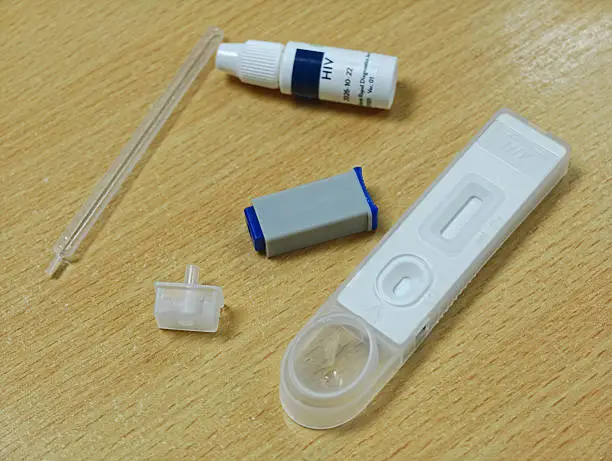
Learning how to read an HIV test kit can help you understand your test results and know when to seek further testing. HIV self-test kits allow people to check for signs of HIV infection using a sample of oral fluid or blood, depending on the kit. However, reading the result correctly is essential because different kits may have different instructions and result indicators. An HIV self-test is a screening test, so a reactive result must be confirmed by a qualified healthcare provider.
-
Check the Instructions Before Testing
Before using an HIV test kit, read the manufacturer’s instructions carefully. Different brands may use different testing methods, sample collection procedures, and result-reading times.
- Check the expiry date on the package.
- Ensure the kit is sealed and undamaged.
- Confirm whether the test uses oral fluid or a blood sample.
- Follow the instructions for collecting and applying the sample.
- Use a timer to observe the result within the specified time.
Do not interpret the test before or after the recommended reading window, as this can produce misleading results.
-
Understand the Control Line (C)
Many rapid HIV test kits display a control line marked C. This line indicates whether the test has worked correctly.
- C line appears: The test has a valid control indicator.
- C line does not appear: The test is invalid, regardless of whether another line appears.
If the control line is missing, do not rely on the result. Repeat the test with a new kit and follow the instructions carefully, or seek help from a healthcare provider.
-
Understand the Test Line (T)
Some HIV test kits have a second line marked T, which indicates a reactive screening result.
- C line only: Usually a non-reactive result.
- C and T lines: Usually a reactive result, even if the T line is faint.
- T line only or no lines: Usually an invalid result because the control line is missing.
These interpretations apply to many line-based rapid tests, but you must follow the instructions for your specific kit. Some devices use symbols or digital displays instead of lines.
-
Know What a Non-Reactive Result Means
A non-reactive result usually means that the test did not detect evidence of HIV infection at the time of testing.
However, it may not rule out a recent infection because HIV tests have a window period. The time required for a test to detect HIV depends on the type of test and when exposure occurred.
If you may have been exposed to HIV recently, consult a healthcare provider about repeat testing. If the possible exposure occurred within the last 72 hours, seek urgent medical care to discuss post-exposure prophylaxis (PEP).
-
Know What a Reactive Result Means
A reactive self-test does not, by itself, confirm that a person has HIV.
If your result is reactive:
- Arrange confirmatory testing at a qualified healthcare facility.
- Follow the recommended national testing algorithm.
- Avoid interpreting the result as a confirmed diagnosis before further testing.
If HIV is confirmed, effective treatment is available. Starting treatment early helps people living with HIV maintain their health.
-
Seek Professional Guidance When Necessary
If you are unsure about the lines, used the wrong amount of sample, or read the result outside the recommended time, do not guess. Contact a healthcare provider or testing service for guidance.
Keep in mind that HIV test kits are designed to detect HIV infection, not to determine how long someone has had the infection or whether they can transmit it.
Also Read: How to Give Access to a Word Document on Teams

Email your news TIPS to Editor@Kahawatungu.com — this is our only official communication channel
