
Close Menu
    Facebook X (Twitter) Instagram
    Facebook X (Twitter) Instagram
    KahawatunguKahawatungu
    Button
    • NEWS
    • BUSINESS
    • KNOW YOUR CELEBRITY
    • POLITICS
    • TECHNOLOGY
    • SPORTS
    • HOW-TO
    • WORLD NEWS
    KahawatunguKahawatungu
    HOW-TO

    How to Screen Record with Sound on iPhone

    Damaris GatwiriBy Damaris GatwiriApril 21, 2026No Comments2 Mins Read
    Facebook Twitter WhatsApp Telegram Email
    How to Screen Record with Sound on iPhone
    Share
    Facebook Twitter WhatsApp Telegram Pinterest Email Copy Link

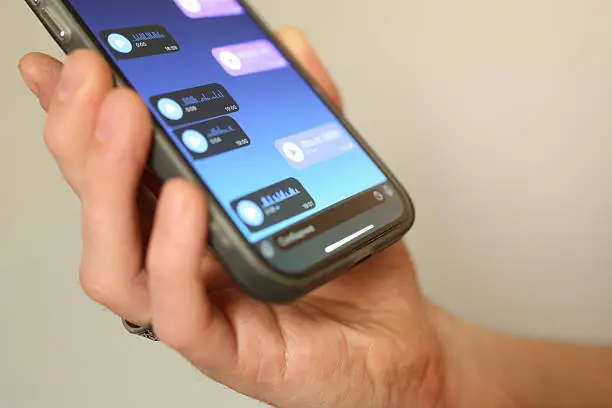
    Screen recording on an iPhone is a useful feature that allows you to capture videos of your screen for tutorials, gameplay, or sharing important information. Adding sound makes your recordings even more effective, especially when explaining something or recording audio from your device. Learning how to screen record with sound on iPhone helps you create clear and complete recordings with both visuals and audio. With a few simple steps, you can start recording.

    1. Table of Contents

      Toggle
      • Enable Screen Recording in Control Center
      • Open Control Center
      • Turn on Microphone Audio
      • Start Recording
      • Stop and Save the Recording

      Enable Screen Recording in Control Center

    Before you begin, make sure the screen recording feature is added to your Control Center.

    Go to Settings, then Control Center, and add “Screen Recording” if it is not already included.

    • Open Settings
    • Go to Control Center
    • Add Screen Recording
    1. Open Control Center

    Swipe down from the top-right corner of your screen (or up from the bottom on older iPhones) to open the Control Center.

    Locate the screen recording icon.

    • Access Control Center
    • Find the recording button
    • Prepare to start recording
    1. Turn on Microphone Audio

    To record sound, press and hold the screen recording icon. A menu will appear with the option to turn on the microphone.

    Tap the microphone icon to enable audio recording.

    • Press and hold the record icon
    • Tap microphone to turn it on
    • Confirm microphone is active
    1. Start Recording

    Tap “Start Recording” and wait for the countdown to begin. Your iPhone will start recording everything on the screen along with sound.

    Make sure to stay on the screen you want to record.

    • Tap start recording
    • Wait for countdown
    • Perform actions you want to capture
    1. Stop and Save the Recording

    When you are done, tap the red status bar at the top of the screen or open Control Center and press the stop button.

    The video will automatically be saved to your Photos app.

    • Tap stop recording
    • Save automatically to Photos
    • Review your video

    Also Read: How to Scan a Document on a Canon Printer

    Email your news TIPS to Editor@Kahawatungu.com — this is our only official communication channel

    Follow on Facebook Follow on X (Twitter)
    Share. Facebook Twitter WhatsApp LinkedIn Telegram Email
    Damaris Gatwiri

    Damaris Gatwiri is a digital journalist, driven by a profound passion for technology, health, and fashion.

    Related Posts

    How to Be a Model in South Africa

    June 29, 2026

    How to Be a Millionaire in South Africa

    June 29, 2026

    How to Be an Actor in South Africa

    June 29, 2026

    Comments are closed.

    Latest Posts

    Chinese tycoon sentenced to 30 years in US jail

    June 30, 2026

    South African leader warns anti-migrant protesters ahead of unofficial deadline

    June 30, 2026

    What to know about the looming deadline on North American free trade

    June 30, 2026

    Ford rehires human engineers after AI fails to match quality checks

    June 30, 2026

    Supreme Court blocks Trump’s attempt to fire Federal Reserve governor Lisa Cook

    June 30, 2026

    DR Congo bans mass gatherings in the capital to prevent spread of Ebola

    June 30, 2026

    Supreme Court rejects Trump’s appeal of E Jean Carroll’s sexual abuse case

    June 30, 2026

    Four women and man shot dead at youth welfare centre in northern Germany

    June 30, 2026
    Facebook X (Twitter) Instagram Pinterest
    © 2026 Kahawatungu.com. Designed by Okii.

    Type above and press Enter to search. Press Esc to cancel.