
Close Menu
    Facebook X (Twitter) Instagram
    Facebook X (Twitter) Instagram
    KahawatunguKahawatungu
    Button
    • NEWS
    • BUSINESS
    • KNOW YOUR CELEBRITY
    • POLITICS
    • TECHNOLOGY
    • SPORTS
    • HOW-TO
    • WORLD NEWS
    KahawatunguKahawatungu
    HOW-TO

    How to Charge Apple Pencil

    Damaris GatwiriBy Damaris GatwiriAugust 10, 2026No Comments2 Mins Read
    Facebook Twitter WhatsApp Telegram Email
    How to Charge Apple Pencil
    Share
    Facebook Twitter WhatsApp Telegram Pinterest Email Copy Link

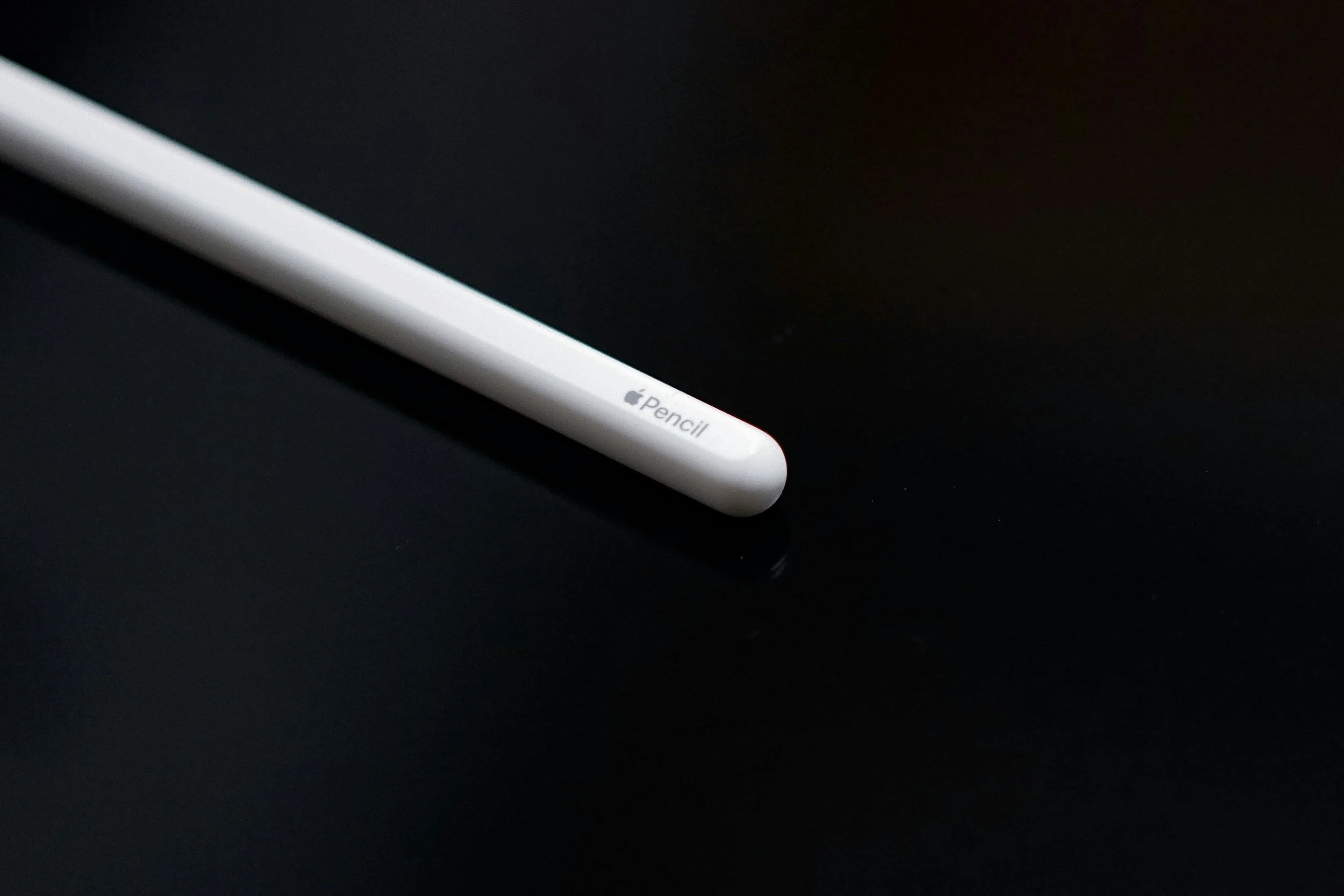
    Knowing how to charge Apple Pencil is important for keeping it ready for drawing, writing, taking notes, and other tasks on your iPad. The charging method depends on which Apple Pencil model you have, as different versions use different charging methods. Before charging, identify your Apple Pencil model and use the appropriate connection.

    1. Table of Contents

      Toggle
      • Identify Your Apple Pencil Model
      • Charge Apple Pencil Pro or Apple Pencil (2nd Generation)
      • Charge Apple Pencil (USB-C)
      • Charge Apple Pencil (1st Generation)
      • Check the Battery Level

      Identify Your Apple Pencil Model

    Start by checking which Apple Pencil you have.

    Apple Pencil models include Apple Pencil Pro, Apple Pencil (2nd generation), Apple Pencil (USB-C), and Apple Pencil (1st generation). Their charging methods are different.

    • Check the Apple Pencil model
    • Identify the charging connector
    • Confirm which iPad models it supports
    1. Charge Apple Pencil Pro or Apple Pencil (2nd Generation)

    If you have Apple Pencil Pro or Apple Pencil (2nd generation), attach it magnetically to the compatible charging area on the side of your iPad.

    The Pencil should automatically begin charging when correctly attached.

    • Attach the Pencil to the magnetic connector
    • Keep it aligned correctly
    • Check the battery level on your iPad
    1. Charge Apple Pencil (USB-C)

    For Apple Pencil (USB-C), slide open the end of the Pencil to reveal its USB-C port.

    Connect a USB-C cable to the Pencil and connect the other end to a suitable power source or your iPad.

    • Open the USB-C port
    • Connect a USB-C cable
    • Allow the Pencil to charge
    1. Charge Apple Pencil (1st Generation)

    If you have the first-generation Apple Pencil, remove the cap to reveal its Lightning connector.

    You can connect it directly to a compatible iPad with a Lightning port or use the appropriate adapter and charging cable.

    • Remove the Pencil cap
    • Connect the Lightning connector
    • Use an adapter if required
    1. Check the Battery Level

    After connecting your Apple Pencil, check its battery level on your iPad.

    You can usually view the battery percentage through the Batteries widget or the iPad’s relevant battery settings.

    • Check the Batteries widget
    • Confirm that the battery percentage is increasing
    • Disconnect the Pencil when it has sufficient charge

    Also Read: How to Change WiFi Password on Telkom D-Link

    Stay connected via Google News
    Follow us for the latest news updates and guides.
    Add as preferred source on Google

    Email your news TIPS to Editor@Kahawatungu.com — this is our only official communication channel

    Follow on Facebook Follow on X (Twitter)
    Share. Facebook Twitter WhatsApp LinkedIn Telegram Email
    Damaris Gatwiri

    Damaris Gatwiri is a digital journalist, driven by a profound passion for technology, health, and fashion.

    Related Posts

    How to Install a Game on a Laptop

    November 18, 2026

    How to Install APK on PC

    November 18, 2026

    How to Install Impeccable Skill in Claude

    November 18, 2026

    Comments are closed.

    Latest Posts

    Harambee Stars drop to 115th in latest FIFA rankings

    November 18, 2026

    MV Mwanza, Lake Victoria’s largest ferry, strikes bismarck rock in Tanzania

    November 18, 2026

    Nairobi Expressway Operator Posts Sh5.1 Billion Loss Despite Sh9.6B Toll Revenue

    November 18, 2026

    Waymo pulls driverless taxis from all US freeways

    November 18, 2026

    Democrats send letters to dozens of Trump officials and allies putting them on notice

    November 18, 2026

    The seven Anthropic founders who are about to become multi-billionaires

    November 18, 2026

    US carries out ‘self-defense’ strikes on Iranian missile launch site

    November 18, 2026

    Markwayne Mullin faces scrutiny as administration grapples with unsettling tech outagesv

    November 18, 2026
    Facebook X (Twitter) Instagram Pinterest
    © 2026 Kahawatungu.com. Designed by Okii.

    Type above and press Enter to search. Press Esc to cancel.