
Close Menu
    Facebook X (Twitter) Instagram
    Facebook X (Twitter) Instagram
    KahawatunguKahawatungu
    Button
    • NEWS
    • BUSINESS
    • KNOW YOUR CELEBRITY
    • POLITICS
    • TECHNOLOGY
    • SPORTS
    • HOW-TO
    • WORLD NEWS
    KahawatunguKahawatungu
    HOW-TO

    How to Set Fridge Temperature

    Damaris GatwiriBy Damaris GatwiriApril 25, 2026No Comments2 Mins Read
    Facebook Twitter WhatsApp Telegram Email
    How to Set Fridge Temperature
    Share
    Facebook Twitter WhatsApp Telegram Pinterest Email Copy Link

    Setting the correct fridge temperature is important for keeping your food fresh and safe to eat. If the temperature is too high, food can spoil quickly, and if it is too low, items may freeze unnecessarily. Learning how to set fridge temperature helps you maintain food quality, reduce waste, and improve energy efficiency. With a few simple adjustments, you can keep your refrigerator running at the right level.

    1. Table of Contents

      Toggle
      • Know the Recommended Temperature
      • Locate the Temperature Control
      • Adjust the Temperature Setting
      • Allow Time for Adjustment
      • Check and Maintain the Temperature

      Know the Recommended Temperature

    Before making any adjustments, it is important to understand the ideal temperature for a fridge.

    Most refrigerators should be set between 2°C and 5°C.

    • Keep fridge between 2°C and 5°C
    • Freezer should be around -18°C
    • Avoid very low or high settings
    1. Locate the Temperature Control

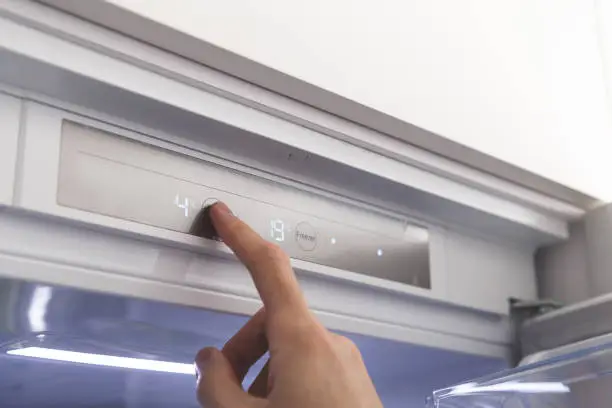
    Fridge controls may be inside the compartment or on an external panel.

    They can be in the form of a dial or digital display.

    • Check inside the fridge
    • Look for dial or digital controls
    • Identify temperature settings
    1. Adjust the Temperature Setting

    Turn the dial or use buttons to set the correct temperature.

    Lower numbers on some dials may mean colder settings, so check carefully.

    • Adjust gradually
    • Follow manufacturer markings
    • Avoid extreme changes
    1. Allow Time for Adjustment

    After changing the temperature, give your fridge time to stabilize.

    It may take several hours for the new setting to take effect.

    • Wait 12 to 24 hours
    • Avoid frequent adjustments
    • Monitor performance
    1. Check and Maintain the Temperature

    Use a fridge thermometer if possible to ensure accuracy.

    Regular checks help maintain consistent cooling.

    • Use a thermometer for accuracy
    • Avoid overloading the fridge
    • Keep doors closed properly

    Also Read: How to Set Alarm on iPhone

    Email your news TIPS to Editor@Kahawatungu.com — this is our only official communication channel

    Follow on Facebook Follow on X (Twitter)
    Share. Facebook Twitter WhatsApp LinkedIn Telegram Email
    Damaris Gatwiri

    Damaris Gatwiri is a digital journalist, driven by a profound passion for technology, health, and fashion.

    Related Posts

    How Do You Know If You Almost Got Struck by Lightning?

    September 3, 2026

    If Someone Is Struck by Lightning, Can You Touch Them?

    September 3, 2026

    How to Respond to a Person Who Has Been Struck by Lightning

    September 3, 2026

    Comments are closed.

    Latest Posts

    Laura Freigang Siblings: Getting to Know Lucas Freigang

    September 3, 2026

    Jella Veit Siblings: Get to Know Jan Veit

    September 3, 2026

    Nicole Anyomi Siblings: Meet Romel Seena and Dennis Anyomi

    September 3, 2026

    Ruto Defends Tata Chemicals Shutdown

    September 3, 2026

    Senators Visit Oburu Odinga at Nairobi Home Amid Health Concerns

    September 3, 2026

    Govt Extends HELB, Universities Fund Application Deadline to Sept 21

    September 3, 2026

    LA Clippers fined $30m over Leonard pay scandal

    September 3, 2026

    Brand sacks execs over ad showing woman pushed over

    September 3, 2026
    Facebook X (Twitter) Instagram Pinterest
    © 2026 Kahawatungu.com. Designed by Okii.

    Type above and press Enter to search. Press Esc to cancel.