
Close Menu
    Facebook X (Twitter) Instagram
    Facebook X (Twitter) Instagram
    KahawatunguKahawatungu
    Button
    • NEWS
    • BUSINESS
    • KNOW YOUR CELEBRITY
    • POLITICS
    • TECHNOLOGY
    • SPORTS
    • HOW-TO
    • WORLD NEWS
    KahawatunguKahawatungu
    HOW-TO

    How to Turn Off Parental Controls

    Damaris GatwiriBy Damaris GatwiriMay 13, 2026No Comments2 Mins Read
    Facebook Twitter WhatsApp Telegram Email
    How to Turn Off Parental Controls
    Share
    Facebook Twitter WhatsApp Telegram Pinterest Email Copy Link

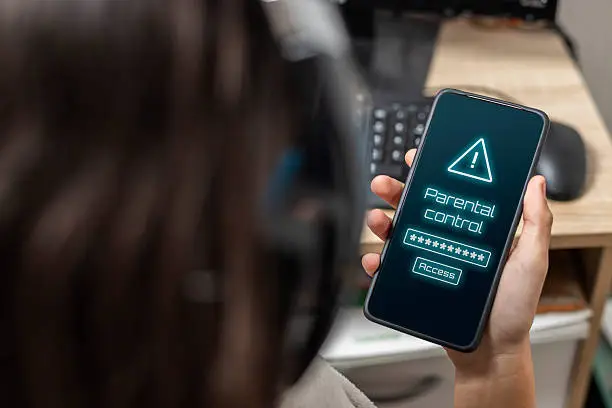
    Parental controls are useful tools that help manage screen time, restrict content, and monitor device usage. However, there may come a time when you need to disable these settings, especially on your own device or with permission from the account owner. Learning how to turn off parental controls can help restore full access to apps, websites, or device features. The exact process may vary depending on the device or platform being used.

    1. Table of Contents

      Toggle
      • Identify the Device or Platform
      • Access the Settings Menu
      • Enter the Password or PIN
      • Disable the Restrictions
      • Restart and Confirm Changes

      Identify the Device or Platform

    Parental controls can be set on phones, tablets, computers, gaming consoles, or streaming services.

    Knowing where the controls were activated is the first step.

    • Check the device settings
    • Identify the app or service involved
    • Confirm the account being used
    1. Access the Settings Menu

    Open the settings section of the device or application where parental controls are enabled.

    Look for options related to family, restrictions, or screen time.

    • Open settings on the device
    • Navigate to parental control options
    • Select the correct account
    1. Enter the Password or PIN

    Most parental controls are protected by a password, PIN, or linked account verification.

    You will usually need authorization to make changes.

    • Enter the required PIN or password
    • Verify your identity if prompted
    • Use the correct parent or administrator account
    1. Disable the Restrictions

    Once you access the parental controls section, turn off the restrictions you no longer need.

    Some systems allow you to disable all controls at once.

    • Switch off parental controls
    • Remove content restrictions if needed
    • Save the updated settings
    1. Restart and Confirm Changes

    After disabling the controls, restart the device or app if necessary.

    Check that the restrictions have been removed successfully.

    • Restart the device if required
    • Test blocked apps or websites
    • Confirm unrestricted access

    Also Read: How to Treat Dog Mange Home Remedy

    Email your news TIPS to Editor@Kahawatungu.com — this is our only official communication channel

    Follow on Facebook Follow on X (Twitter)
    Share. Facebook Twitter WhatsApp LinkedIn Telegram Email
    Damaris Gatwiri

    Damaris Gatwiri is a digital journalist, driven by a profound passion for technology, health, and fashion.

    Related Posts

    How to Unblock My FNB App

    May 13, 2026

    How to Turn Off TalkBack on Lock Screen

    May 13, 2026

    How to Treat Water in a JoJo Tank

    May 13, 2026

    Comments are closed.

    Latest Posts

    NFL Legend Charle Young Dies at 75

    May 13, 2026

    How to Unblock My FNB App

    May 13, 2026

    How to Turn Off TalkBack on Lock Screen

    May 13, 2026

    How to Turn Off Parental Controls

    May 13, 2026

    How to Treat Water in a JoJo Tank

    May 13, 2026

    How to Treat Skin Damaged by Bleaching Cream

    May 13, 2026

    Businesswoman found murdered in Machakos

    May 13, 2026

    Woman fatally assaulted by husband in Kisumu 

    May 13, 2026
    Facebook X (Twitter) Instagram Pinterest
    © 2026 Kahawatungu.com. Designed by Okii.

    Type above and press Enter to search. Press Esc to cancel.