
Close Menu
    Facebook X (Twitter) Instagram
    Facebook X (Twitter) Instagram
    KahawatunguKahawatungu
    Button
    • NEWS
    • BUSINESS
    • KNOW YOUR CELEBRITY
    • POLITICS
    • TECHNOLOGY
    • SPORTS
    • HOW-TO
    • WORLD NEWS
    KahawatunguKahawatungu
    HOW-TO

    How To Insert A Calendar In Excel

    Damaris GatwiriBy Damaris GatwiriJune 14, 2025No Comments2 Mins Read
    Facebook Twitter WhatsApp Telegram Email
    How To Insert A Calendar In Excel
    How To Insert A Calendar In Excel
    Share
    Facebook Twitter WhatsApp Telegram Pinterest Email Copy Link

    Inserting a calendar in Excel can help you plan, schedule, or track dates efficiently. Whether you’re building a timesheet, creating a booking form, or managing personal tasks, adding a calendar saves time and improves accuracy. Excel allows you to insert calendars either manually or using built-in tools and add-ins.

    1. Use a Calendar Template

    The easiest method is using an Excel calendar template:

    • Open Excel and click File > New
    • In the search bar, type “calendar”
    • Browse through the available templates and choose one that fits your needs
    • Click Create to open the calendar in a new workbook
      You can now customize the template with your events, tasks, or deadlines.
    1. Create a Drop-Down Calendar Using Data Validation

    For interactive date selection, especially in forms:

    • Click on the cell where you want the calendar
    • Go to Data > Data Validation
    • Under Allow, choose Date
    • Set your preferred start and end date
    • Although this adds date restrictions, it doesn’t add a clickable calendar by default

    To add a true date picker, use the next method.

    1. Insert a Date Picker Control (ActiveX Control)

    In some versions of Excel (mostly older or 32-bit), you can use a built-in date picker:

    • Press Alt + F11 to open the Visual Basic for Applications (VBA) editor
    • Click Tools > References, and enable Microsoft Date and Time Picker Control (if available)
    • Insert the control into your worksheet from the Developer > Insert > More Controls option
    • Place the date picker where needed

    Note: This option may not appear in newer Excel versions or 64-bit Excel. In such cases, third-party add-ins may be required.

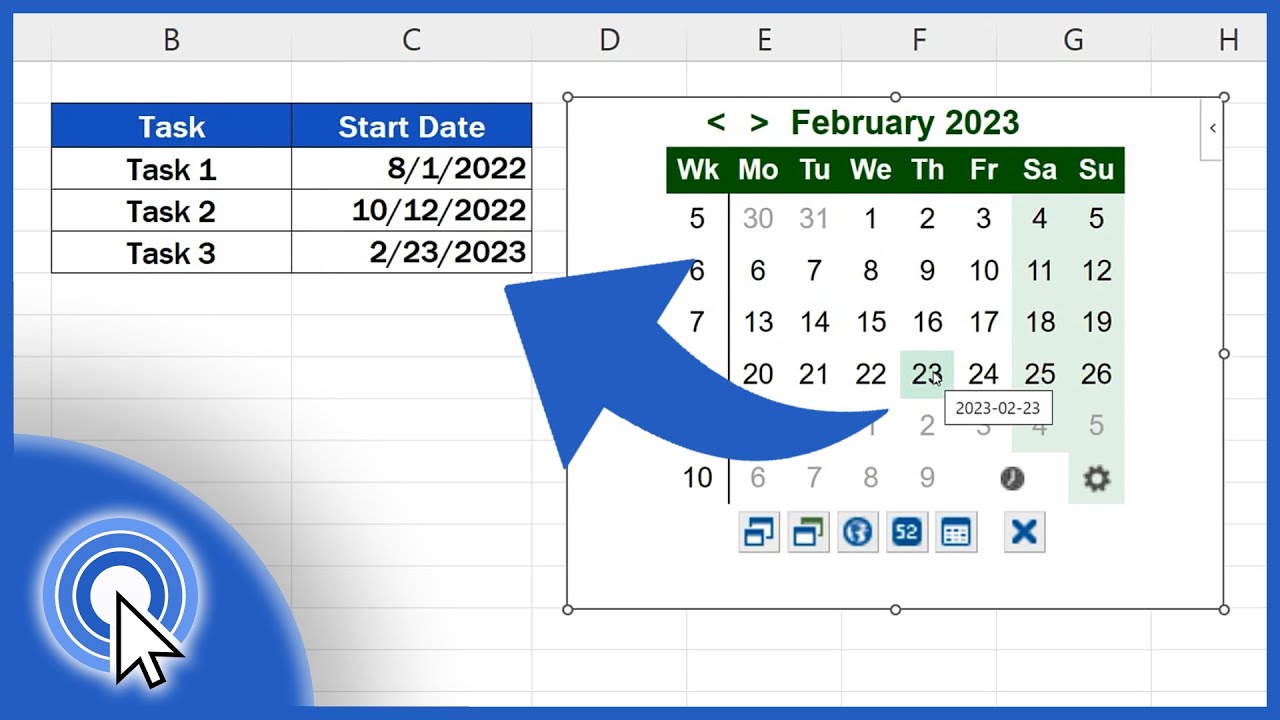
    1. Use Third-Party Add-Ins

    If you don’t have access to the date picker, consider downloading a free calendar add-in:

    • Go to Insert > Get Add-ins
    • Search for “calendar” or “date picker”
    • Select and install your preferred add-in
    • Follow the on-screen instructions to use it in your spreadsheet

    Also Read: How To Grow Strawberries In Pots

    Email your news TIPS to Editor@Kahawatungu.com — this is our only official communication channel

    Follow on Facebook Follow on X (Twitter)
    Share. Facebook Twitter WhatsApp LinkedIn Telegram Email
    Damaris Gatwiri

    Damaris Gatwiri is a digital journalist, driven by a profound passion for technology, health, and fashion.

    Related Posts

    How To Draw A Pencil

    December 12, 2025

    How To Draw A Palm Tree

    December 12, 2025

    How To Draw A Map For A School Project

    December 12, 2025

    Comments are closed.

    Latest Posts

    Eritrea Officially Withdraws from IGAD

    December 12, 2025

    Former IEBC Chair Chebukati’s Wife Mary Wanyonyi Awarded Top State Honour

    December 12, 2025

    AG Dorcas Oduor, CSs Kabogo, Kinyanjui and Barasa Awarded EGH

    December 12, 2025

    Duale reassures public on integrity of health data agreement with U.S.

    December 12, 2025

    Govt to Overhaul JKIA–ABC Road Corridor

    December 12, 2025

    Ruto Announces Plan for New 60km Nairobi–Thika Expressway

    December 12, 2025

    Ruto Approves Plan to Rename Talanta Stadium After Raila Odinga

    December 12, 2025

    King Charles III Sends Warm Jamhuri Day Message, Lauds Strong Partnership with President Ruto

    December 12, 2025
    Facebook X (Twitter) Instagram Pinterest
    © 2025 Kahawatungu.com. Designed by Okii.

    Type above and press Enter to search. Press Esc to cancel.