


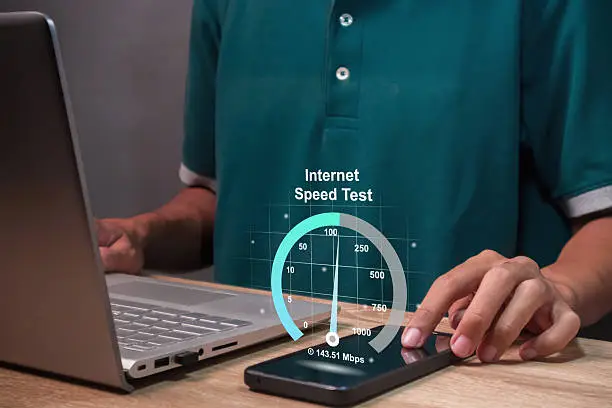
Learning how to improve internet speed can help you browse websites faster, stream videos smoothly, download files more quickly and enjoy more reliable video calls. Slow internet can be caused by several factors, including a weak Wi-Fi signal, too many connected devices, an outdated router, network congestion or problems with your internet service provider. Before upgrading your internet plan, there are several things you can try to improve your connection.
-
Test Your Internet Speed
Start by testing your current download and upload speeds. This helps you determine whether the problem is with your internet connection or the Wi-Fi connection between your device and router.
Run the test when the network is not being heavily used and repeat it at different times of the day. If your results are consistently much lower than the speed included in your internet plan, contact your internet service provider.
-
Restart Your Router and Modem
Restarting your router and modem can resolve temporary connection problems and sometimes improve slow internet performance.
Turn off the modem and router, disconnect their power supplies, wait for a short period and reconnect them. Allow the equipment to fully restart before testing the connection again.
-
Move Closer to the Wi-Fi Router
If your internet is fast near the router but slow in another room, the problem may be your Wi-Fi signal rather than your internet plan.
Move your phone, laptop or other device closer to the router and check whether the speed improves. Walls, furniture and other physical obstacles can weaken Wi-Fi signals.
-
Place Your Router in a Better Location
Where you place your router can affect Wi-Fi performance. Keep it in an open and relatively central location rather than hiding it inside a cabinet or placing it behind large objects.
Avoid unnecessary obstacles between the router and the devices you use most often. A more open location can help the wireless signal reach more areas of your home.
-
Reduce the Number of Devices Using the Network
Every device using your network can consume bandwidth. Streaming television, downloading large files, online gaming and video calls can all use significant amounts of bandwidth.
Disconnect devices that are not being used and pause large downloads when you need better performance on another device.
-
Use the Faster Wi-Fi Frequency When Appropriate
Many modern routers support both 2.4 GHz and 5 GHz Wi-Fi frequencies. The 5 GHz band can provide faster speeds at shorter distances, while 2.4 GHz generally provides better range through obstacles.
If your device and router support 5 GHz, connect to it when you are relatively close to the router and want higher speeds.
-
Use an Ethernet Cable for Important Connections
For desktop computers, gaming consoles, smart TVs or other devices located near the router, an Ethernet connection can provide a more stable connection than Wi-Fi.
Make sure the Ethernet cable and network ports support the speed you are paying for. Using a suitable modern Ethernet cable can help prevent the cable itself from becoming a speed limitation.
-
Close Unnecessary Downloads and Background Apps
Applications running in the background can use your internet connection without you realizing it.
Cloud backups, software updates, file downloads and video streaming can consume bandwidth. Check which applications and devices are using your network and pause activities that are not necessary.
This can be particularly helpful when you need faster speeds for video calls, gaming or downloading an important file.
-
Update Your Router and Devices
Older routers and devices may not support newer Wi-Fi standards or faster connection speeds.
Check whether your router manufacturer provides firmware updates and keep your phone, computer and other connected devices updated.
If your router is several years old and cannot handle your current internet plan effectively, replacing it with a modern model may improve your Wi-Fi performance.
-
Reduce Wi-Fi Interference
Other wireless networks and electronic devices can interfere with Wi-Fi performance. Nearby routers and some household devices can contribute to wireless interference.
Moving the router away from potential sources of interference and using a less congested wireless channel when your router allows it may help improve performance.
-
Consider Network Congestion
Your internet may become slower during busy periods when many devices in your home or many users in your area are online.
Compare your speed during different times of the day. If your connection is consistently slower during particular periods, the problem could involve congestion on your home network or your provider’s network.
If the issue regularly occurs at peak times, contact your internet service provider and ask whether there are network problems or whether your current plan has enough bandwidth.
-
Check Your Internet Plan
Your internet plan determines the maximum bandwidth available to your home. If several people regularly stream high-resolution videos, attend online meetings, play games and download large files simultaneously, your current plan may not provide enough bandwidth.
Before upgrading, test your existing connection and determine whether the problem is actually your Wi-Fi coverage or router.
If your connection is consistently reaching the limits of your plan, upgrading may provide better performance.
-
Restart or Reconnect Your Device
Sometimes the problem may be limited to one phone, computer or tablet rather than the entire network.
Restart the affected device and reconnect it to Wi-Fi. If other devices are working normally, investigate the affected device rather than immediately changing your internet plan.
You can also forget the Wi-Fi network and reconnect using the correct password if connection problems continue.
-
Contact Your Internet Service Provider
If you have tested your connection, restarted your equipment and improved your Wi-Fi setup but the internet remains slow, contact your internet service provider.
Your provider may be able to check for outages, connection problems, equipment issues or other network problems affecting your service.
If the speed delivered to your router is significantly below what your plan provides, your provider should be able to investigate the issue.
-
Upgrade Your Network Equipment When Necessary
If your internet plan is fast but your Wi-Fi remains slow, your router may be the limiting factor.
A newer router with modern Wi-Fi technology can provide better performance and support more connected devices. For large homes, a properly configured mesh system can also help improve coverage.
However, buying a new router will not increase the speed supplied by your internet service provider beyond the limits of your internet plan.
Also Read: How to Improve Speech Delay

Email your news TIPS to Editor@Kahawatungu.com — this is our only official communication channel
