
Close Menu
    Facebook X (Twitter) Instagram
    Facebook X (Twitter) Instagram
    KahawatunguKahawatungu
    Button
    • NEWS
    • BUSINESS
    • KNOW YOUR CELEBRITY
    • POLITICS
    • TECHNOLOGY
    • SPORTS
    • HOW-TO
    • WORLD NEWS
    KahawatunguKahawatungu
    HOW-TO

    How To Reboot DStv Explora

    Damaris GatwiriBy Damaris GatwiriJuly 31, 2025No Comments2 Mins Read
    Facebook Twitter WhatsApp Telegram Email
    How To Reboot DStv Explora
    Share
    Facebook Twitter WhatsApp Telegram Pinterest Email Copy Link

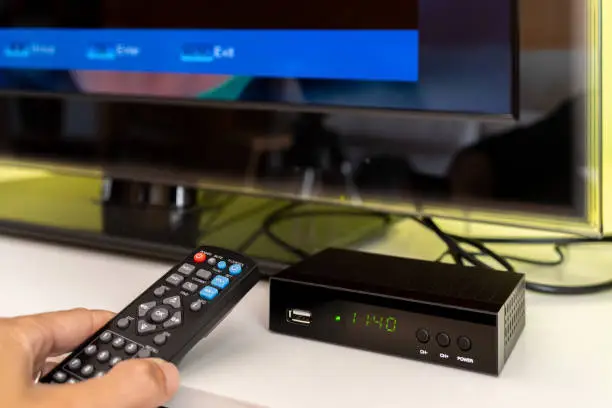
    Rebooting your DStv Explora can fix common issues like freezing, missing channels, or system lag. It’s a simple process that refreshes the decoder’s system without erasing your recordings or settings. Here’s How To Reboot DStv Explora properly.

    1. Use the Power Button

    The quickest way to reboot is by using the decoder’s physical power button.

    • Press the power button on the front of the Explora to switch it off.
    • Wait a few seconds, then press the button again to turn it back on.
    • This soft reboot usually resolves minor problems.

    If the decoder does not respond, continue with a full reboot.

    1. Unplug the Decoder

    For a more thorough reboot, unplug the power cord.

    • Switch off the decoder and remove the plug from the wall socket.
    • Wait for at least 30 seconds to 1 minute.
    • Plug it back in and press the power button to restart the device.

    This method resets the internal hardware and helps fix stubborn glitches.

    1. Use the Remote Control Method

    You can also restart the DStv Explora using the remote control.

    • Press the blue DStv button to access the menu.
    • Navigate to Settings, then go to System Settings.
    • Select Reboot Decoder and confirm the action.

    This method is helpful if your decoder is slow or unresponsive but still navigable.

    1. Check for Software Updates

    Sometimes the need to reboot is caused by outdated software.

    • Go to Settings > Information Central to check your current version.
    • If there’s an update available, the decoder will prompt you to install it.
    • After updating, a reboot is usually part of the process.

    Keeping your decoder updated helps avoid frequent issues.

    1. Contact DStv Support if Needed

    If rebooting doesn’t solve the problem, there might be a deeper issue.

    • Visit the DStv website or call their customer care line.
    • Explain the issue and the steps you’ve tried.
    • They may walk you through a factory reset or send a technician.

    Also Read: How To Make Sugar

    Email your news TIPS to Editor@Kahawatungu.com — this is our only official communication channel

    Follow on Facebook Follow on X (Twitter)
    Share. Facebook Twitter WhatsApp LinkedIn Telegram Email
    Damaris Gatwiri

    Damaris Gatwiri is a digital journalist, driven by a profound passion for technology, health, and fashion.

    Related Posts

    How To Draw A Robin

    December 13, 2025

    How To Draw A Protea

    December 13, 2025

    How To Draw A Pretty Flower

    December 13, 2025

    Comments are closed.

    Latest Posts

    Police officer shoots and kills reveler in altercation in bar in Kenyenya, Kisii County

    December 13, 2025

    Djibouti Regrets Eritrea’s Withdrawal from IGAD

    December 13, 2025

    EACC recovers grabbed road reserve in Mombasa valued at Sh21 Million

    December 13, 2025

    Jirongo body moved to Lee Funeral in Nairobi after his death in Naivasha

    December 13, 2025

    Kenya’s New Crypto Law Set to Boost Startups, Jobs, and Global Investment

    December 13, 2025

    Ruto Leads Nation in Mourning Former Lugari MP Cyrus Jirongo

    December 13, 2025

    Govt Postpones Religious Bill to Allow Wider Public Input

    December 13, 2025

    Ruto, CSs Makes Key Govt Appointments

    December 13, 2025
    Facebook X (Twitter) Instagram Pinterest
    © 2025 Kahawatungu.com. Designed by Okii.

    Type above and press Enter to search. Press Esc to cancel.